Manually Reference InDesign Text Variable in an Object Settings/Configuration
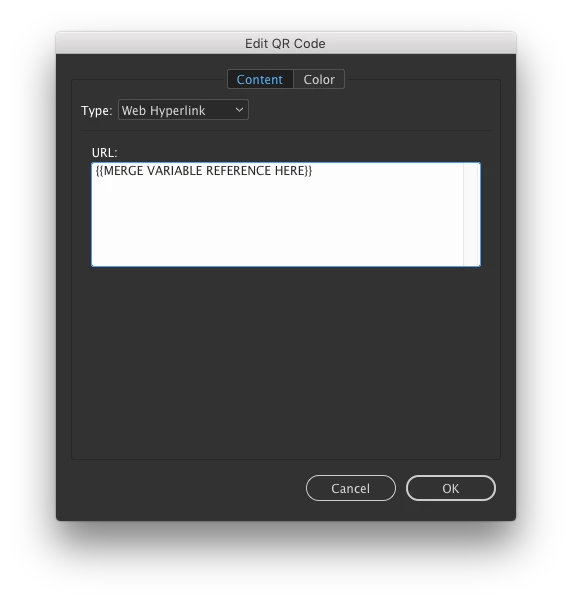
I'm wanting to insert a text variable placeholder into the QR Code dialog settings.
I do not want this to be a full data merge from a data file (that I do know how to do, as it is well-documented).
Rather, I'd like this to be an InDesign text variable that can be loaded from another ID document, or edited in all locations simply by editing the value of the InDesign text variable.
Ideally, I imagine some combination of the merge variable placeholder name would make this work?
<VariableName>?
<<VariableName>>?
{VariableName}?
{{VariableName}}?
How can I invoke it here to make that happen? I've tried copying and pasting in the variable from the story editor, search/replacing using the grep/clipboard contents option, and all combinations of the above names, including guillemot.
 AdChoices