Participant
March 28, 2018
Question

Map Styles To Tags & Hyperlinks

  • March 28, 2018
  • 2 replies
  • 535 views

I have some troubles with the "Map Styles To Tags" function in Indesign CC 2018.

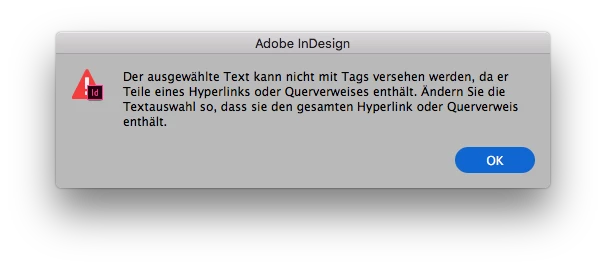
I used this often before and so far there were no problems. But in my actual a book project he function is not working anymore. The error description says (roughly translated from German): "The selected text cannot be marked with tags, as it contains parts of hyperlinks or cross references. Please change the selected text so that it included only complete hyperlinks or cross references."
The file is not intensify complex. There are around 200 links, mostly links to pages (e.g. in the index) and links to URLs (http and mailto). So far there seems to be no mistakes. I didn't use any text anchors. And I load my own DTD list, nothing special there.

This topic has been closed for replies.

2 replies

Participant
May 22, 2018

I came across the same problem and it took me around 3 or 4 hours to realize that the error is actually within the table of contents page,

There is a space somewhere if you look carefully, so you may have hit enter to move text to the next line but this causes this error within the table of contents page. So instead of hitting enter to move text, press tab to move it.

Hope this works for you if you haven't already got the problem solved.

Srishti_Bali
Legend
May 22, 2018

Hi Michaela,

Thanks for sharing your experience here. It might help others on community.

Regards,

Srishti

Srishti_Bali
Legend
May 18, 2018

Hi there,

We are sorry for the inconvenience. If you have checked and found no errors on file, please try exporting the file to IDML and see if it clears up the problem. If not please try to open the file in the different version of InDesign and check if that helps.

Regards,

Srishti