
Lars_5150
Participant
July 13, 2021
Answered

Margin settings issue

  • July 13, 2021
  • 1 reply
  • 233 views

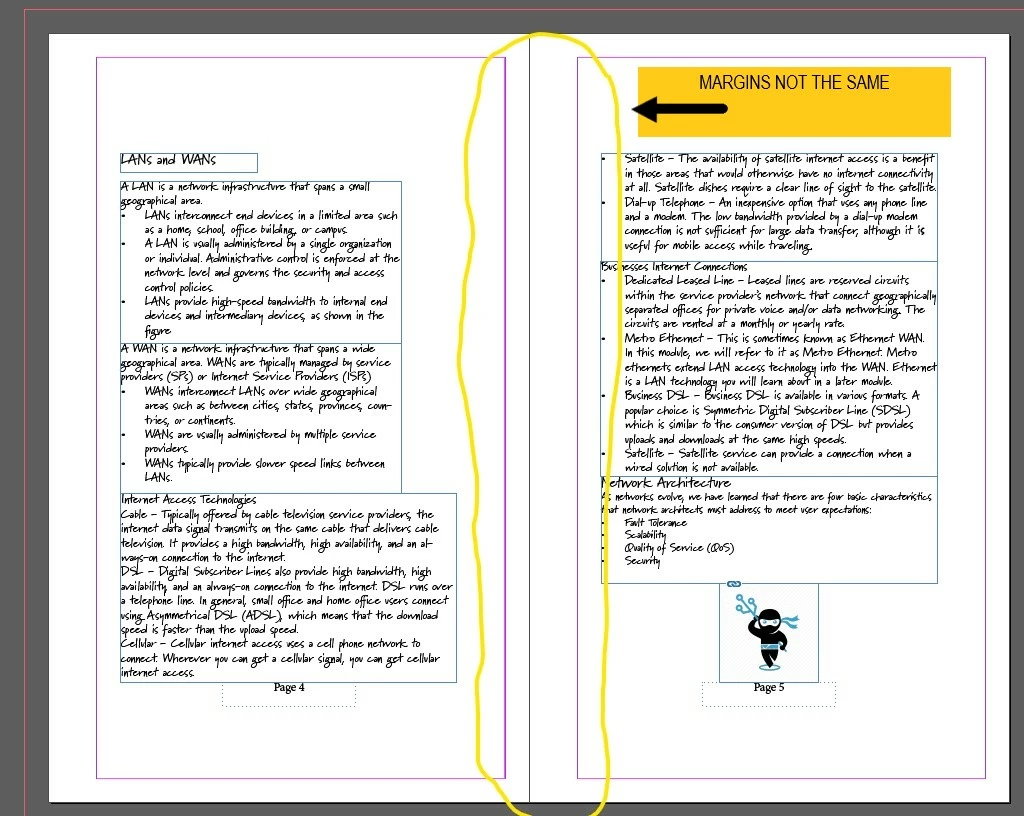
I am trying to set margins for a spiral bound notebook i am creating, so all the margins are not going to be the same. I want to leave some room on the inner margins for the spiral binding that way it does not cut into the text or pictures i have. I cannot seem to apply the margin settings to both pages (i have facing pages checked in the properties panel), it seems to apply to the pages but its not doing it correctly


This topic has been closed for replies.
Correct answer Bill Silbert

I'd just like to point out in regard to Jain Lemos' answer that "Facing Pages" (the option for which is seen at the top of Jain's first screenshot) must be checked in order to get the option for inside and outside margins. If that option is unchecked then the document will be in single page mode and the margin options would be simply Top, Bottom, Left and Right.

1 reply

J E L
Community Expert
Community Expert
July 13, 2021

@Lars_5150  Hi, you can set your inside margins from the Document Setup panel or from the master pages. For masters, if you want both pages to have equal inside margins, be sure you have both pages in the spread selected before applying the settings. Otherwise, you can change them for each page on the spread.


Bill Silbert
Community Expert
Bill SilbertCommunity ExpertCorrect answer
Community Expert
July 14, 2021

I'd just like to point out in regard to Jain Lemos' answer that "Facing Pages" (the option for which is seen at the top of Jain's first screenshot) must be checked in order to get the option for inside and outside margins. If that option is unchecked then the document will be in single page mode and the margin options would be simply Top, Bottom, Left and Right.