
Inspiring
June 8, 2024
Answered

Masking in Indesign

  • June 8, 2024
  • 3 replies
  • 1984 views

Hello,


so I come mainly from Photoshop and Illustrator and I am now trying to dive deeper into Indesign. I have bumped into a problem with masking parts of images.
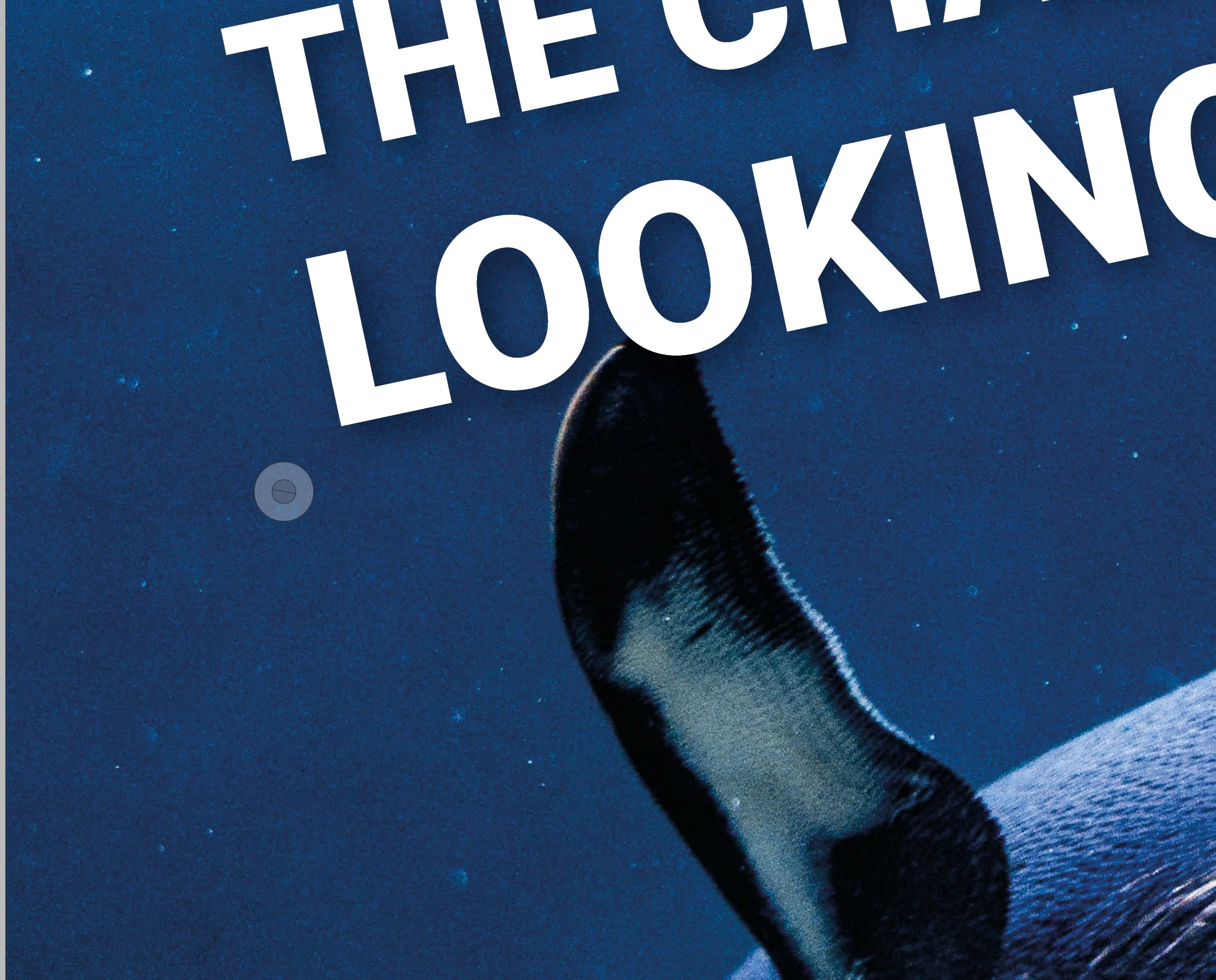


What I would love to achieve here is that the wing would go over the letter "O". This would be easy in Photoshop of course but is there anyway to achieve it in Indesign?


Thank you in advance for your tips!

This topic has been closed for replies.
Correct answer Eugene Tyson

It's the same principle as Photoshop 

You need to layer them as you would in Photoshop.


I found the article I was thinking of - and I don't know how I remember these articles... in my brain somewhere

https://creativepro.com/image-sandwich-putting-image-front-text/


3 replies

Eugene TysonCommunity ExpertCorrect answer
Community Expert
June 9, 2024

It's the same principle as Photoshop 

You need to layer them as you would in Photoshop.


I found the article I was thinking of - and I don't know how I remember these articles... in my brain somewhere

https://creativepro.com/image-sandwich-putting-image-front-text/


Barb Binder
Community Expert
Community Expert
June 9, 2024

Clever approach, @Eugene Tyson. (Edit: which also clarifies @Robert at ID-Tasker's second suggestion.) 


~Barb

~Barb at Rocky Mountain Training
Community Expert
June 9, 2024

Yeh and same nearly as what @BobLevine suggested too.
I just remembered the article from way when and felt it was relevant - and already has all the info to do it.

Robert at ID-Tasker
Legend
June 9, 2024

@Farynn


You could convert text to curves - outline - and edit "O" - but it won't be editable text anymore.


Or you can copy wing from PS and place it over the text. 


BobLevine
Community Expert
Community Expert
June 8, 2024

Do it in Photoshop.

FarynnAuthor
Inspiring
June 8, 2024

Well that is not really what I asked however, should I take it there is no way to do it in Indesign? I am aware that you can somehow bring a mask path from Photoshop to Indesign. Is that feature still available?


Since if I do it in Photoshop and place it in Indeisgn, it will no longer be editable text right?

BobLevine
Community Expert
Community Expert
June 9, 2024

Again, do it in Photoshop and edit it in Photoshop. Tip: if text is involved save the file as a Photoshop PDF to keep the text vector.