Typothalamus
Known Participant
March 18, 2024
Answered

Master spreads with text column changing position

  • March 18, 2024
  • 1 reply
  • 423 views

Redoing a book that was improperly laid out and requires several different Master spreads. There's one 13cm-wide column of body text on each page (pages are 21cm wide), but these alternate in every possible way, i.e.:

1. Verso page with column oriented to the left, with opposite recto page also with column on left (and there's the crux of my question – how to set up Master spreads where the left page and right page each have different inner and outer margins? Currently there's just one specification for this in the Master setup options – both the left page and right get the same inner and outer margins). No need to read on further, as the question is likely understood with that, but here are the full set of options to be built:

2. Verso with column on right, recto with column on right 

3. Recto with column right, verson with column left

4. Verso with column left, recto column right

5. Chapter opener with blank right, verso page with short column situated to right

6. Chapter opener with blank right, verso page with short column situated to left

7. Chapter opener with blank left, recto page with short column situated to right

8. Chapter opener with blank left, recto page with short column situated to left

Scanning through the forum, surprisingly, didn't pick this up; perhaps my question was phrased oddly.

Very appreciatively——
This topic has been closed for replies.
Correct answer rob day

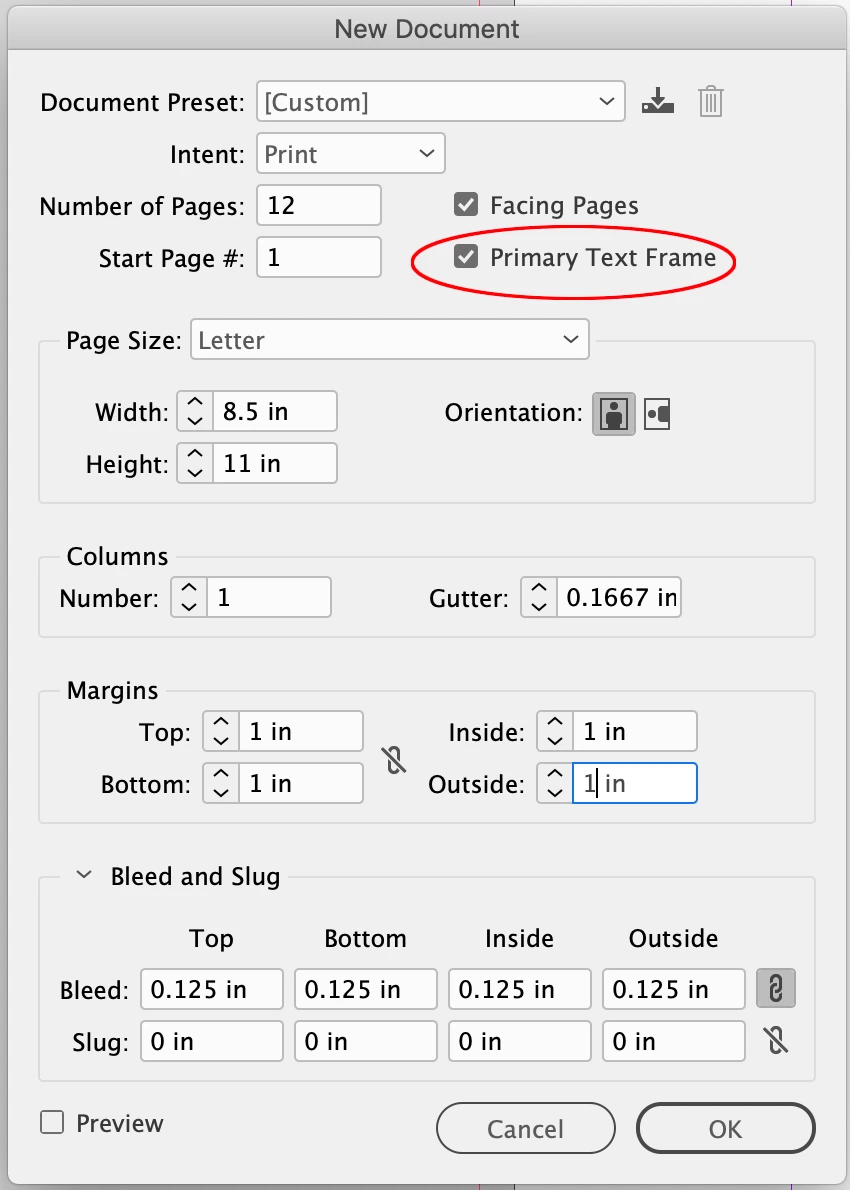
Hi @Typothalamus , If you want your body text to respond to the Parent Page’s margins, I think you will need to use Primary Text frames. If you have not used Primary text frames see this thread:


https://community.adobe.com/t5/indesign-discussions/can-someone-help-demystify-how-primary-text-frames-actually-work/td-p/8930818#9329177


Facing Pages with Primary Text Frames on the Parent pages. You have to be careful that your running text gets threaded in the Primary Frames, and not autoflowed to regular text frames on the pages


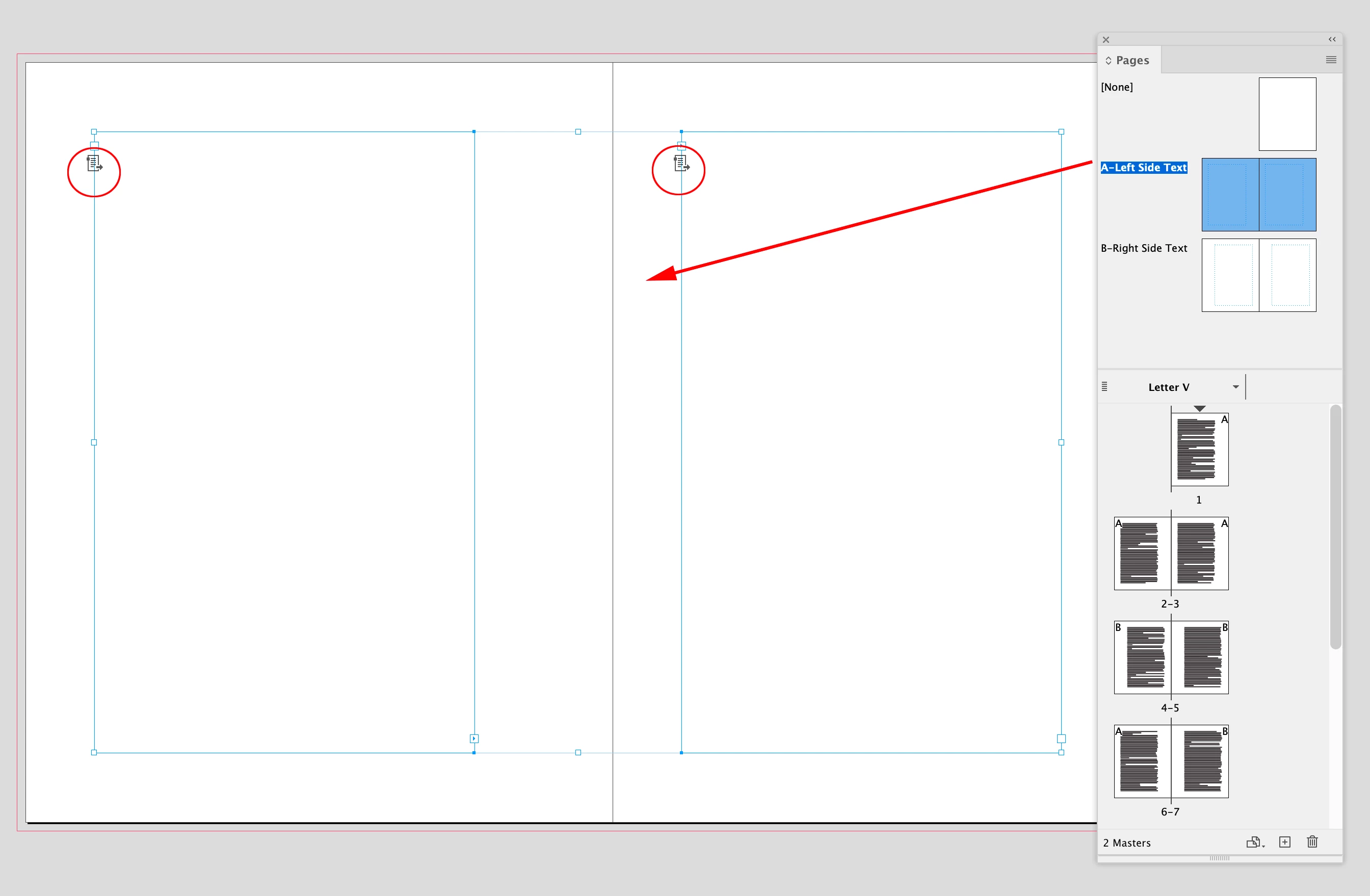
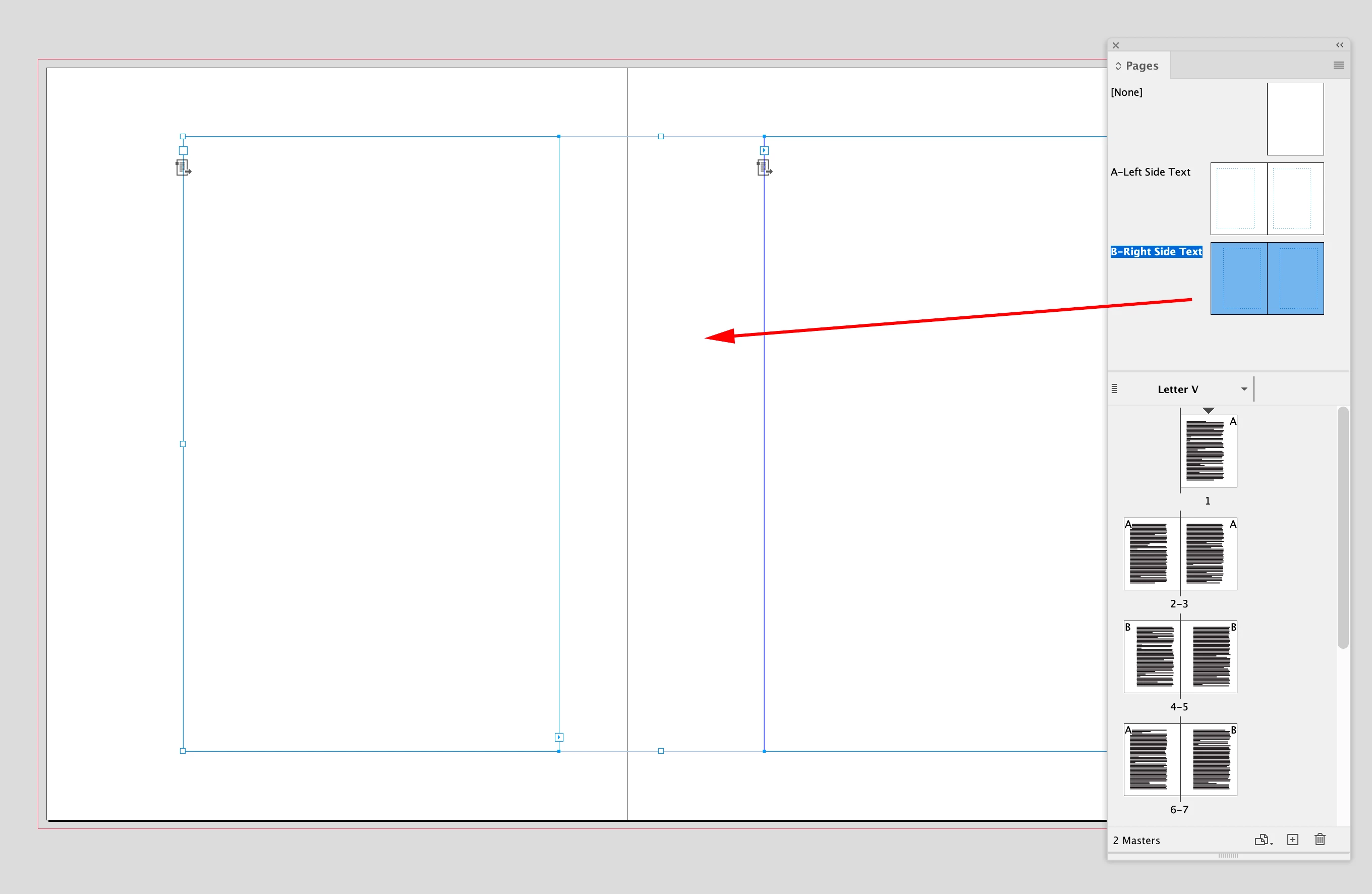
Two Parents for Left and Right orientation:


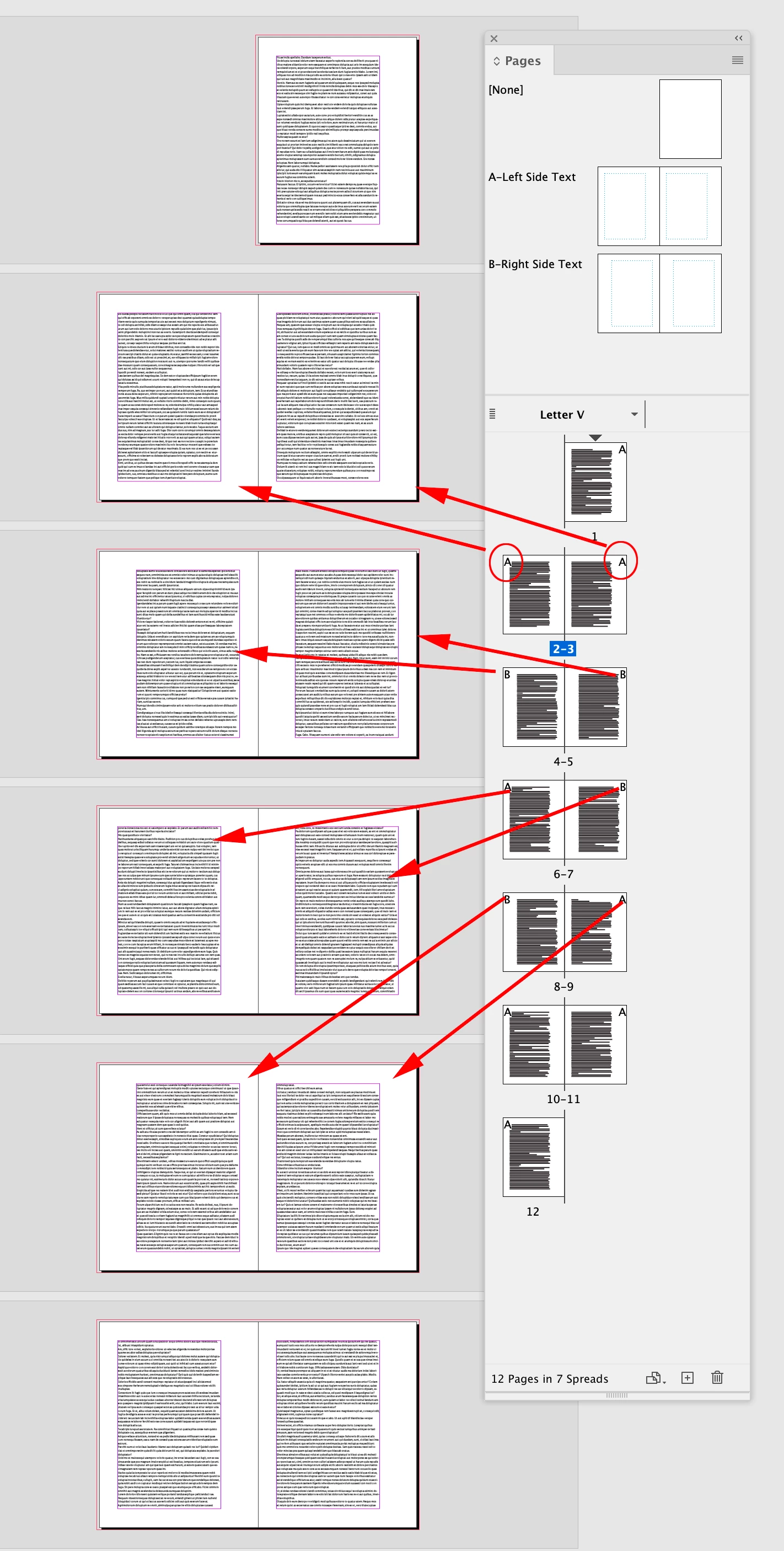
Then you can drag and drop the left and right combinations from the Parnets:


1 reply

rob day
Community Expert
rob dayCommunity ExpertCorrect answer
Community Expert
March 18, 2024

Hi @Typothalamus , If you want your body text to respond to the Parent Page’s margins, I think you will need to use Primary Text frames. If you have not used Primary text frames see this thread:


https://community.adobe.com/t5/indesign-discussions/can-someone-help-demystify-how-primary-text-frames-actually-work/td-p/8930818#9329177


Facing Pages with Primary Text Frames on the Parent pages. You have to be careful that your running text gets threaded in the Primary Frames, and not autoflowed to regular text frames on the pages


Two Parents for Left and Right orientation:


Then you can drag and drop the left and right combinations from the Parnets:


Typothalamus
Known Participant
March 18, 2024

Thanks @rob day, I'm working on this approach now. How then should the chapter opener template/master be set up (which has a "drop title" with text and title starting lower on the page, and, in this case, a higher baseline), i.e. should this involve Primary Text Frames too? Here's an example at top (sorry for the low res):


And it appears the Primary Text Frame option is usually checked when creating the doc, but not retroactively applied, yes?


rob day
Community Expert
Community Expert
March 18, 2024

Set up a chaper opener Parent:


Apply it to a spread and end the previous chapter with a Frame Break character:


Delete the primary frame from the recto image page:


Style your chapter opener text: