Participating Frequently
September 14, 2020
Answered

Masterpages Re-Applying Themselves and Conflicting with Overridden Elements

  • September 14, 2020
  • 2 replies
  • 1008 views

Dear Community,

There seems to be no rhyme nor reason as to why this happens (hence the lack of example at the moment), but my colleauges and I are finding with InDesign and using Master Pages extensively and locally overriding them on each page that when some users add/delete pages InDesign almost does a "re-fresh" and re-applies the entire template, meaning the originally "overidden" elements re-appear.

For Example I have [Title] on my template and will overide it to [Chapter 1.0] and when pages are disrupted [Title] will re-appear behind [Chapter 1.0].

Does anyone know if there is something that I am missing about how Master Pages or Overides are meant to work in these scenarios?

Many thanks in advance,

Anthony
This topic has been closed for replies.
Correct answer rob day

when some users add/delete pages InDesign almost does a "re-fresh" and re-applies the entire template, meaning the originally "overidden" elements re-appear.


When you override a master page item on a page its properties remain linked to its master until you change them. So, if you changed the master page item’s position from the master, the change would be applied to the pages, but only if you haven’t changed the position of the overridden page item. If you override a master page item, and make a position edit; going back and changing the position on the master would no longer affect the position of the overridden item.


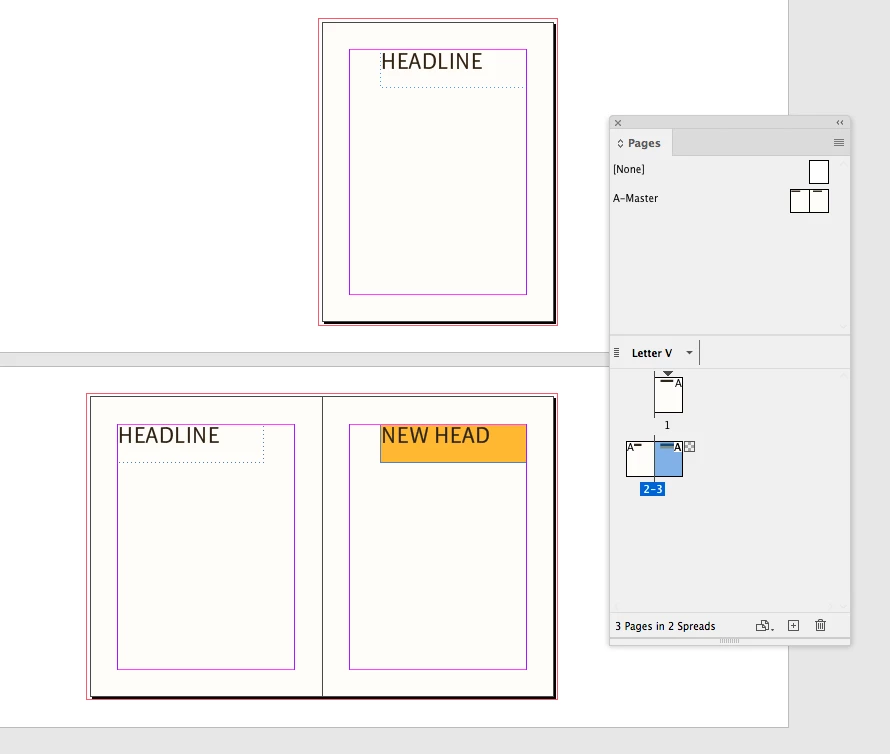
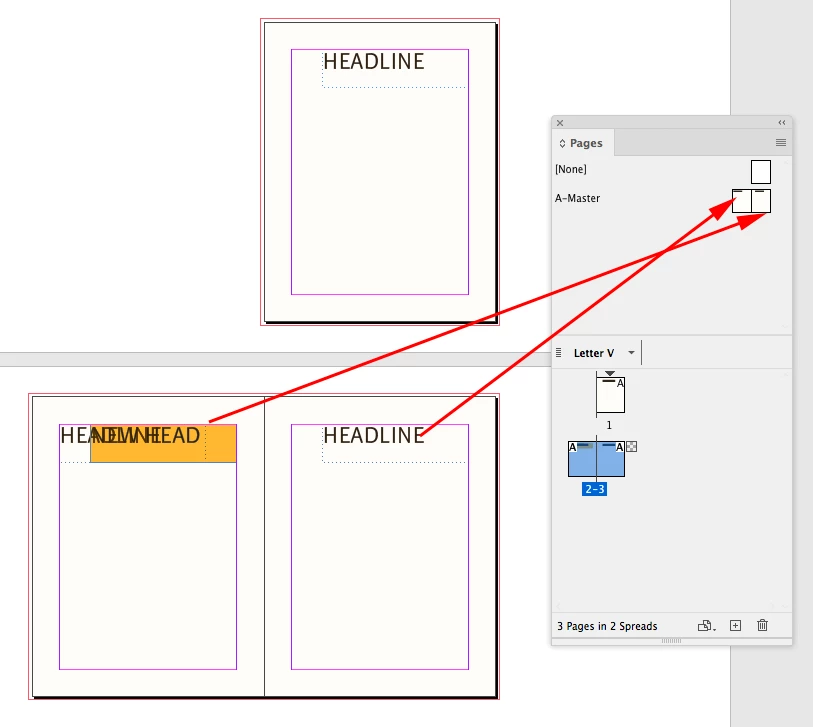
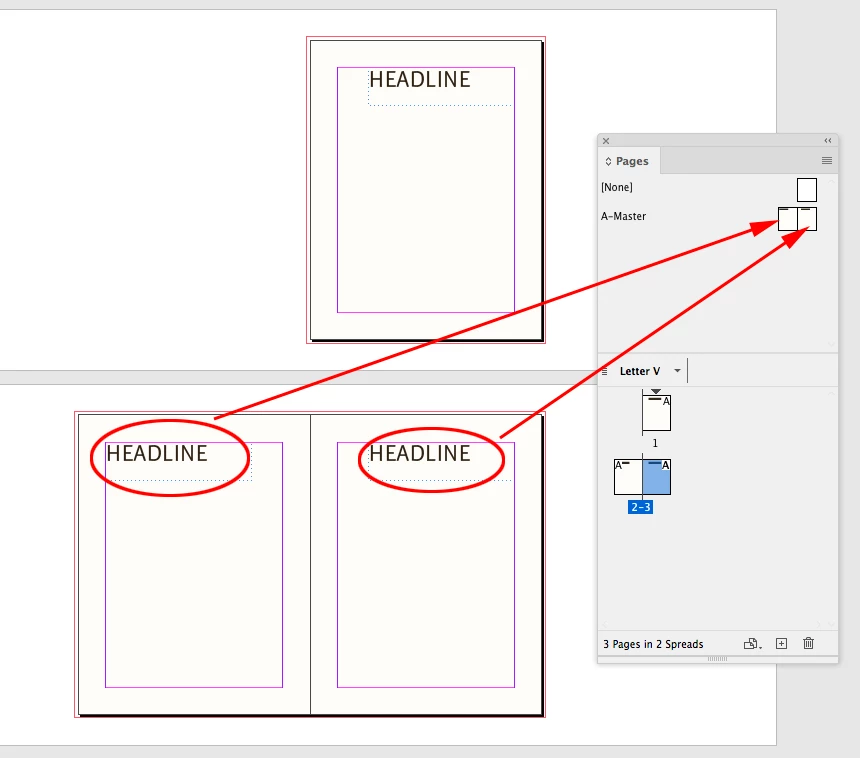
With facing page documents moving the page position in the spread, changes the x, y position of an overridden master page item, and that would cause the problem you are describing. These headlines are controlled by the A-master’s left and right pages:


If I edit the text, and fill of the righthand page, but don’t move its position the position attribute is still controlled by the righthand master


But if I swap the pages, I am effectively moving the x,y position and it remains linked to the A-Master righthand page


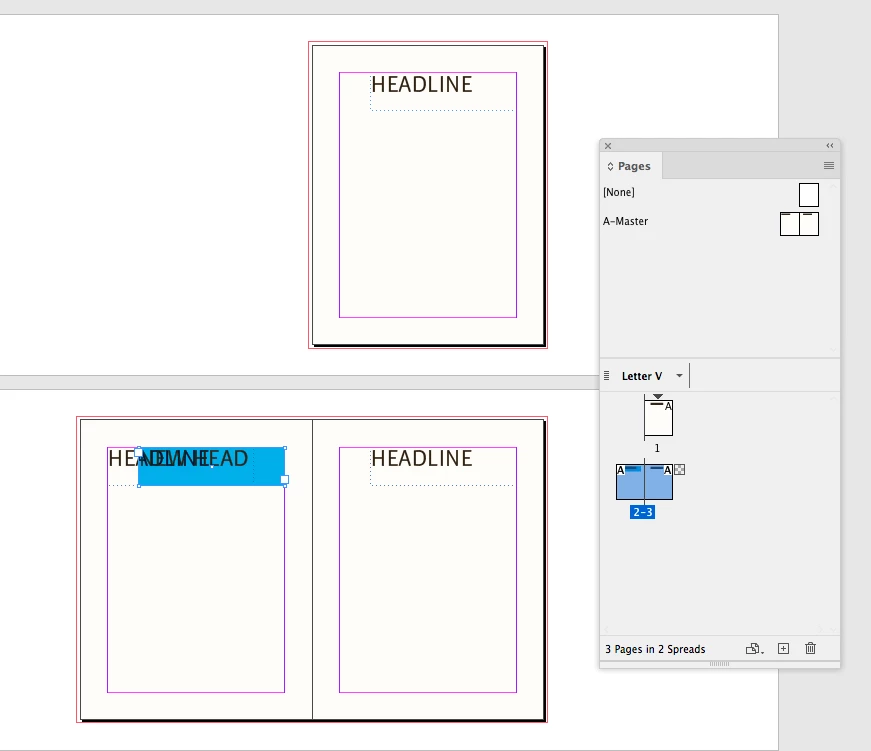
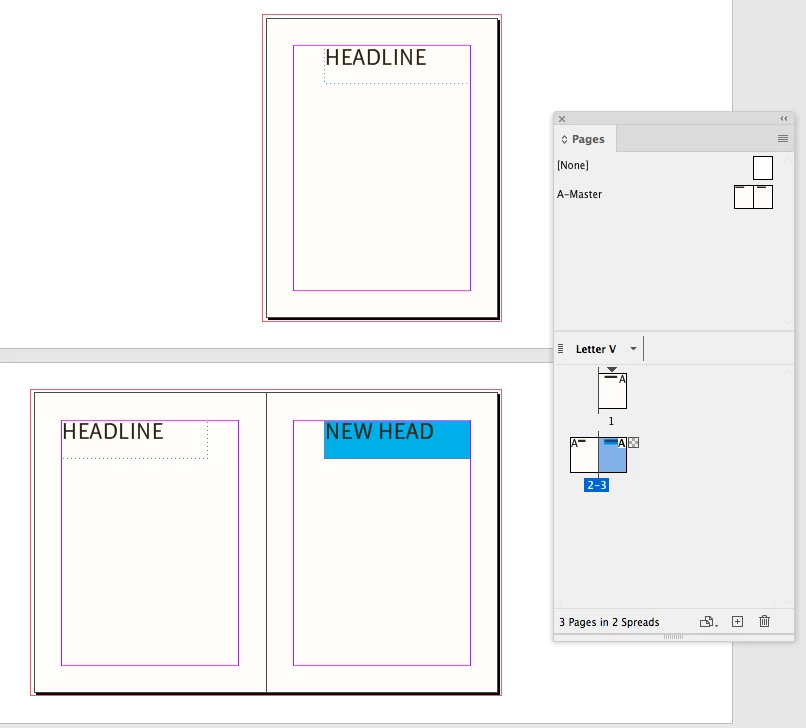
If I change the background color again, and swap the pages again, the original position is the same:


2 replies

rob day
Community Expert
rob dayCommunity ExpertCorrect answer
Community Expert
September 14, 2020

when some users add/delete pages InDesign almost does a "re-fresh" and re-applies the entire template, meaning the originally "overidden" elements re-appear.


When you override a master page item on a page its properties remain linked to its master until you change them. So, if you changed the master page item’s position from the master, the change would be applied to the pages, but only if you haven’t changed the position of the overridden page item. If you override a master page item, and make a position edit; going back and changing the position on the master would no longer affect the position of the overridden item.


With facing page documents moving the page position in the spread, changes the x, y position of an overridden master page item, and that would cause the problem you are describing. These headlines are controlled by the A-master’s left and right pages:


If I edit the text, and fill of the righthand page, but don’t move its position the position attribute is still controlled by the righthand master


But if I swap the pages, I am effectively moving the x,y position and it remains linked to the A-Master righthand page


If I change the background color again, and swap the pages again, the original position is the same:


Participating Frequently
September 15, 2020

Rob - thanks for the amazingly clear explanation.

I guess this harcks back to the importance have Left and Right Master Pages used in Facing Page Layouts and and single page masters for Non-Facing pages. I presume changing the Document Setup afterwards to or from Facing Pages could also wreak havoc on this very problem too?

rob day
Community Expert
Community Expert
September 15, 2020

I presume changing the Document Setup afterwards to or from Facing Pages could also wreak havoc on this very problem too?


Yes it would. Is there a reason why you would need to be switching between facing and non facing pages?

Derek Cross
Community Expert
Community Expert
September 14, 2020

You normally only use Master Pages for things that repeat, such as folios.

Maybe a screen shot or two might help us clarify the issue.

Participating Frequently
September 15, 2020

Hi Derek,

Apologies, luckily Rob Day has described the situation perfectly below.