
Inspiring
June 30, 2020
Answered

Match colours between PNG and InDesign

  • June 30, 2020
  • 4 replies
  • 814 views

Hi all,


I've created some icons/symbols/shapes in Illustrator and exported as PNGs which I've then placed in to InDesign. However, any other objects I've actually created in InDesign, ie squares and shapes I've used the same Hex code but the colours aren't matching with the imported PNGs. (and when i check the Hex code its changed slightly)


Its obviously an RGB/CMYK issue but whats the best way to get them to match, the document will be sent to the printers so needs to be right for them.
 

This topic has been closed for replies.
Correct answer rob day

whats the best way to get them to match


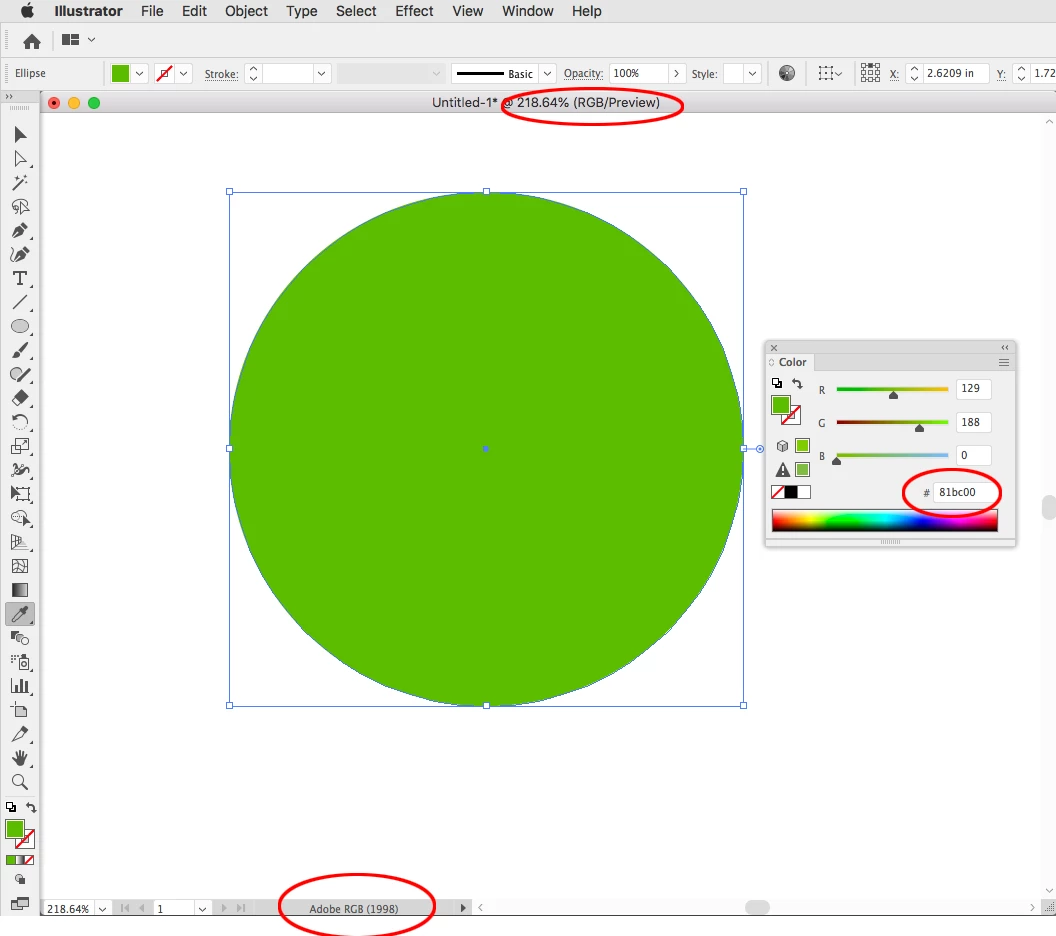
To Illustrate Uwe’s post you have to match color spaces and profiles. Hex is an RGB notation, so your Illustrator document’s color mode has to be RGB, and the assigned RGB profile for both the Illustrator file and InDesign have to match.


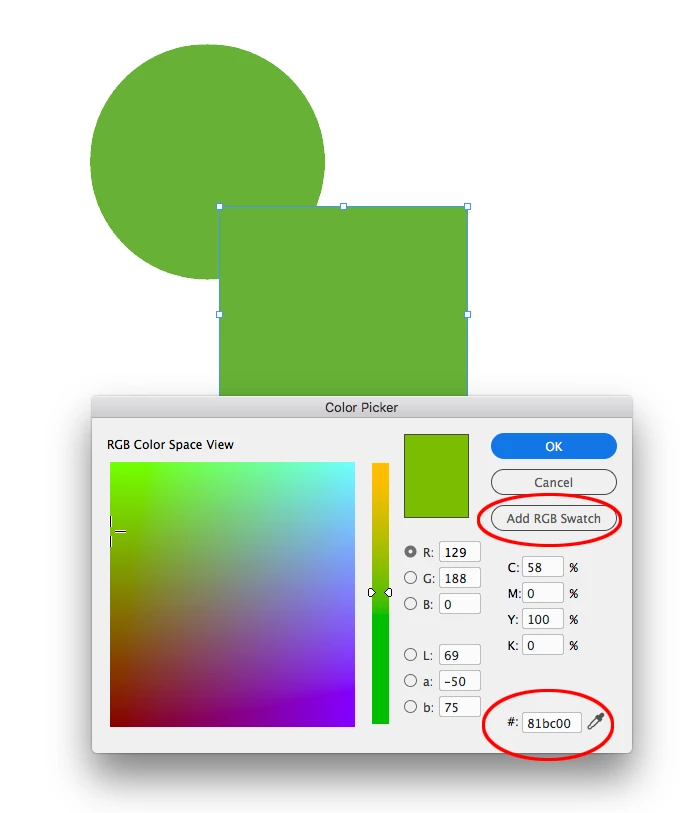
InDesign’s Color picker matches the #81bc00 hex value—the ID document’s assigned RGB profile (Edit>Assign Profiles...) is also AdobeRGB. Note that when you use the InDesign Color Picker your cursor placement determines the color space of the picked color, so make sure your cursor is in one of the R,G, or B fields


4 replies

Sheena Kaul
Legend
July 10, 2020

Hi there,


I hope your issue is resolved already but in case you need more assistance please reply to this thread. 

Else, if any of the solutions above helped, please confirm. 


Regards,

Sheena

rob day
Community Expert
rob dayCommunity ExpertCorrect answer
Community Expert
June 30, 2020

whats the best way to get them to match


To Illustrate Uwe’s post you have to match color spaces and profiles. Hex is an RGB notation, so your Illustrator document’s color mode has to be RGB, and the assigned RGB profile for both the Illustrator file and InDesign have to match.


InDesign’s Color picker matches the #81bc00 hex value—the ID document’s assigned RGB profile (Edit>Assign Profiles...) is also AdobeRGB. Note that when you use the InDesign Color Picker your cursor placement determines the color space of the picked color, so make sure your cursor is in one of the R,G, or B fields


BobLevine
Community Expert
Community Expert
June 30, 2020

Why are you save as PNG? Save as PDFX/4 and place that.

Eric Dumas
Community Expert
Community Expert
June 30, 2020

How about creating the icons in CMYK in illustrator.

Place the Ai file in the CMYK InDesign....

rob day
Community Expert
Community Expert
June 30, 2020

You still have to match color modes and profiles, and hex values are RGB colors.

Community Expert
June 30, 2020

Hi Sally,

if you have used the same RGB numbers there would have been no difference.

( Where I assume that the visualisation of all the objects and placed images are with the same RGB color profile, possibly the sRGB profile. ) And that's no RGB vs CMYK issue. InDesign is able to use colors with RGB numbers, CMYK numbers and LAB numbers in the same document.


Regards,
Uwe Laubender

( ACP )