
Participant
December 21, 2019
Answered

Merging Two Tables into One (Was "Link Already Filled Text Boxes”)

  • December 21, 2019
  • 3 replies
  • 694 views

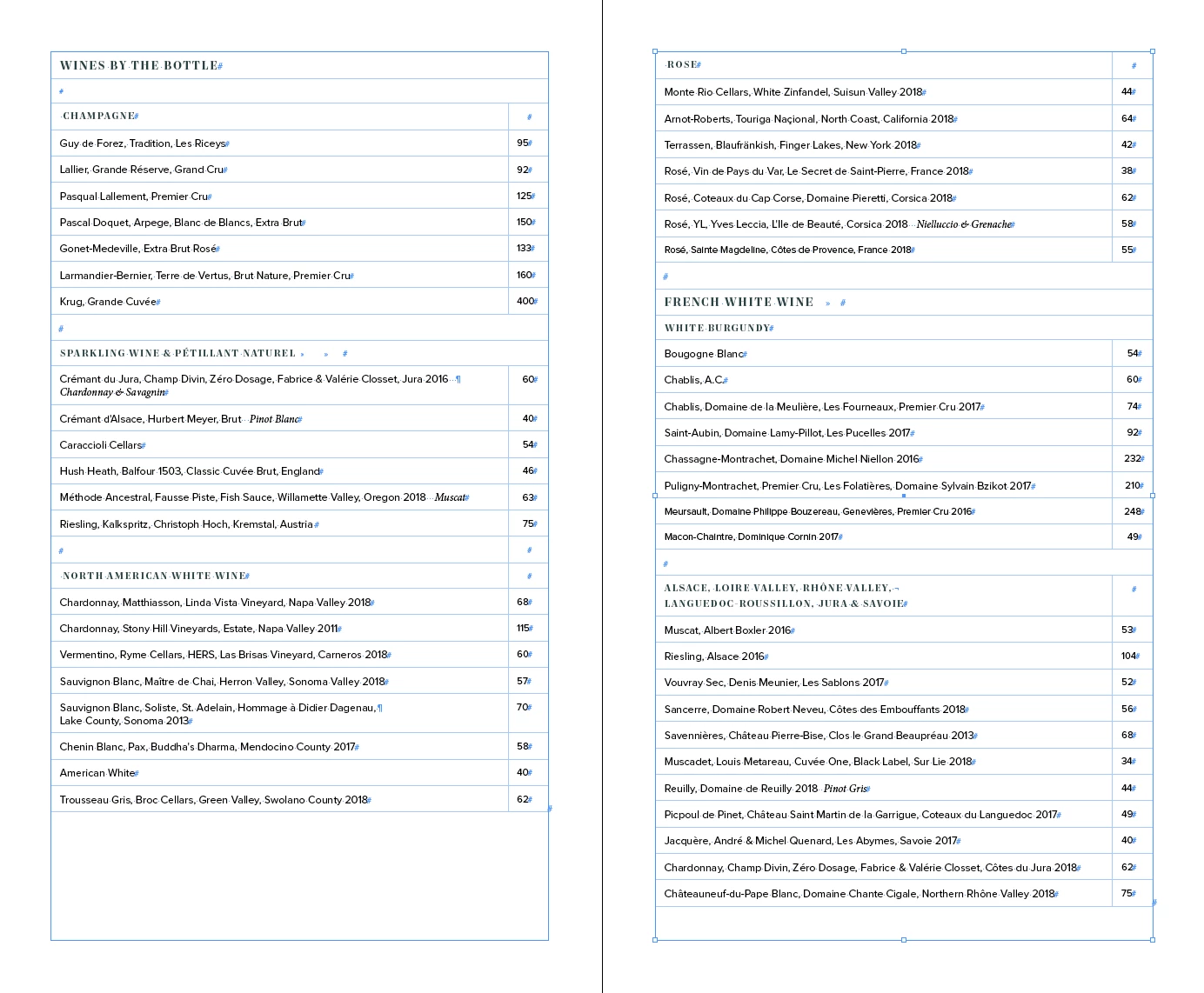
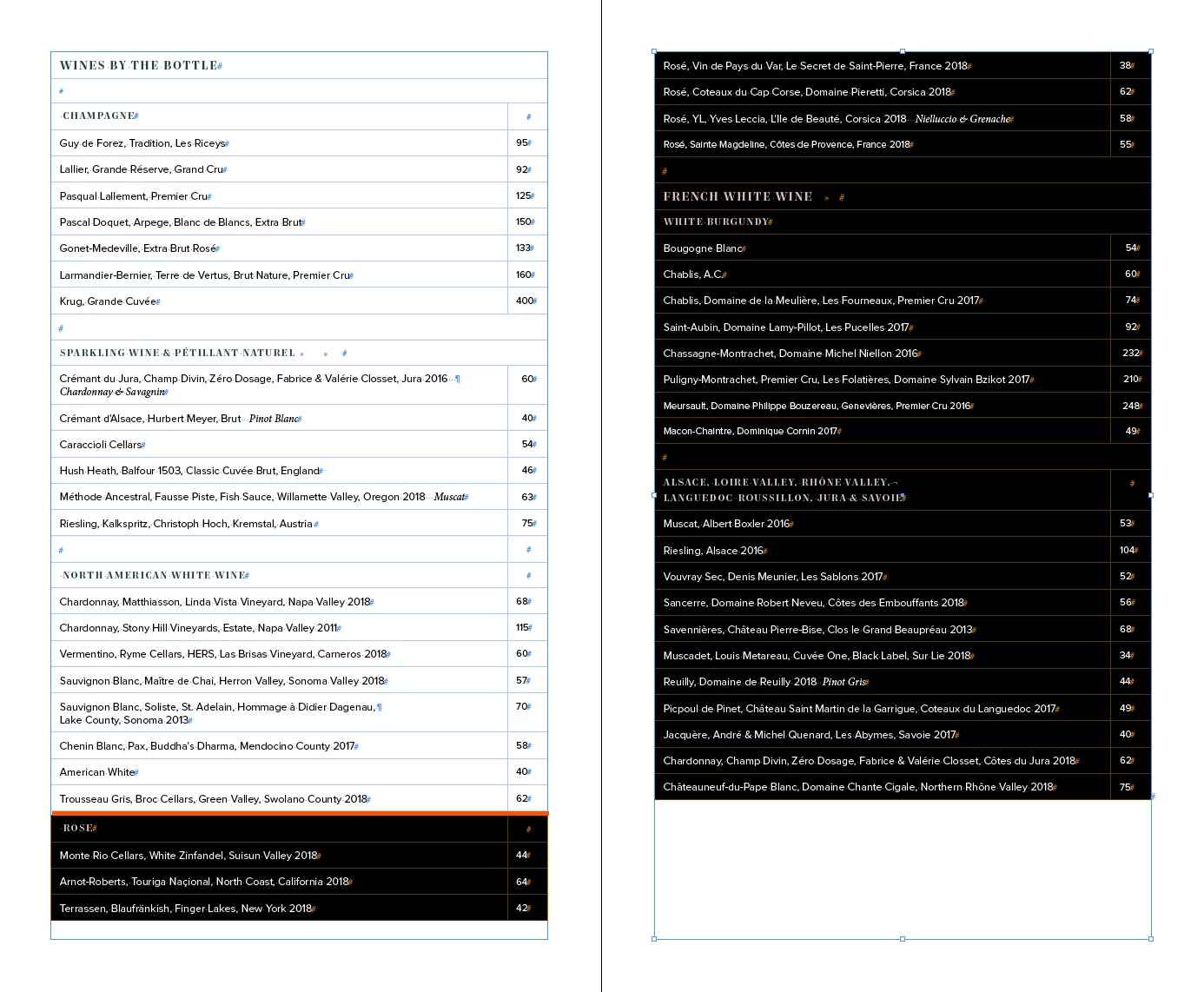
I'm trying to link already filled tables. When I start linking the tables together, InDesign adds a gap to where the text connects (see 2.png, in red is where the gap is) How do I remove the gap? And, I can only select the text up to the gap. I can't select the text further above "ROSE".


The top image is before linking the tables together. The bottom screenshot is after linking the tables together. Thanks so much for any help!
This topic has been closed for replies.
Correct answer Dave Creamer of IDEAS

You can check out this merge tables script at:

http://in-tools.com/article/scripts-blog/merge-tables-script/

I do not know if it works with CS6, but it's worth a shot.

There is another script from an old forum post here too:

https://community.adobe.com/t5/indesign/estk-merge-two-tables/td-p/10006515


3 replies

Dave Creamer of IDEAS
Community Expert
Dave Creamer of IDEASCommunity ExpertCorrect answer
Community Expert
December 21, 2019

You can check out this merge tables script at:

http://in-tools.com/article/scripts-blog/merge-tables-script/

I do not know if it works with CS6, but it's worth a shot.

There is another script from an old forum post here too:

https://community.adobe.com/t5/indesign/estk-merge-two-tables/td-p/10006515


David Creamer: Community Expert (ACI and ACE 1995-2023)
Participant
December 21, 2019

Thank you both for responding! 

The script worked seamlessly! 

Barb Binder
Community Expert
Community Expert
December 21, 2019

Hi Theresa:


I don't have CS6 installed anymore but I guess it showed up after, because it certainly isn't in your menu.


Here is a fussier way to accomplish the same thing, until you get the chance to upgrade:

  1. Count the rows in the 2nd table (value=XX)
  2. Copy the rows
  3. Insert that number of rows at the bottom of the first table (Table > Insert > Row > Number=XX, Below)
  4. Select the empty rows
  5. Paste


~Barb

~Barb at Rocky Mountain Training
Barb Binder
Community Expert
Community Expert
December 21, 2019

Hi Theresa:


When you say "linking two tables together" do you mean that you are setting two tables one directly under the other, or are you trying to combine two tables into a single table? If the latter, I would select the second table in its entirety, cut it to the clipboard, then click in the last cell of the first table and choose Table > Paste After. This will make a single table and should eliminate all gaps.


~Barb

~Barb at Rocky Mountain Training
Participant
December 21, 2019

Hi Barb,


Thanks so much for responding! Yes, it's the latter. I can't find Table > Paste After in CS 6. Is that an option?