Hosun
Inspiring
March 29, 2020
Answered

missing fonts

  • March 29, 2020
  • 1 reply
  • 2392 views

Hi,


I just moved a file from Windows to Mac and opened it.

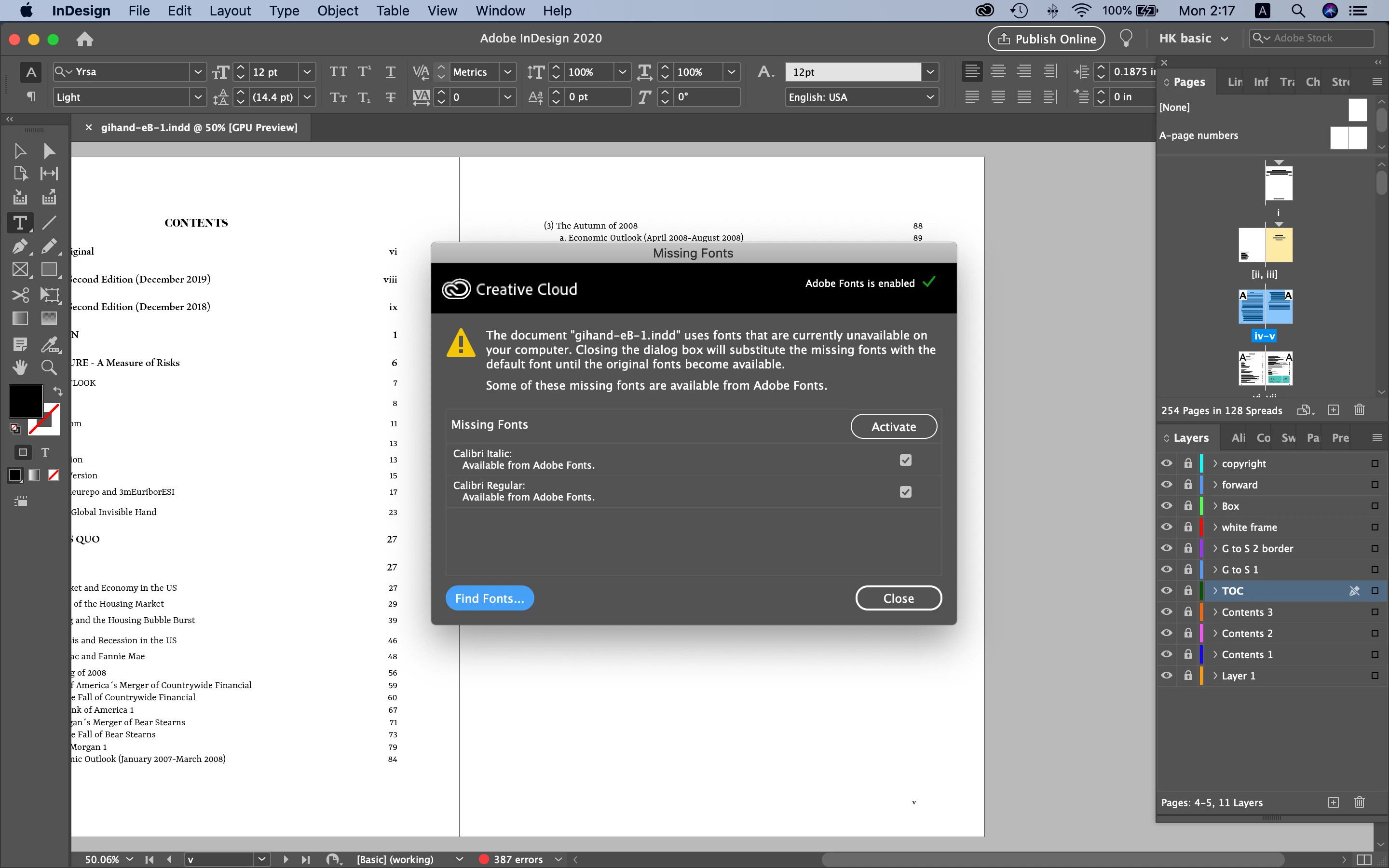
I encounter a message about missing font.

I didn't see it on Windows.


Could you tell me how to do on the dialog box?

I wish to keep identity of the file between Windows and Mac.


Hosun Kang
 

This topic has been closed for replies.
Correct answer jmlevy

Hi,


Thank you very much for your help.


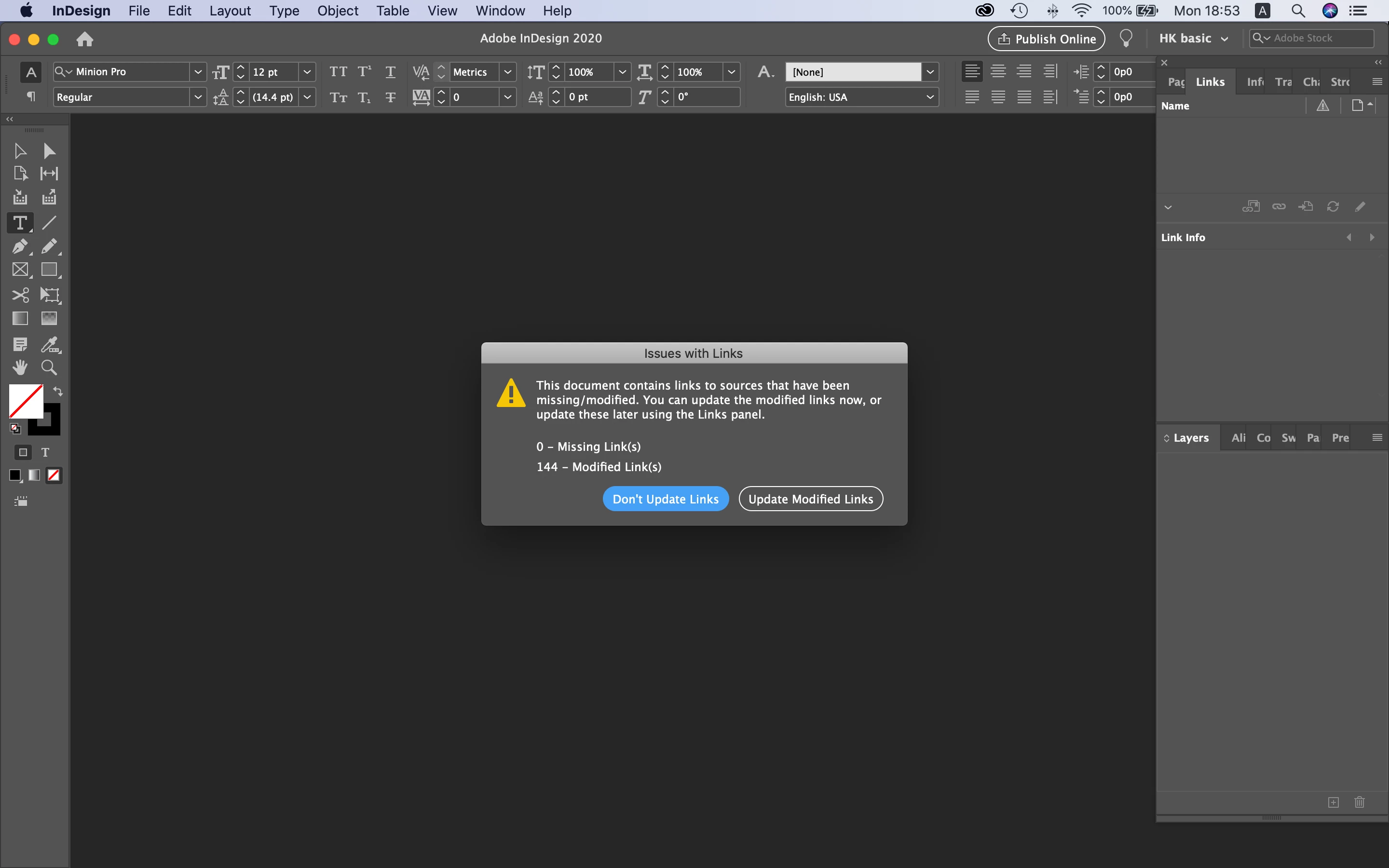
I moved the package folder from Windows to Mac and opened an .indd file.

I encountered the meassage below.


Could you tell me how to do?

(I just think Update Modified Links is the way.)


Hosun Kang


Yes, you have to click on the Update modified links button.

It seems you are a beginner, may I suggest you to follow an InDesign class, or look at tutorials? Or refer to the manual?

1 reply

jmlevy
Community Expert
Community Expert
March 29, 2020

Hi, it means that the document you have opened uses the Calibri font, which is installed on the Windows machine but not on the Mac. If you package your file on the Windows computer, you'll get a “document fonts” folder which will contain the font. Transfer the whole package on the Mac computer and the alert will disappear.

Hosun
HosunAuthor
Inspiring
March 29, 2020

Hi,


Thnak you very much for your reply.


What is Create Printing Instructions?


Hosun Kang


Randy Hagan
Community Expert
Community Expert
March 29, 2020

A place where you can type a note to your printer/service provider about what you want done with the job. If you want to.


If you don't, you can ignore it. Most people do.


Hope this helps,


Randy