Inspiring
March 29, 2018
Question

Missing Fonts

  • March 29, 2018
  • 2 replies
  • 734 views

Hi,

     In my document there is no fonts missing as manual.  But when i get font list using code, its showing missing font.
    

     Code:

    var usedFonts = app.activeDocument.fonts; 

    var myArray = []; 


    for(var i = 0; i < usedFonts.length; i++){ 

        if(usedFonts.status == FontStatus.NOT_AVAILABLE){ 

            myArray.push(usedFonts.name); 

                } 

            } 

    if (myArray.length != 0) { 

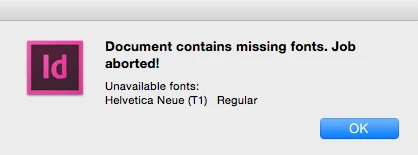
         alert('Document contains missing fonts. Job aborted!\r' + 'Unavailable fonts:\r' + myArray.join('\r')); 

         exit(); 

         } 


     If i use FontStatus.INSTALLED (ie., not installed) the same result i get.  I dono why??

This topic has been closed for replies.

2 replies

Sudha_KAuthor
Inspiring
April 3, 2018

Hi,

     When finding location of the fonts, its throwing error. When I check it manually, extension of the font is .dfont.

     I am using this code to get missing font till now but now raising some questions. Which case to use to missing fonts.

     In scripting, it has multiple options (not availabe, substitued, installed etc..) which one to use to get missing font??

Community Expert
April 3, 2018

Hi Sudha,

ah, a .dfont is used!

For any publication never use a .dfont .

That's a Mac OS X system font resource and cannot be transferred to Windows.

Regards,
Uwe

Sudha_KAuthor
Inspiring
April 3, 2018

Hi,

     In this case wat do to?? ie., how to handle this??

    In that document, this fonts creates this issue...

Community Expert
March 29, 2018

Hi Sudha,

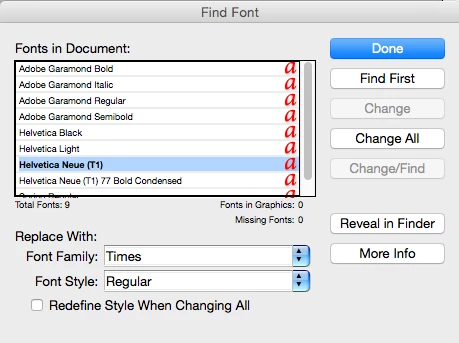
do a list of all fonts with name, status and location you get with usedFont and compare that list to the one you see in Find Font.

Maybe both lists are different.

Regards,
Uwe