
erict59839009
Participant
August 11, 2017
Question

Missing Links in InDesign

  • August 11, 2017
  • 4 replies
  • 811 views

Hi,

We're experiencing an issue where anytime someone opens an indesign file it shows missing links. For example in the screen shots provided the path location points to Macintosh HD as opposed to our Art and Logos network share. If more information please let me know. Thanks!
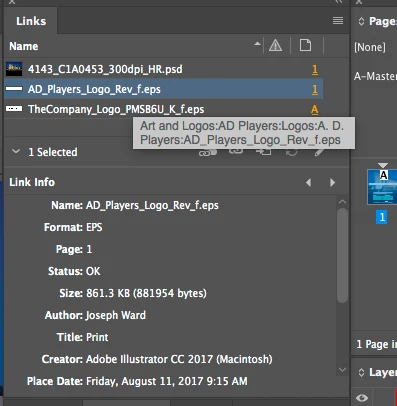
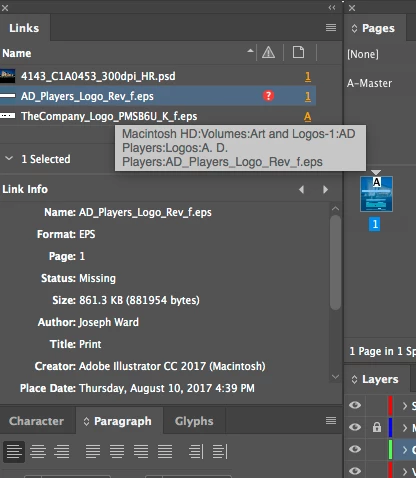
[Here is the list of all Adobe forums... https://forums.adobe.com/welcome]

[Moved from generic Cloud/Setup forum to specific Program forum... Mod]

This topic has been closed for replies.

4 replies

erict59839009
Participant
August 11, 2017

The file was saved with everything linking back to our network share but anytime someone else opens the file they have to relink them. So far the damage is limited to anytime this person works on any file within that share. Yes, they can access the network folder

BobLevine
Community Expert
Community Expert
August 11, 2017

What if the person who creates the file re-opens it?

BobLevine
Community Expert
Community Expert
August 11, 2017

Ah... I didn't see the screenshot. Are you saying the file was saved originally with the link to the network share but ID is now trying to locate it locally? Does that folder even exist on the local drive?

erict59839009
Participant
August 11, 2017

Sorry, let me provide more information. The images are in our network share but when that person closes the file and someone else opens it it always says the links are missing. Nothing is stored locally. I'm just confused as to why the path would point to their local machine when the images are on our network share. Thanks, Bob!

BobLevine
Community Expert
Community Expert
August 11, 2017

Is this happening on every machine or just one user? Can the person with the missing links access the network folder?

BobLevine
Community Expert
Community Expert
August 11, 2017

Given the lack of information I'm going to go with operator error here. For collaborative workflows linking to local files is going to break things.