
AVacations
Participant
October 18, 2019
Question

Missing Panels and Tools

  • October 18, 2019
  • 2 replies
  • 273 views

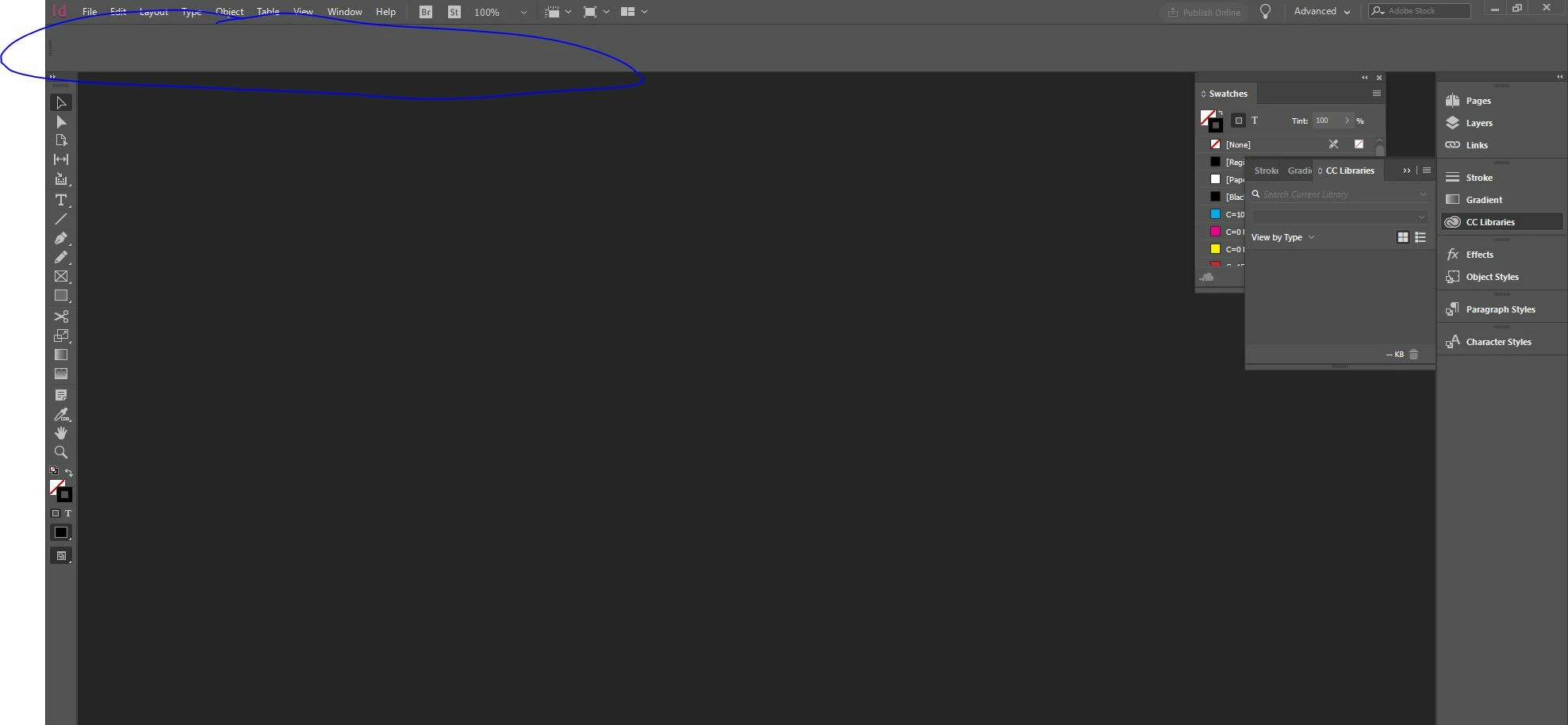
Hi all, I have basically been a teach myself InDesign up to now. And all has been going well until the panels started disappearing on me. Earlier i'd lost half the panel at the top which e.g. when I have text selected it used to show the applicable tools that I could use to edit colours, background, text, alignment and everything like that, same with boxes or images or design elements etc - could change colours and things from here. Half the box originally disappeared and i was left with just measurements in the top left, and then suddenly everything disappeared from that top box. When it is undocked from the top it is too long to pull over to see the other side of the panel and is almost like its all been really stretched.  I've tried resetting my workspaces etc but not sure what else to try. I would appreciate any help. 
This topic has been closed for replies.

2 replies

Derek Cross
Community Expert
Community Expert
October 18, 2019

In addition to Barb's excellent advice, I suggest you'll save yourself a lot of heartache, and make working with InDesign more enjoyable, if you get some basic training. Personal training (from Colleges and training companies) may be the best, but most expensive, but there are also some excellent books, such as the Classroom in a Book series (they are linked to online demos), and the Linkedin Learning online video courses are brilliant (you can get a 30-day free trial), and of course, ask specific questions on this friendly forum.

Barb Binder
Community Expert
Community Expert
October 18, 2019

Hi Avacations:


  1. So you already tried Window > Workspace > Reset [Advanced]? And that didn't restore the Advanced workspace? That should restore the Control panel at the top and redock the floating Swatches panel. It really doesn't look like you've done that yet.
  2. Since just the Control panel is missing, you might try Window > Control to see if it comes back. It should have a checkmark in front the word Control.
  3. Next up is resetting preferences to restore InDesign to the way it was shipped. See https://www.rockymountaintraining.com/adobe-indesign-rebuilding-preferences-cache/.

~Barb

~Barb at Rocky Mountain Training