Tiina Ilmavirta
Participating Frequently
February 22, 2023
Answered

Missing Pantone Coated and UnCoated Colors in InDesign

  • February 22, 2023
  • 3 replies
  • 11371 views

Hi, 


Can you tell me how I can found Pantone+ Uncoated and Pantone+ Coated colors on Swatch Mode in Color Mode? Normally those are on there, but now there is not. Why? I need to add specific Pantone color to my graphic.


Thank you for your help.


Best, Tiina 

Correct answer rob day


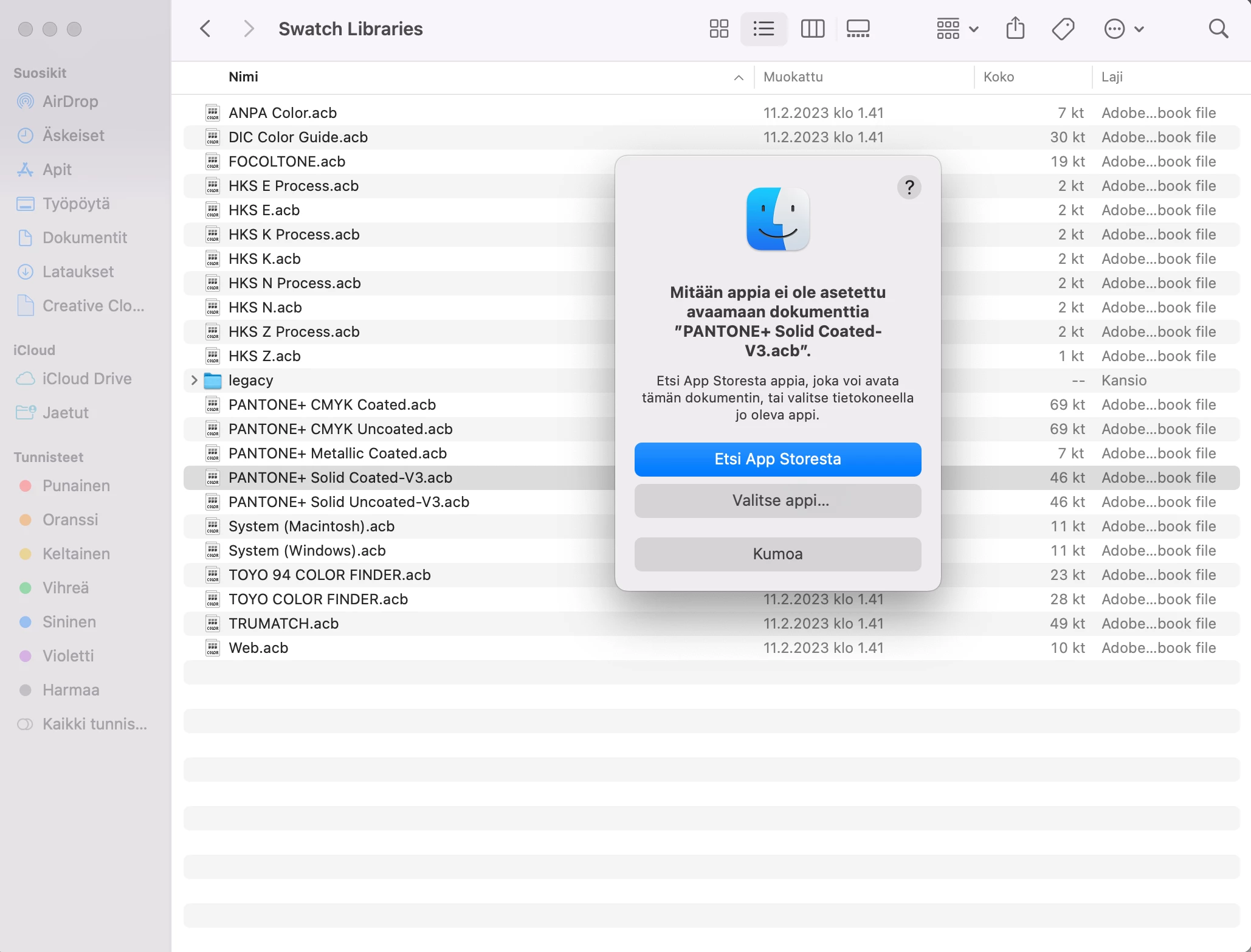
You can’t open .acb files.


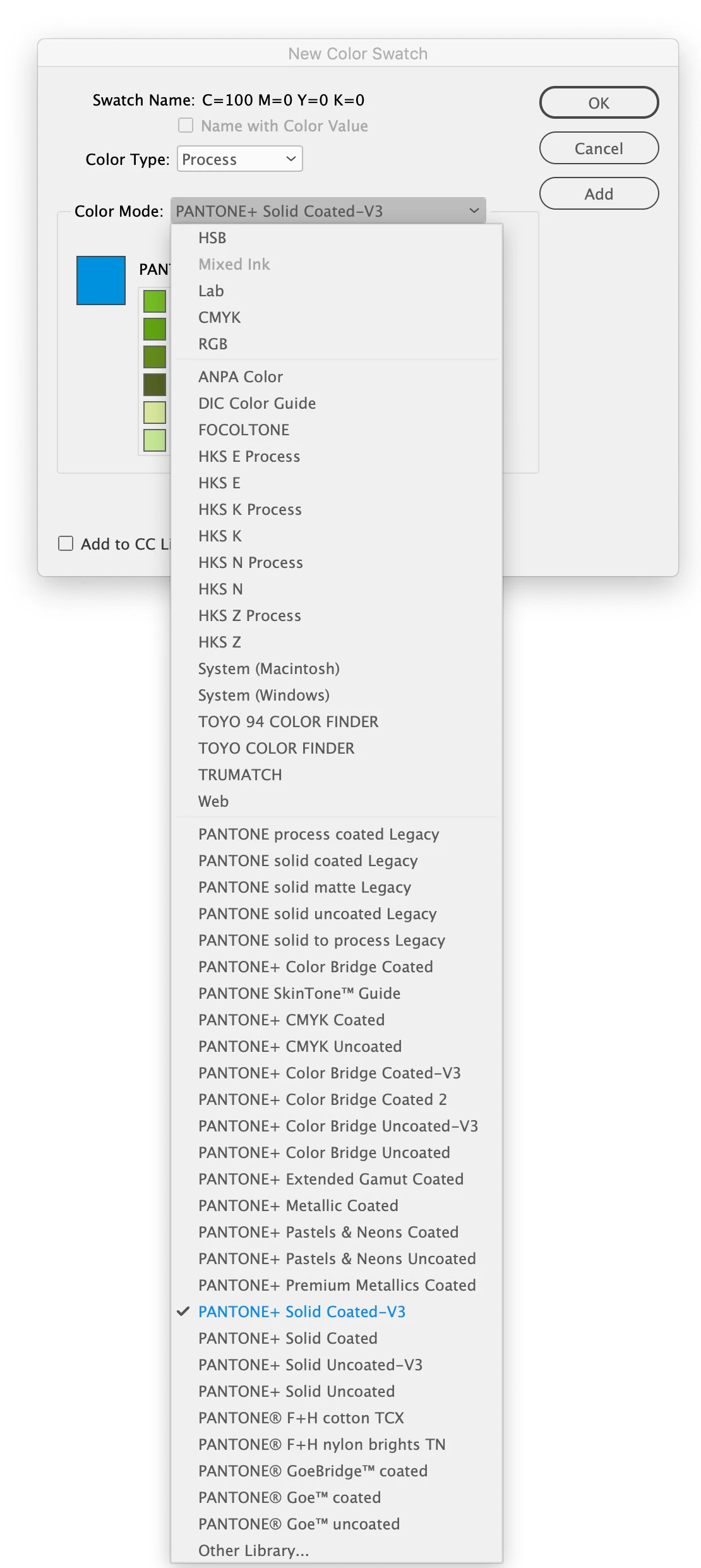
From the InDesign Swatches panel’s flyout menu choose New Color Swatch and from the Color Mode dropdown there should be a list of color libraries that you can choose from—the list corresponds to the .acb files you have copied into the Swatches folder:

 

3 replies

Participant
September 20, 2023

The Pantone Coated and Uncoated have also disappeared for me!! incredible that Adobe does this to us with everything we pay per month!!

rob day
Community Expert
Community Expert
September 20, 2023

You can still install them, see the link in my first post.

rob day
Community Expert
Community Expert
February 22, 2023

Hi @Tiina Ilmavirta , If you don‘t have a backup of the Pantone .acb files from an earlier version you can get them here and manually install them in ⁨Applications⁩ ▸ ⁨Adobe InDesign 2023⁩ ▸ ⁨Presets⁩ ▸ ⁨Swatch Libraries⁩


https://github.com/Autocrit/Pantone-color-libraries

Tiina Ilmavirta
Participating Frequently
February 22, 2023

Hi, I loaded those files but I need some App to open those.. Do you know what it is?

rob day
Community Expert
Community Expert
February 22, 2023

There’s no app, just download the .acb files and copy them into your InDesign Swatch Libraries folder, and you should see them in the new Color Swatch Color Mode dropdown


Mike Witherell
Community Expert
Community Expert
February 22, 2023

