Participant
April 30, 2021
Answered

Missing pantone color Indesign CC 2021

  • April 30, 2021
  • 2 replies
  • 19189 views

I have selected a color through my "Formula Guide Solid Coated" printed swatch. The color is the Pantone 2310 C and somehow I can't find it in the Indesign "solid coated" digital swatch. Any clue why and where to find it?

Correct answer rob day

The Pantone .acb swatch libraries that get installed with InDesign haven’t been updated since CS6. To get the most recent Pantone books you can install the free Pantone Connect Extension (Window>Find Extensions on Exchange...):
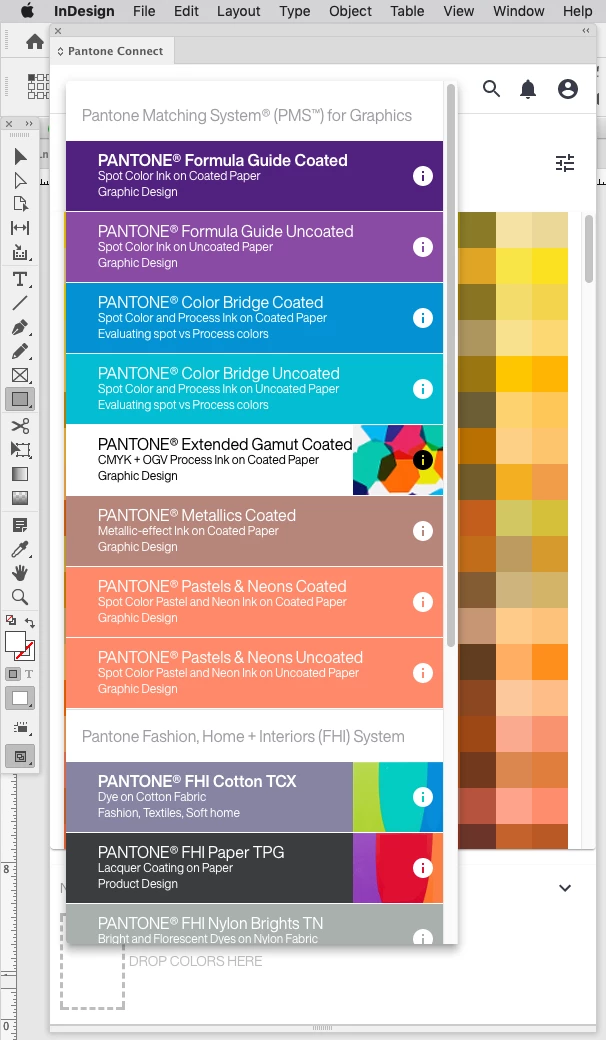
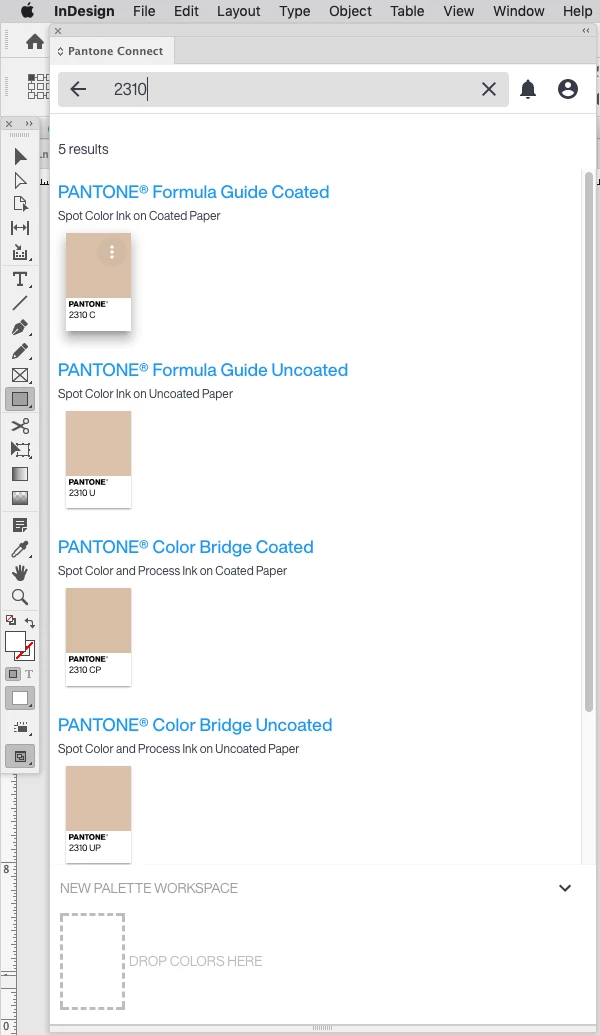


One thing to watchout for with the current version is the PANTONE Bridge Libraries are supposed to be Pantone’s recommended CMYK simulations for the solid ink spots colors. When you click a Bridge swatch more icon there is an option to add the Bridge color to your swatches, but the color gets added as process Lab and not the listed CMYK value.

2 replies

rob day
Community Expert
rob dayCommunity ExpertCorrect answer
Community Expert
April 30, 2021

The Pantone .acb swatch libraries that get installed with InDesign haven’t been updated since CS6. To get the most recent Pantone books you can install the free Pantone Connect Extension (Window>Find Extensions on Exchange...):
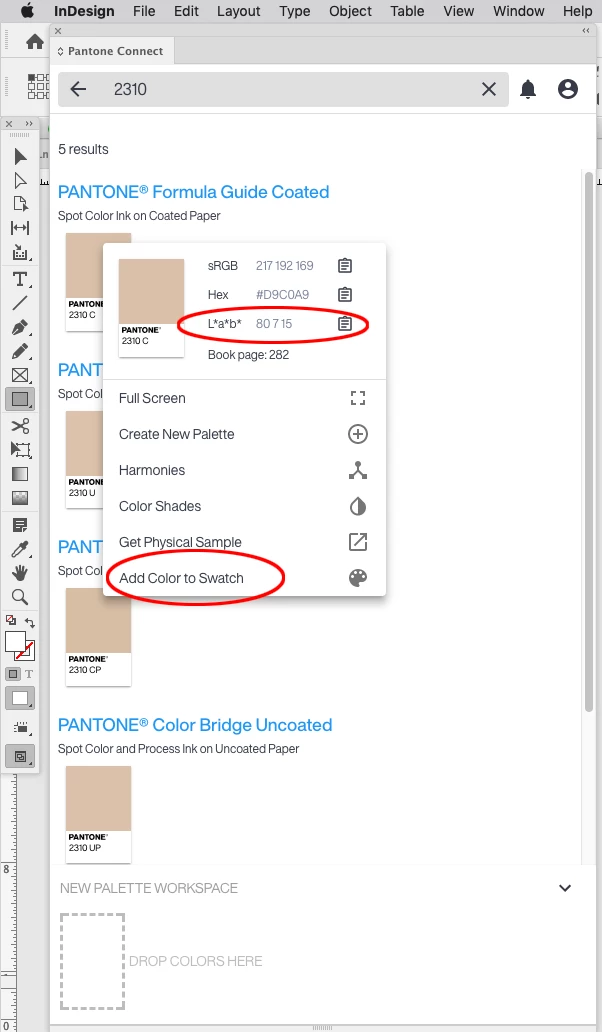


One thing to watchout for with the current version is the PANTONE Bridge Libraries are supposed to be Pantone’s recommended CMYK simulations for the solid ink spots colors. When you click a Bridge swatch more icon there is an option to add the Bridge color to your swatches, but the color gets added as process Lab and not the listed CMYK value.


aalmmjlAuthor
Participant
May 10, 2021

Thank you a lot Rob, this answer was perfect and really easy to follow with your screenshots!

Mike Witherell
Community Expert
Community Expert
April 30, 2021

Is it possible that the Pantone Formula Guide Solid Coated book published in 2021 is newer than the InDesign version released in late 2020?

Mike Witherell

