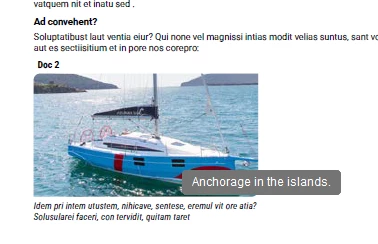
The textual content of the tooltip (the popup that you get in Acrobat when you mouse over the image) is being pulled from the alt text, yes. But the presence or absence of the tooltip has nothing to do with accessibility, in 2026. You can make a perfectly accessible file, that works well in JAWS and NVDA, that is easy for sight-challenged people to use, and have zero tooltips on images in your document.
Over the years, I’ve never read or heard of a reliable way in Acrobat to control whether or not those alt text strings were displayed in tooltips in Acrobat. Instead, over the years, I have periodically experienced exactly what you’re describing - the tooltip display fails on one image, or one class of placed objects, or entirely in one file, with no obvious cause, or means of redress.
You can try to export to IDML and reopen, or to Save a Copy, to see if that manages to shake your missing tooltip loose. However, when in your shoes in the past and such generic troubleshooting strategies did nothing for me, I made a transparent forms object - a button or a text field, I can’t remember which - and superimposed it over the image that had mysteriously lost its tooltip. That satisfied the client; they could mouse over the image and be reassured that there was alt text there, even if the presence of alt text and the presence of a tooltip were completely unrelated to one another.
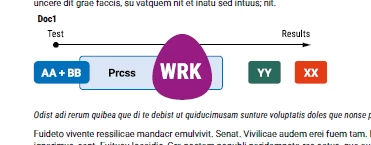
From an accessibility standpoint, I think that you should look at your metadata in Illustrator, as some of your alt text strings seem to be in an incorrect field. You have the same string for both “Texte réel” (“Actual Text”) and “Texte secondaire pour les images (“Alternate text for images”). Your “Texte réel” field is, according to the PDF/UA standard, meant to display the actual text in the image. It’s not a summary (“Transition during process...”) but the actual text. If that field is filled at all it should have something like “Test, Results, AA + BB” et cetera. This image isn’t a field that should have an actual text rendition at all, right? You’d use that field if it was important to your screen-reader users to have both a description of the image (“Transition during process...”) and the actual text (“AA + BB, Prcss, WRK, YY, XX”).




 AdChoices