markp9652695
Inspiring
February 3, 2020
Answered

Missing Vertical Rules (CS6)

  • February 3, 2020
  • 5 replies
  • 847 views

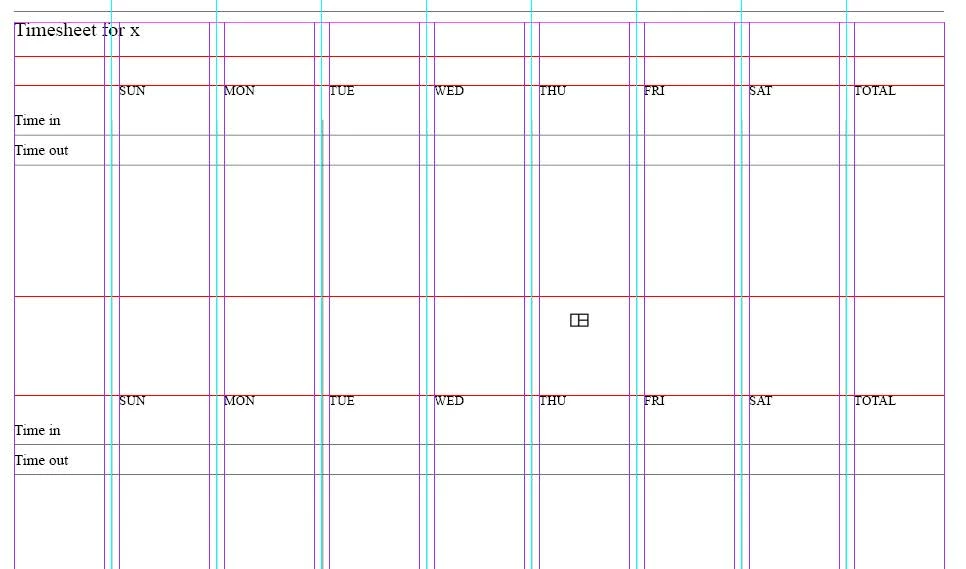
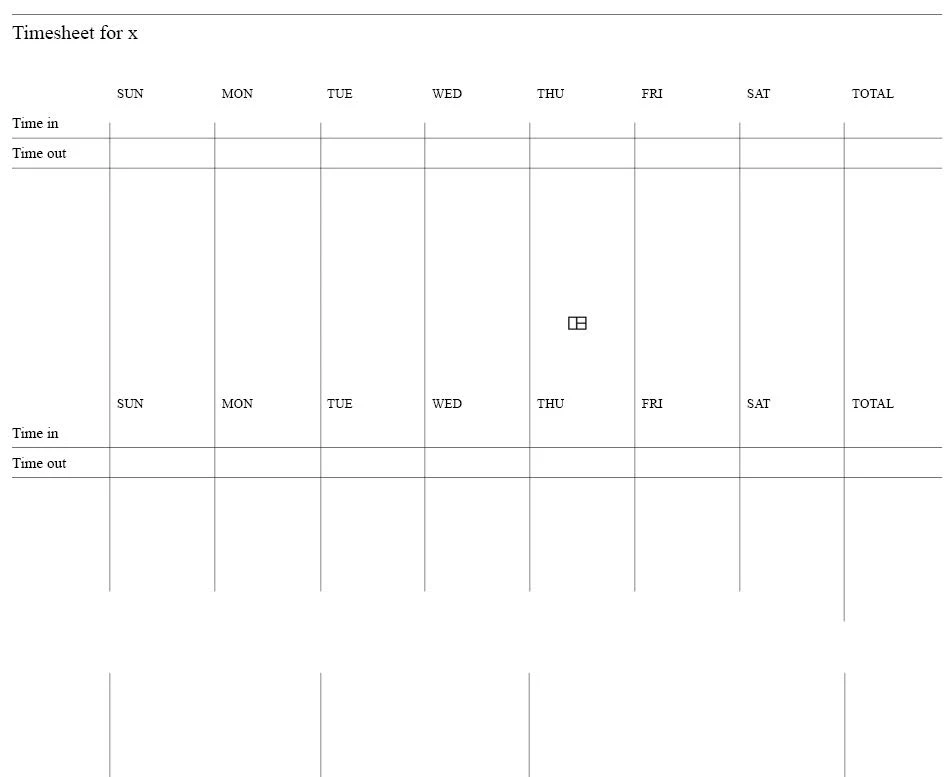
I duplicated a text frame but there is a problem with missing vertical rules. The screenshot shows the top frame with the proper vertical rules but the bottom frame is missing vertical rules. What did I do wrong?
This topic has been closed for replies.
Correct answer Laubender

Hi Mark,

the rules that you are missing are separate objects: graphic lines.

You could duplicate them along with your other elements, two three text frames.

FWIW: The text frames do not contain any tables. Just tab delimited text.


Regards,
Uwe Laubender

( ACP )

5 replies

Community Expert
February 4, 2020

Hi Mark,

I think this is a poorly constructed "table". I would convert it to a real table or create a table with InDesign's table tools.

See into: https://helpx.adobe.com/indesign/using/creating-tables.html


Regards,
Uwe Laubender

( ACP )

markp9652695
Inspiring
February 6, 2020

Hi Uwe,
Thank you for the suggestion.

Regards,
Mark

LaubenderCommunity ExpertCorrect answer
Community Expert
February 3, 2020

Hi Mark,

the rules that you are missing are separate objects: graphic lines.

You could duplicate them along with your other elements, two three text frames.

FWIW: The text frames do not contain any tables. Just tab delimited text.


Regards,
Uwe Laubender

( ACP )

markp9652695
Inspiring
February 3, 2020

Hi Uwe,
You solved the problem. I just highlighted and duplicated the graphic lines.

Mark

markp9652695
Inspiring
February 3, 2020

Hi Barb,

I am talking about the missing vertical lines at the bottom of the screenshot shown below.

markp9652695
Inspiring
February 3, 2020

Hi Barb,

I tried to select cells but I can’t do it. I don’t know how the document was designed because I am using a template from Chuck Green’s book and templates. His book:

https://www.amazon.com/InDesign-Ideabook-Ready-Use-Organization/dp/0966958756/ref=sr_1_18?keywords=indesign+templates&qid=1580751845&sr=8-18

Barb Binder
Community Expert
Community Expert
February 3, 2020

Ah, is it the gap in the gray lines in the second screen shot? If so, select the cells and redefine the gray rules. If you aren't using styles:


~Barb

~Barb at Rocky Mountain Training
Barb Binder
Community Expert
Community Expert
February 3, 2020

Hi Mark:


There are so many vertical lines in first the screen shot (vertical column guides, vertical ruler guides—both of which are hidden in preview mode) plus what I assume are gray cell borders—which ones are you talking about, specifically? 


~Barb

~Barb at Rocky Mountain Training