
Inspiring
October 25, 2025
Question

More ways InDesign wastes days

  • October 25, 2025
  • 3 replies
  • 338 views

All of a sudden, InDesign has decided to repaginate a non-open file after every edit to the document that IS open. This takes several seconds of modal dialog.


Worse, however, is it adding page after empty page to my currently open document as I adjust the spacing on ONE page of it. Also, an unknown number of pages' worth of text has now disappeared from view entirely.


And I can find no way to reliably prevent InDesign from allowing spreads to go beyond two pages. I NEVER, NEVER, NEVER WANT THIS. I have experimented with every combination of allowing document and spreads to shuffle, and nothing prevents this behavior reliably. You also can't move the erroneously-positioned added pages to the correct side, again regardless of how you set the shuffling options.


So fed up with this mess.
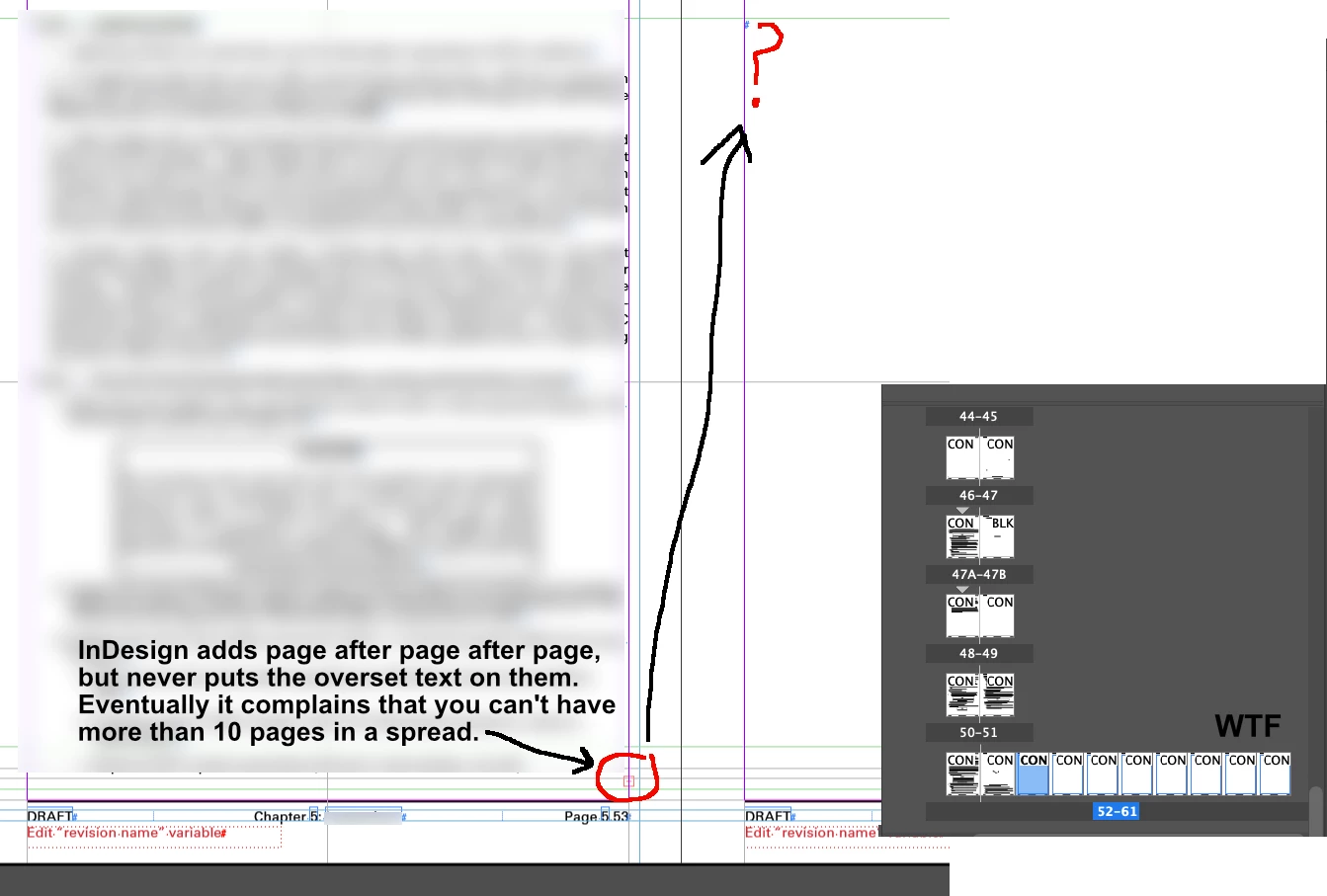
 

If you add a page manually, you can sometimes get it on the correct side, but it's not connected.
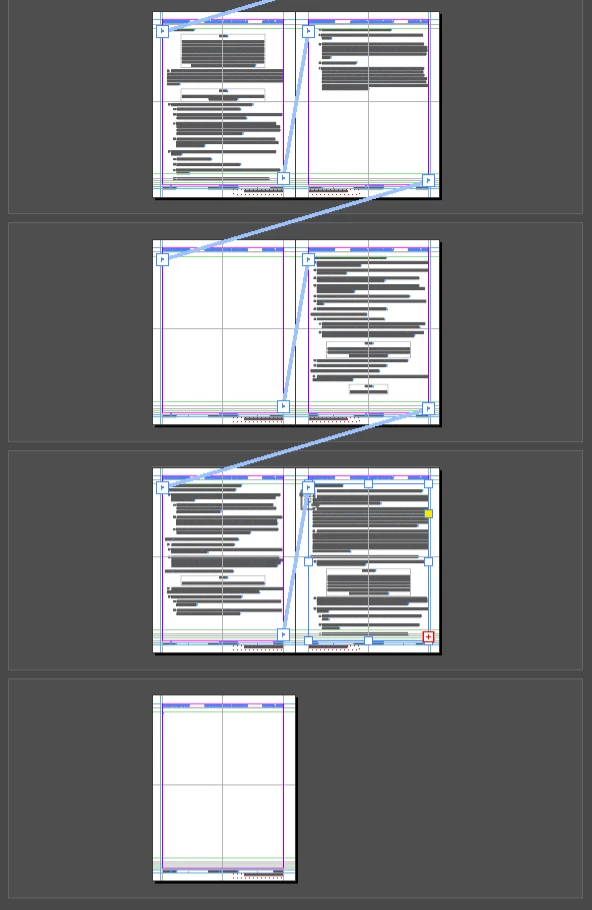
3 replies

rob day
Community Expert
Community Expert
October 27, 2025

Also, turn on your invisibles and make sure you don’t have some kind of break character accidentally inserted—Type>Insert Break Character.


Here I’ve inserted an Odd Page Break, which replicates your capture:


Odd Page Break character:


Inspiring
October 27, 2025

Thanks Rob. I do turn them on quite frequently. I have to turn them off to do side-by-side comparisons of a doc I'm rebuilding.

Mike Witherell
Community Expert
Community Expert
October 25, 2025

Hi Thomas,

I'm not sure if this might be related, but you might want to turn off Smart Text Reflow.

Preferences > Type > Smart Text Reflow

This can take away an automated page-adding process that may be adding to your confusion.

Read about how it functions way down this page:

https://helpx.adobe.com/indesign/using/threading-text.html

Mike Witherell
Inspiring
October 27, 2025

Thanks Mike.


I don't have any confusion. Turning that feature off is undesirable, as it then requires you to tediously add one page at a time and then add a text box. The defect here is that InDesign adds page after page to accommodate supposedly overset text, and then doesn't put the text on it.

Peter Spier
Community Expert
Community Expert
October 27, 2025

That kind of thing can be caused by something weird in the overset text itself, like mis-applied No Break. It's often easier to diagnoes that by opeing the story in Story Editor view and taking a look at the first bit of overset.

This could conceivably also be a case of either corrupt prefs (see Reset InDesign Preferences and Other Troubleshooting ) or a damaged file, which exporting to .idml, opening that and saving as a new .indd might cure.


rob day
Community Expert
Community Expert
October 25, 2025

Hi @Thomas_Calvin , make sure you are allowing all document pages and spreads to shuffle. Select all the pges in the Pages panel and check both--the settings are page/spread, not document settings:


Inspiring
October 27, 2025

Thanks Rob.

I've tried every combination of these "shuffle" settings, and every possible combination produces an incorrect layout at apparently arbitrary points.  InDesign will either skip a side of the layout for no discernible reason (add a page on the right where there's no left page), or add endless pages to the right as depicted here. And then you'll usually be prevented from dragging a page to the correct position.


It seems that InDesign has tried to cram several conflicting settings into these ineptly-named ones. What we actually need are independent settings for:


  • How many pages per spread, strictly enforced except for the first and last.
  • Never skip a page and leave one side empty, except for the first and last.


rob day
Community Expert
Community Expert
October 27, 2025
  • How many pages per spread, strictly enforced except for the first and last.
  • Never skip a page and leave one side empty, except for the first and last.


Make sure you are setting your Allow... preferences for all of the pages—in your capture you only have page 54 selected. The Allow... preferences can’t be a document preference because you might need to include one or more gatefold spreads.


Also check your Type>Smart Text Reflow preferences. Here I’m using Primary Text Frames and Adding Pages to End of Story:


Pasting in long text into the page 4 Primary text frame: