
Inspiring
October 15, 2015
Question

Move more then one xml element to particular script labeled textframe

  • October 15, 2015
  • 3 replies
  • 1204 views

#include "glue code.jsx";

var myDoc = app.activeDocument;

var myLabel = "received";// change to label

var myPage = app.properties.activeWindow && app.activeWindow.activePage;

var myTextFrames = app.activeDocument.textFrames.everyItem().getElements().slice(0);

l = myTextFrames.length,

//____________________ XML RULE SET

var myRuleSet = new Array (new Move_element); 

with(myDoc){

    var elements = xmlElements;

    __processRuleSet(elements.item(0), myRuleSet);

}

function Move_element(){

    this.name = "r";

    this.xpath = "//a";

    this.apply = function(myElement, myRuleProcessor){

        with(myElement){

           // app.select(myElement);

      //     try{

        while (l--)

        {

            if (myTextFrames.label != myLabel) continue;

               myElement.placeXML(myTextFrames)

            //   break;

            myTextframes.fit(FitOptions.FRAME_TO_CONTENT);

       }


               // }catch(e){}

            }

        return true;

        }

    }

I need to move more than one xml element particular script labeled text frame but At a time I can only move one element.

Also while move the element script throws the below error message.
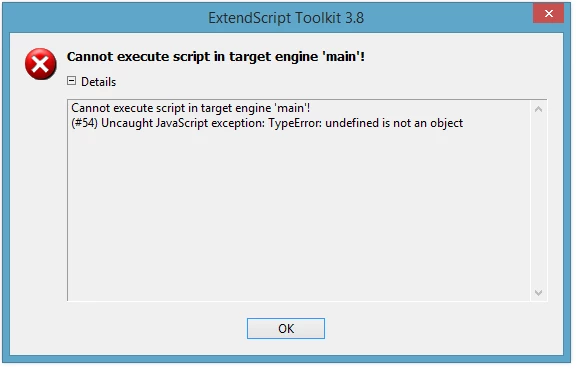
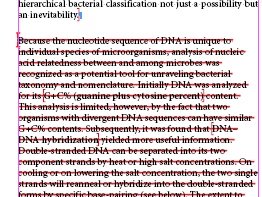
Its removing the next paragraph paragraph style. How to fix thix issue.
This topic has been closed for replies.

3 replies

Inspiring
August 18, 2016

Copy the code below

//////////////////////

//========================================================================================

//

//  $File: //depot/indesign_5.0/gm/build/scripts/xml rules/glue code.jsx $

//

//  Owner: Lin Xia

//

//  $Author: sstudley $

//

//  $DateTime: 2007/02/15 13:37:33 $

//

//  $Revision: #1 $

//

//  $Change: 505969 $

//

//  Copyright 2006 Adobe Systems Incorporated. All rights reserved.

// 

//  NOTICE:  Adobe permits you to use, modify, and distribute this file in accordance

//  with the terms of the Adobe license agreement accompanying it.  If you have received

//  this file from a source other than Adobe, then your use, modification, or

//  distribution of it requires the prior written permission of Adobe.

//

//  DESCRIPTION: JavaScript glue code for XML Rules Processing

//

//========================================================================================

//app.scriptPreferences.version = 6.0;

function ruleProcessorObject(ruleSet, ruleProcessor) {

   this.ruleSet = ruleSet;

   this.ruleProcessor = ruleProcessor;

}

function __makeRuleProcessor(ruleSet, prefixMappingTable){

  // Get the condition paths of all the rules.

  var pathArray = new Array();

  for (i=0; i<ruleSet.length; i++)

  {

  pathArray.push(ruleSet.xpath);

  }

    // the following call can throw an exception, in which case

    // no rules are processed 

    try{

     var ruleProcessor = app.xmlRuleProcessors.add(pathArray, prefixMappingTable);

    }

    catch(e){

    throw e;

    }

    var rProcessor =  new ruleProcessorObject(ruleSet, ruleProcessor);

  return rProcessor;

}

function __deleteRuleProcessor(rProcessor) {

  // remove the XMLRuleProcessor object

  rProcessor.ruleProcessor.remove();

  // delete the object properties

  delete rProcessor.ruleProcessor;

  delete rProcessor.ruleSet;

  // delete the object itself

  delete rProcessor;

}

function __processRuleSet (root, ruleSet, prefixMappingTable)

{

    var mainRProcessor = __makeRuleProcessor(ruleSet, prefixMappingTable);

  // if __processTree() fails with an exception,

  // delete ruleProcessor and throw e

  try {

  __processTree(root, mainRProcessor);

    __deleteRuleProcessor(mainRProcessor);

  } catch (e) {

    __deleteRuleProcessor(mainRProcessor);

    throw e;

    }

}

function __processTree (root, rProcessor)

{

  var ruleProcessor = rProcessor.ruleProcessor;

  try

  {

     var matchData = ruleProcessor.startProcessingRuleSet(root);

  __processMatchData(matchData, rProcessor);


  ruleProcessor.endProcessingRuleSet();

  }

  catch (e)

  {

  // no longer deleting ruleProcessor within __processTree

  // deletion occurs either in __processRuleSet, or external

  // to glue code.

  ruleProcessor.endProcessingRuleSet();

  throw e;

  }

}

function __processChildren(rProcessor)

{

  var ruleProcessor = rProcessor.ruleProcessor;

  try

  {

  var matchData = ruleProcessor.startProcessingSubtree();

  __processMatchData(matchData, rProcessor);

  }

    catch (e)

    {

        ruleProcessor.halt();

        throw e;

    }

}

function __processMatchData(matchData, rProcessor)

{

  var ruleProcessor = rProcessor.ruleProcessor;

  var ruleSet = rProcessor.ruleSet;

  while (matchData != undefined)

  {

  var element = matchData.element;

  var matchRules = matchData.matchRules;

  var applyMatchedRules = true;

  // apply the action of the rule.

  // Continue applying rules as long as the apply function returns false.

  for (var i=0; i<matchRules.length && applyMatchedRules && !ruleProcessor.halted; i++)

  {

  applyMatchedRules = (false == ruleSet[matchRules].apply(element, rProcessor));

  }

  matchData = ruleProcessor.findNextMatch();

  }

}

function __skipChildren(rProcessor)

{

  rProcessor.ruleProcessor.skipChildren();

}

Inspiring
August 18, 2016

try this

var myLabel = "a";// change to label 

//____________________ XML RULE SET 

myRuleSet = new Array (new Move_element);  

with(myDoc){ 

    var elements = xmlElements; 

    __processRuleSet(elements.item(0), myRuleSet); 


function Move_element(){ 

    this.name = "r"; 

    this.xpath = "//a"; 

    this.apply = function(myElement, myRuleProcessor){ 

        with(myElement){ 

        while (l--)

        { 

            if (myTextFrames.label != myLabel) continue; 

               myElement.placeXML(myTextFrames)

            break;

       } 

            } 

        return true; 

        } 

    } 

karthikS
Inspiring
August 18, 2016

Hi Karthik,

Thanks to share this code,

Still, I have received error report. Please see below screenshot for your reference only.

Please help friend. very urgent

Thanks

KS

karthikS
Inspiring
August 18, 2016

Here with, i have using "window >> CS6 >> version - 8.0"

Error in Application:

Thanks

Ks

Inspiring
October 15, 2015

How Places XML content into the story, without replacing the existing content.


karthikS
Inspiring
August 18, 2016

HI sreekarthik,

You have completed in the above coding script?

Please replay my post: "How can we Move the Contents of an xml element into text frame label in inDesign Script"

Very urgent friend,

Thanks in Advance

KS