joshf79800307
Participant
May 22, 2017
Answered

Move pages creates second layout column in pages panel

  • May 22, 2017
  • 1 reply
  • 4073 views

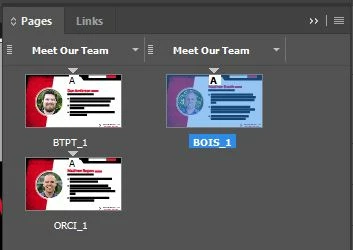
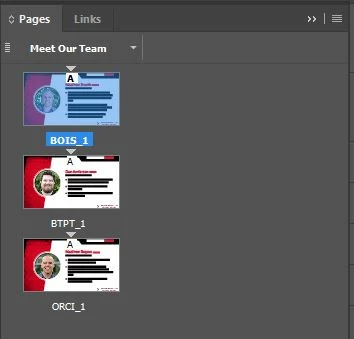
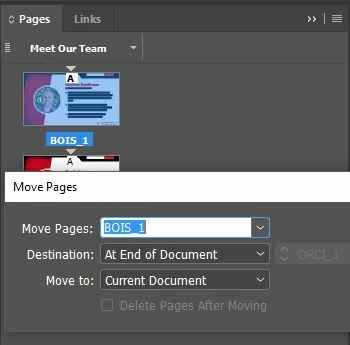
When I attempt to move the first page to the end of the document, for some reason InDesign creates a second column in the pages panel and I don't know why (see image string below). Does anyone know what might be causing this? For some reason it only seems to happen when I try to move the first page. If I move page 2 to the end of the document everything works correctly. Any help would be appreciated!
    This topic has been closed for replies.
    Correct answer Barb Binder

    I having trouble recreating it, but I can tell you how to fix it.

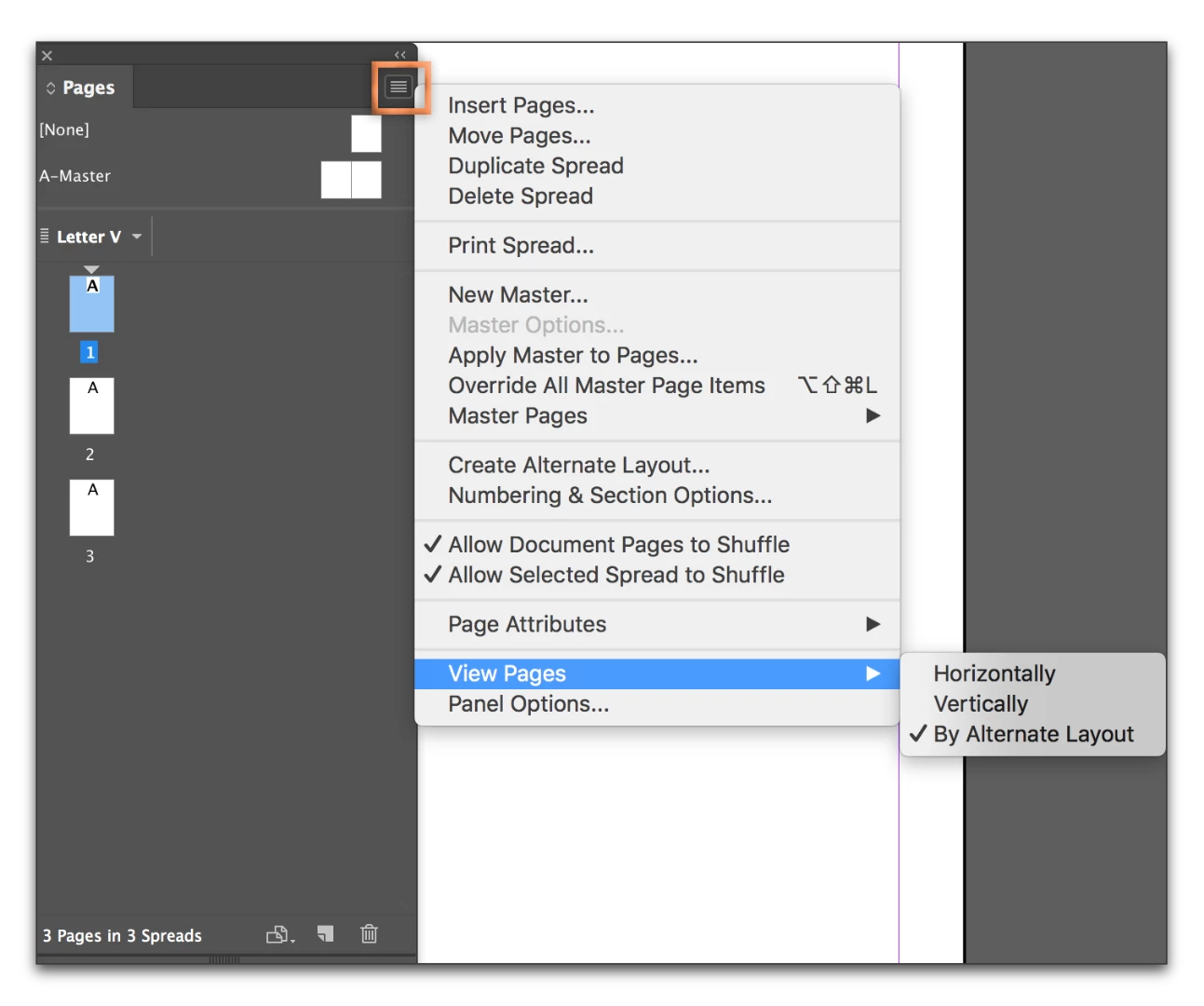
    You have the View Pages set to display By Alternate Layout. You can set it to Horizontally (or Vertically) and it won't happen.

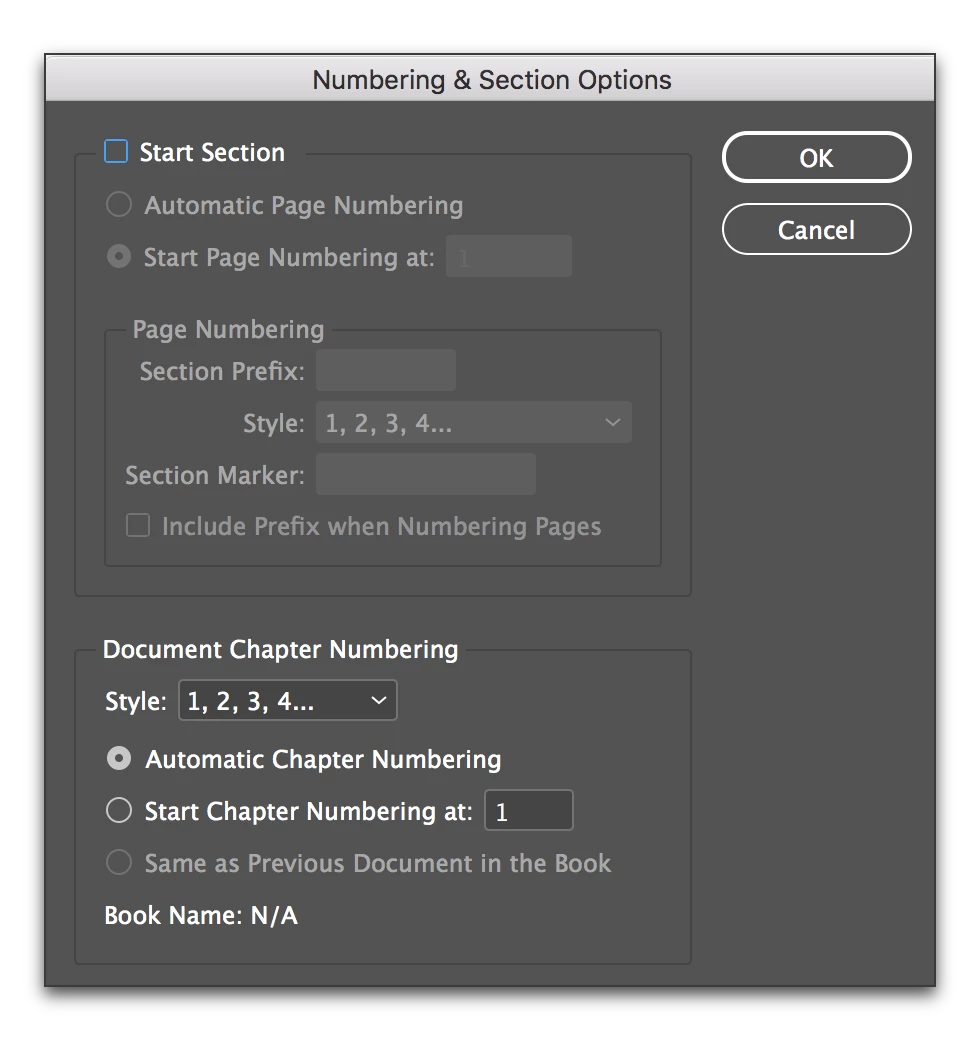
    If you want the By Alternate Layout view on for whatever reason, right click the page in the right column and choose Numbering and Section Options. Uncheck Start New Section on the top row and the page will go back the bottom.

    1 reply

    Barb Binder
    Community Expert
    Barb BinderCommunity ExpertCorrect answer
    Community Expert
    May 23, 2017

    I having trouble recreating it, but I can tell you how to fix it.

    You have the View Pages set to display By Alternate Layout. You can set it to Horizontally (or Vertically) and it won't happen.

    If you want the By Alternate Layout view on for whatever reason, right click the page in the right column and choose Numbering and Section Options. Uncheck Start New Section on the top row and the page will go back the bottom.

    ~Barb at Rocky Mountain Training
    joshf79800307
    Participant
    May 23, 2017

    Thank you for the response, Barb! When I was initially messing with it yesterday, I did try viewing vertically. While it DID display correctly in the pages panel, it still split it up internally because the pages-drop down (in the lower left) split up the pages with different headers. I decided to do your second suggestion and simply disable "start section" for the pages.

    The only reason I was originally using it was to take advantage of the prefix option to better organize the pages panel. However it's probably not worth it all things considered.

    Thanks again for your help!

    Barb Binder
    Community Expert
    Community Expert
    May 23, 2017

    Glad I could help, Josh!

    ~Barb at Rocky Mountain Training