bastifantasti85
Participant
January 31, 2019
Answered

[ Moved ] Blocksatz wird zum Flattersatz nach dem Export

  • January 31, 2019
  • 2 replies
  • 995 views

Hallo zusammen,

so etwas ist mir noch nie passiert, aber ich vermute es hängt mit irgendwelchen Einstellungen zusammen, da die Ursprungsdatei nicht von mir ist.
Aber der Reihe nach:

Ich habe eine Buchsatzdatei bekommen, um sie zu korrigieren. Alles in Blocksatz. Grundlinienausrichtung, Fußnoten alles schick eingerichtet, also war wohl ein Profi. Ich würde mich eher als Laien bezeichnen, daher ja hier mein Post.

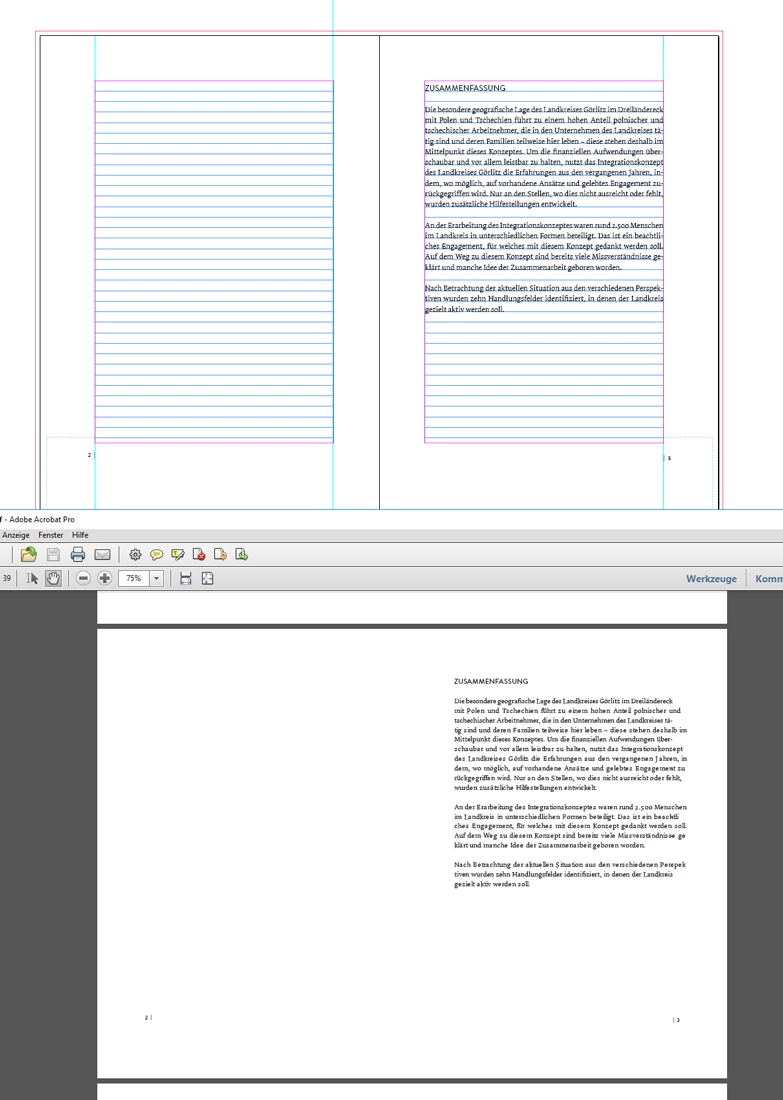
Nach dem Export in ein PDF wird aus dem Blocksatz ein Flattersatz - sehr komisch. Wie kann denn sowas passieren.

Ich habe mich nun erstmal so beholfen: Export in JPGs, denn da bleibt es Blocksatz, und dann in ein neues 180-seitiges Dokument alle JPGs eingefügt und dann erneut als PDF. Die Datei ist natürlich enorm groß und Qualität geht auch etwas flöten. Das muss doch auch normal funktionieren.

Kann das an irgendwelchen Einstellungen liegen?

Schonmal Danke für die Hilfe.

System: WIN10
Indesign: CS 5.5
[ moved from Adobe Creative Cloud to InDesign by moderator ]
This topic has been closed for replies.
Correct answer bastifantasti85

Sorry, too soon, I only tested with a few pages so I did not have to export everything.
Apparently it's on one side.
Export of 14-72 works wonderfully, synonymous with my settings. Page 1-12 works too. Something is on page 13.
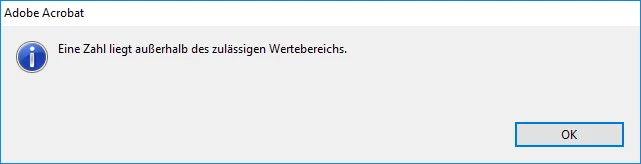
When scrolling the faulty PDF (export page 1-13 in the flutter set), an error message appears on page 4 "A number is outside the permissible value range".
From page 4 I have a new paragraph in it, so that the page numbering begins on page 5. can it be related to that? But why is page 13 so difficult to export?

This is what my page looks like


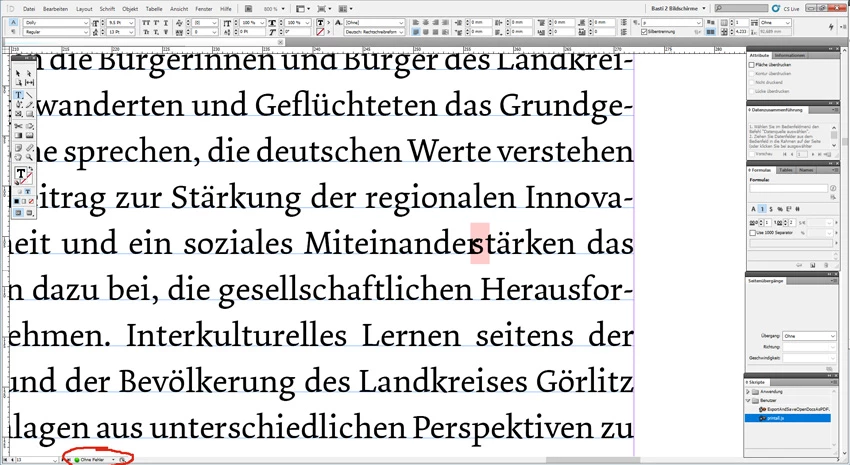
I found it.
On page 13 is something funny. Presumably copying the text with taken over. It is not a missing font, apparently a badly coded character. I deleted everything completely - now everything works as it should be.
Funny, the error was not reported to me in the status and not in the export.

2 replies

Mike Witherell
Community Expert
Community Expert
January 31, 2019

The PDF method you show is strange. What if you exported the PDF with a different recipe?

Try PDFX4 and an Acrobat 8/9 compatibility. What do you see afterwards?

Mike Witherell
bastifantasti85
Participant
January 31, 2019

Yes that's it.
Standard: PDF / X4: 2010 and compatibility: Acrobat 7 (PDF 1.6) and everything looks like it was set in the PDF.

Thank you for the quick help.

bastifantasti85
Participant
January 31, 2019

Sorry, too soon, I only tested with a few pages so I did not have to export everything.
Apparently it's on one side.
Export of 14-72 works wonderfully, synonymous with my settings. Page 1-12 works too. Something is on page 13.
When scrolling the faulty PDF (export page 1-13 in the flutter set), an error message appears on page 4 "A number is outside the permissible value range".
From page 4 I have a new paragraph in it, so that the page numbering begins on page 5. can it be related to that? But why is page 13 so difficult to export?

This is what my page looks like

pixxxelschubser
Community Expert
Community Expert
January 31, 2019

Mit welchen Einstellungen (und auf welchem Weg) erzeugst du dein PDF? Bitte detailliert und mit Sceenshots, wenn möglich.

bastifantasti85
Participant
January 31, 2019

Strg+E > Dateityp: Adobe PDF (Druck)

pixxxelschubser
Community Expert
Community Expert
January 31, 2019

Vielleicht wäre dein Thema im englischen InDesign-Forum besser aufgehoben.

Aktualisiert

Upps, da sind wir ja bereits.

Und vielleicht könntest du eine (unverfängliche) Beispiel-INDD mit Angabe der exakten InDesignversion und deines Betriebssystems z.B. auf Dropbox o.ä. zum Testen hochladen.

Alles andere wäre wohl nur Stochern im Nebel.