
Inspiring
May 8, 2017
Question

Moving the anchor point for anchored frames untags the frame and applies the tag to the target text

  • May 8, 2017
  • 1 reply
  • 700 views

I have a text frame with some inline text in the story. I have inserted an anchored frame at insertion point in the text (refer 'image-2.png')
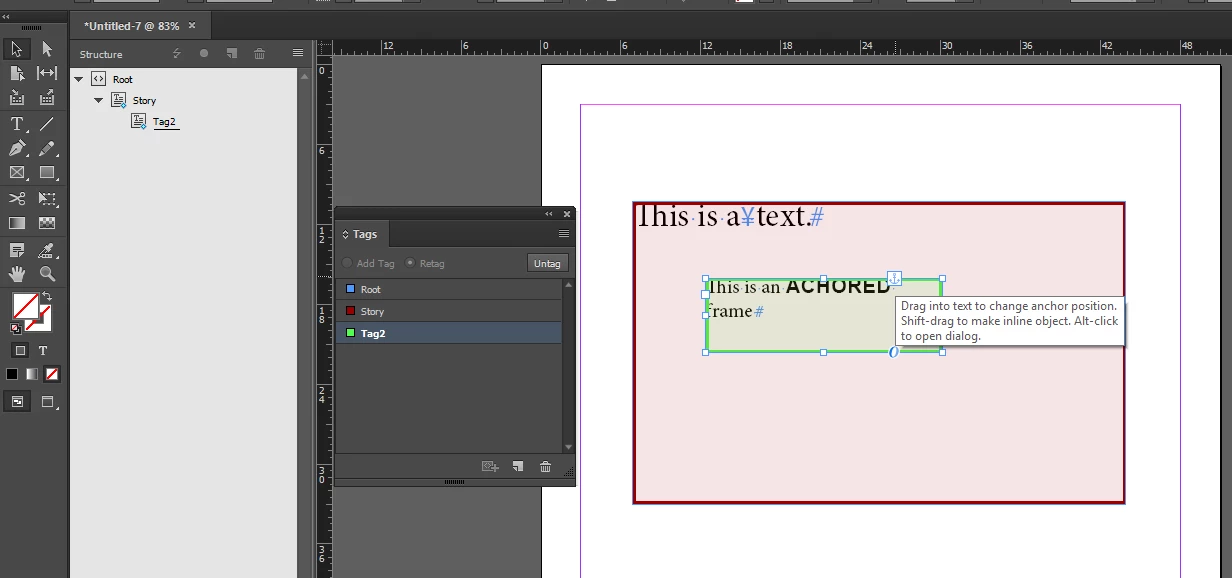
                                                            image-2.png

As we can see, the anchored frame is tagged with a XML tag (Tag2) and the anchor point is set just after the character "a".

Now, I need to move the anchor point from the existing position to some other character (say after the character "x" in the word "text").

The problem is, when I click on the anchor icon and move the anchor position, the anchor point is moved successfully BUT the anchored frame gets untagged and the same XML tag gets applied on the text character next to the anchor position (refer 'image-3').
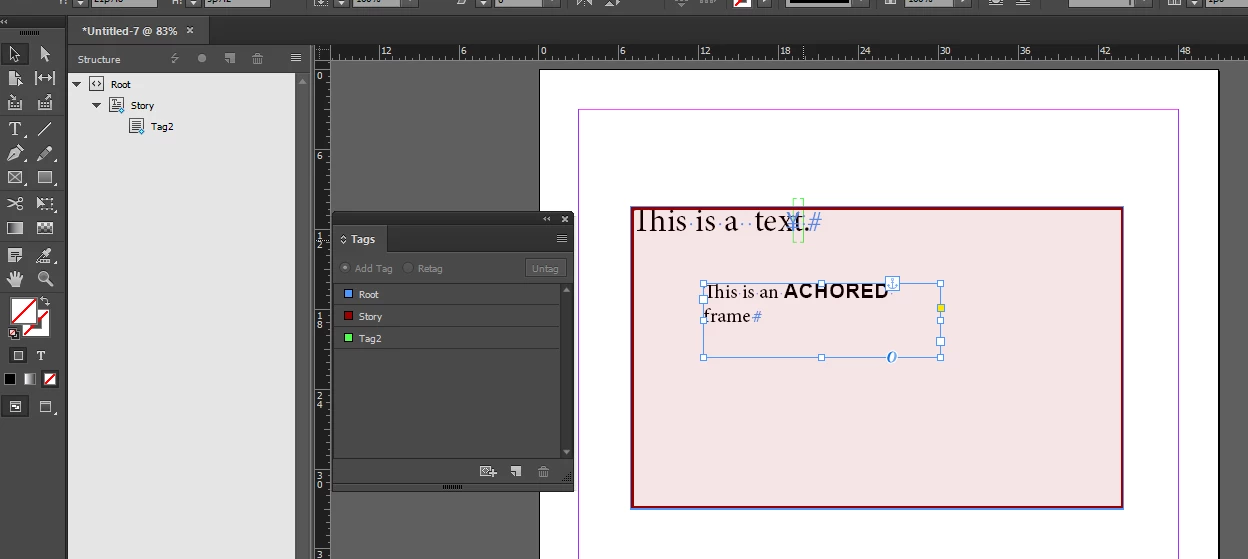
This seems like a bug and is not an expected behaviour.

Experts, can you please let me know if anyone has faced such issue with anchored frames Or If there a way to fix this behaviour via SDK code?

If this is a bug, can someone please suggest the correct forum to raise this with Adobe support team? This is very critical and is obstructing our client from using anchored frames.

This topic has been closed for replies.

1 reply

Legend
May 8, 2017

Neat one. Took me a while to arrange the anchoring options in order to even get a similar position.

Actually the code sometimes works - move that anchor to the left ;-)

Apparently someone forgot to take some shuffling into account and adjust an offset.

Is there a way to fix via SDK code? In principle yes - if you are on the current version, better let Adobe fix it. There are about 30 commands involved. You have to describe the circumstances leading to the problem by means of notifications (observers etc.), then watch out and add your changes: clean up after the mess - remove the misplaced element and re-tag the frame. Of course consider the dynamic behaviour of the tracker (your drag&drop gesture). Then, the inner frame might also have tagged contents - that effort will easily cost multiple programming days.

If you are in the partner program, you should have a contact to file support cases.

There is also InDesign Feature Requests forum.

Then, at the top of InDesign​ forum front page, there is a call to join prerelease.

Last but not least - I have recently seen a staff Icon in this very forum, maybe the times are changin'?

Regards,

Dirk

Inspiring
May 9, 2017

Thanks Dirk.

Yes, I tried to debug the same by writing a command interceptor and you are right, there are lot of commands being fired in the background for this use case. Seems like a good idea to get the fix from Adobe here.

Hope some one from staff sees this raises this issue internally with the team, meanwhile will try raising a request for the same.