
Answered
MSO empty default state
Surely, I'm overthinking something.
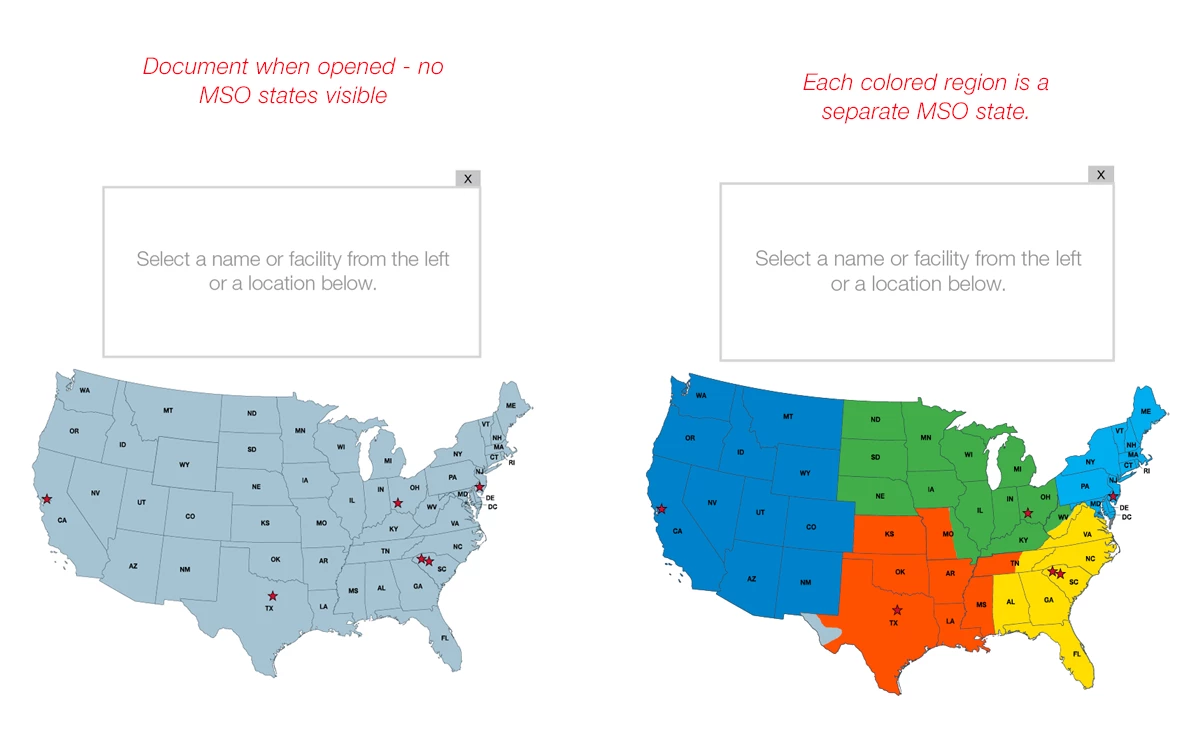
In these illustrations, the light blue map on the left is the default view - when first opening the document. The colored regions (right map) are individual "states" in an MSO and are visible one-at-a-time, when a particular button triggers them.
How do I reset the MSO so that none of the colored map regions (MSO states) are visible?
I have added an "X" above the info box to reset a different MSO to a starting state that contains a graphic. the "X" - like a close window X, is intended to reset the entire document so that none of the MSO states are visible.
Can I use that same "X" button to make none of the colored map regions visible? Some sort of empty state in the MSO that contains the colored map regions?
 AdChoices