Participant
October 29, 2020
Answered

multi level lists

  • October 29, 2020
  • 2 replies
  • 725 views

Hello


I do appreciate other people have posted about this before and that there are online help functions talking about multi level lists. It's just that I've been reading this stuff and searching for over an hour now and I just cannot get my head round how to do this, so I would really appreciate it if somebody could assist (ideally without being mean to me).


All I'm trying to do is set up an Indesign list that is just based on my body text paragraph style and goes:


1.0          Title

1.1          More text

1.2          More text


2.0          Other title

2.1          More text

2.2          More text


I've done it in the past but I don't have those files now so I can't remind myself. 


I would really appreciate any help. Thank you in advance.
This topic has been closed for replies.
Correct answer hammer0909

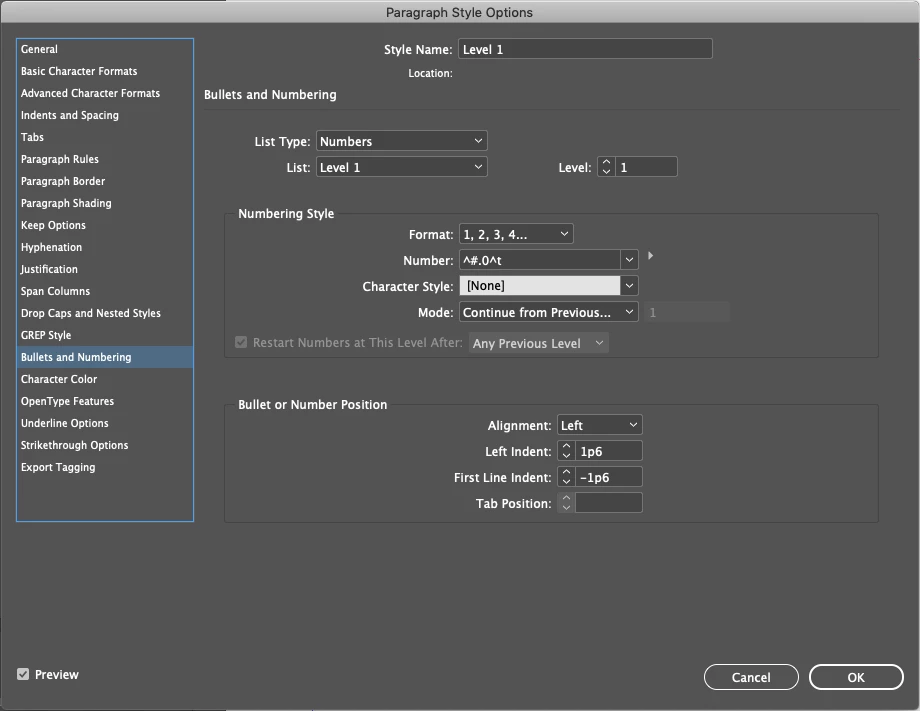
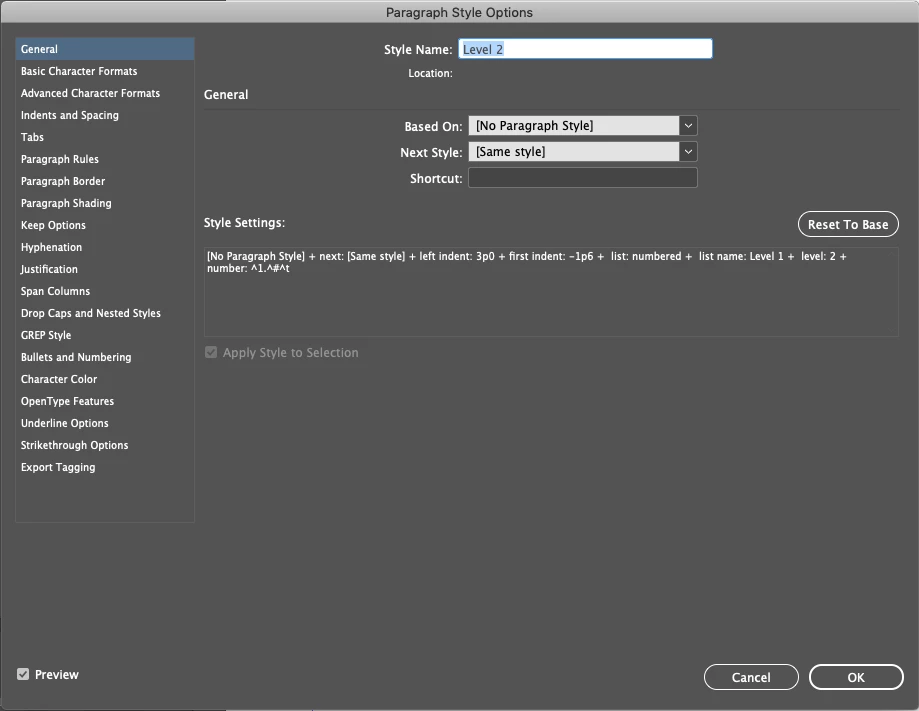
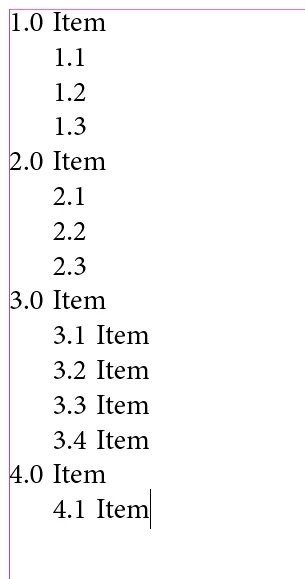
Well you can't do it with only one style. You'll need two styles to accomplish what you're showing, one for the top level (i.e. 1.0, 2.0, 3.0, etc.) and another style for the second level numbers (i.e. 1.1, 1.2, 1.3, 2.1, 2.2, 2.3). Each style needs its own list defined and the level for each style needs to be set to Level 1 and Level 2 respectively. I'm attaching a few screen shots below of the example that I created to test this out for you.


2 replies

hammer0909
Community Expert
hammer0909Community ExpertCorrect answer
Community Expert
October 30, 2020

Well you can't do it with only one style. You'll need two styles to accomplish what you're showing, one for the top level (i.e. 1.0, 2.0, 3.0, etc.) and another style for the second level numbers (i.e. 1.1, 1.2, 1.3, 2.1, 2.2, 2.3). Each style needs its own list defined and the level for each style needs to be set to Level 1 and Level 2 respectively. I'm attaching a few screen shots below of the example that I created to test this out for you.


hammer0909
Community Expert
Community Expert
October 30, 2020

Sorry that last screenshot was the wrong one. Here's the one for Level 2.


Mike Witherell
Community Expert
Community Expert
October 29, 2020

This segment from Adobe Max spent some time on lists in styles for numbering.

https://www.adobe.com/max/2020/sessions/getting-it-done-with-indesign-speedy-tips-and-tric-s6109.html


Mike Witherell
Emma5C30Author
Participant
October 30, 2020

Hi

Thanks for sharing this. I've just watched it and unfortunately it only talks about restarting numbering in different sections.