

Multiple footnotes in one paragraph are causing me to lose the rest of the text
Hello
I am currently on Indesign CC 2019 and have a problem with a client's scholarly journal that I am having problem resolving.
1. The 100 page document is a mix of Arabic and English;
2. The journal is setup as a two-column work with the footnotes setup to span the two columns;
3. There is a particular paragraph which contains 4 fairly lengthy footnotes (with the document setup as a 7" x 10" with .75" margins - the footnotes are a total of about 25 lines);
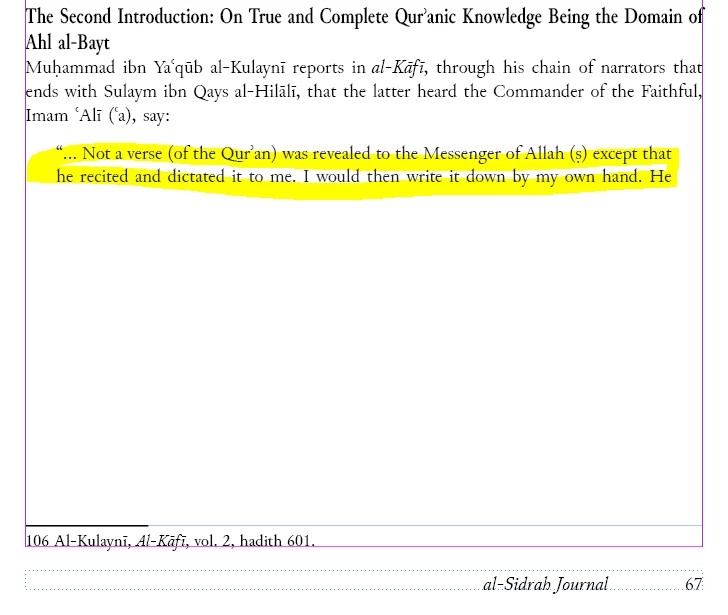
4. When I import this portion of the document into Indesign, only the first two lines of the paragraph in question appear on the page and the rest of it, which contains the four lengthy footnotes) disappears - it does not flow onto the proceeding pages;
5. The text is there as if I change the subsequent pages to a single column, I can see the rest of the text until the end of the document;
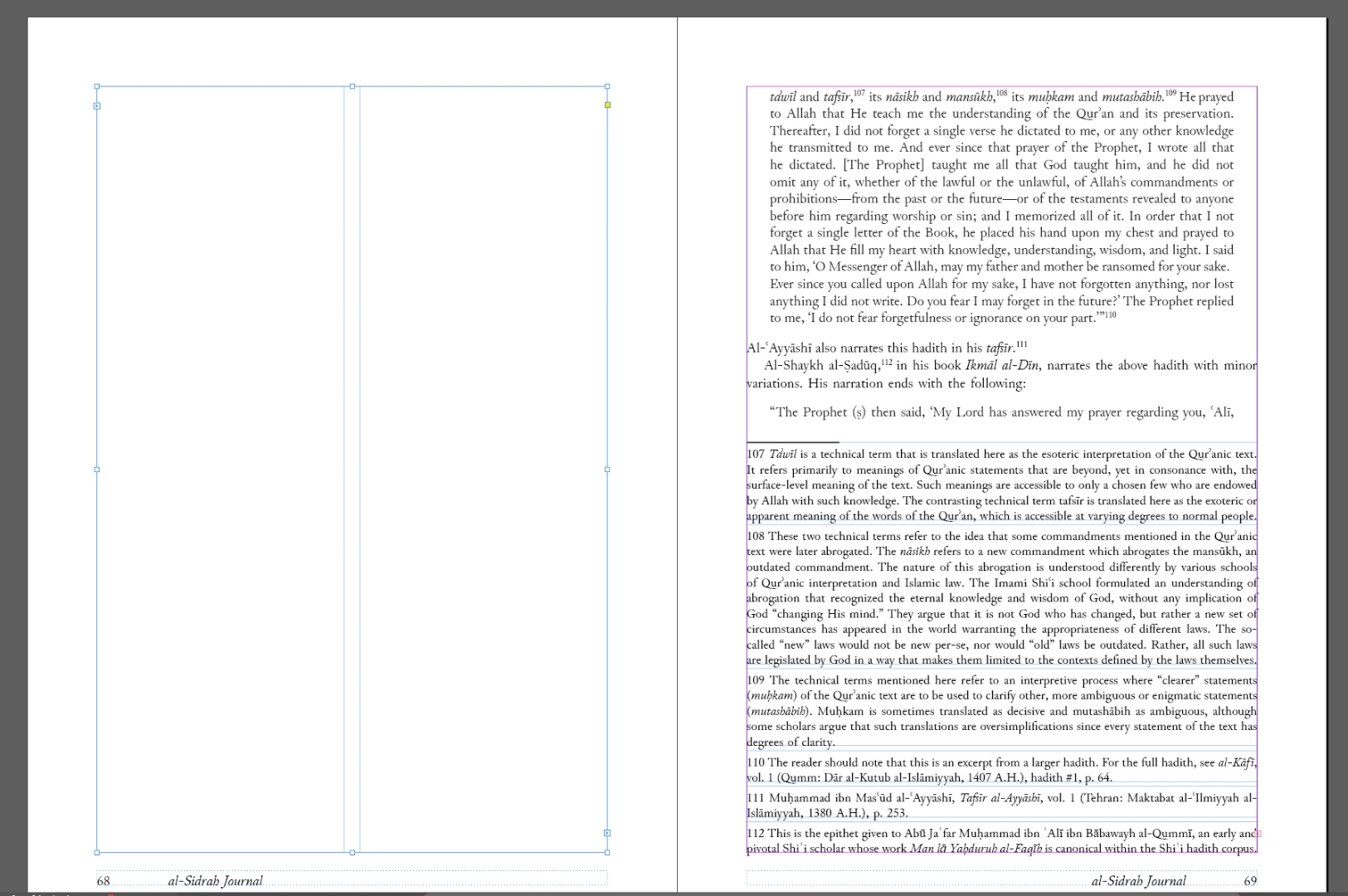
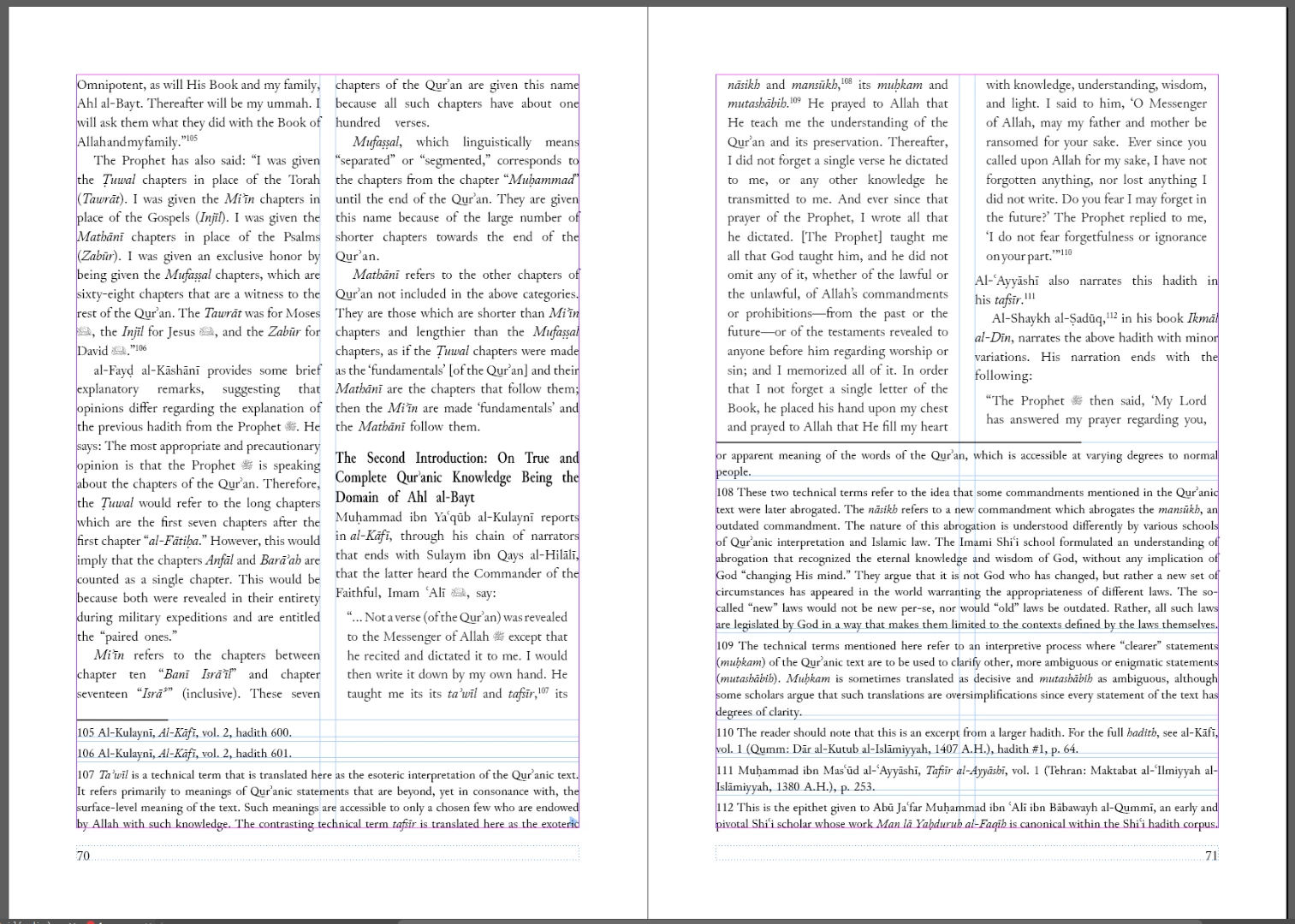
The below screen captures explain what is happening. As you can see, the quotation highlighted cuts off, and then if I continue it on the next page with two columns, the text does not flow onto that page, however on the next page (69) setup as a single column, the text successfully flows over.
Does anyone have a fix for this, seeing as the client requires two columns for all articles and footnotes to span over the two columns (as seen on pg. 69)
Thank you
 AdChoices