Participant
June 28, 2017
Answered

Multiple Image Data Merge into Indesign?

  • June 28, 2017
  • 1 reply
  • 4149 views

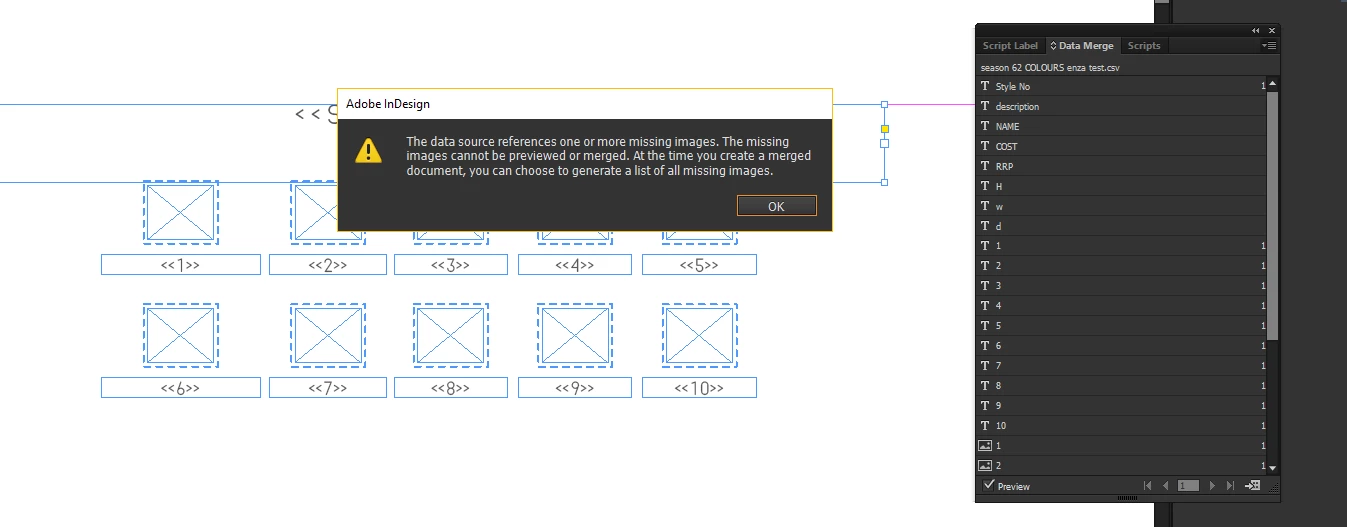
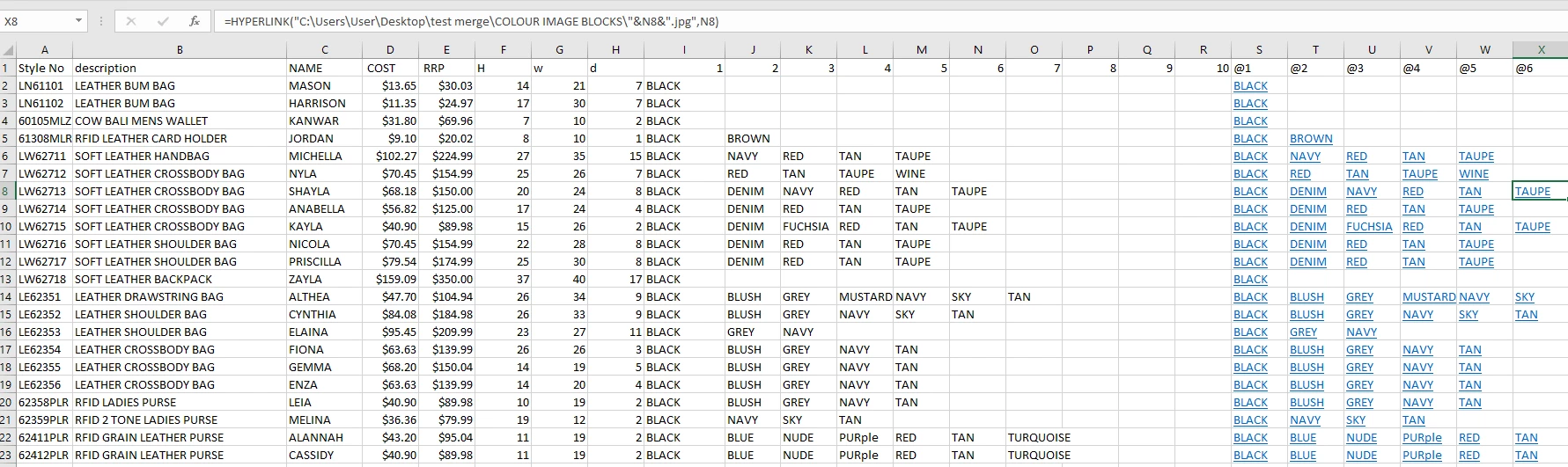
We are wanting to do a catalogue with lots of product images with the colour variations to go with each product.  I have excel set up with hyperlink to the jpgs, but when i merge into indesign error comes up data source missing. (not sure what is wrong)

how do we merge numerous images in indesign.

Please help need to work out asap!
    This topic has been closed for replies.
    Correct answer MW Design

    You image columns don't have image names. And I also don't know why they look like hyperlinks in Excel.

    They should be more like...

    red.jpg | green.jpg | black.jpg

    (where the '|' is just to simulate cells and in this instance are jog files)

    In other words, images need to be a fully resolvable image name with extension. And if only an image name, those images have to be in the exact same folder as the merge file. If the images are not in the same folder as the merge file, they also need path names along with the image file names.

    1 reply

    MW Design
    MW DesignCorrect answer
    Inspiring
    June 29, 2017

    You image columns don't have image names. And I also don't know why they look like hyperlinks in Excel.

    They should be more like...

    red.jpg | green.jpg | black.jpg

    (where the '|' is just to simulate cells and in this instance are jog files)

    In other words, images need to be a fully resolvable image name with extension. And if only an image name, those images have to be in the exact same folder as the merge file. If the images are not in the same folder as the merge file, they also need path names along with the image file names.