
dave c courtemanche
Inspiring
January 16, 2020
Question

"Multiply" effect in ePub

  • January 16, 2020
  • 16 replies
  • 2269 views

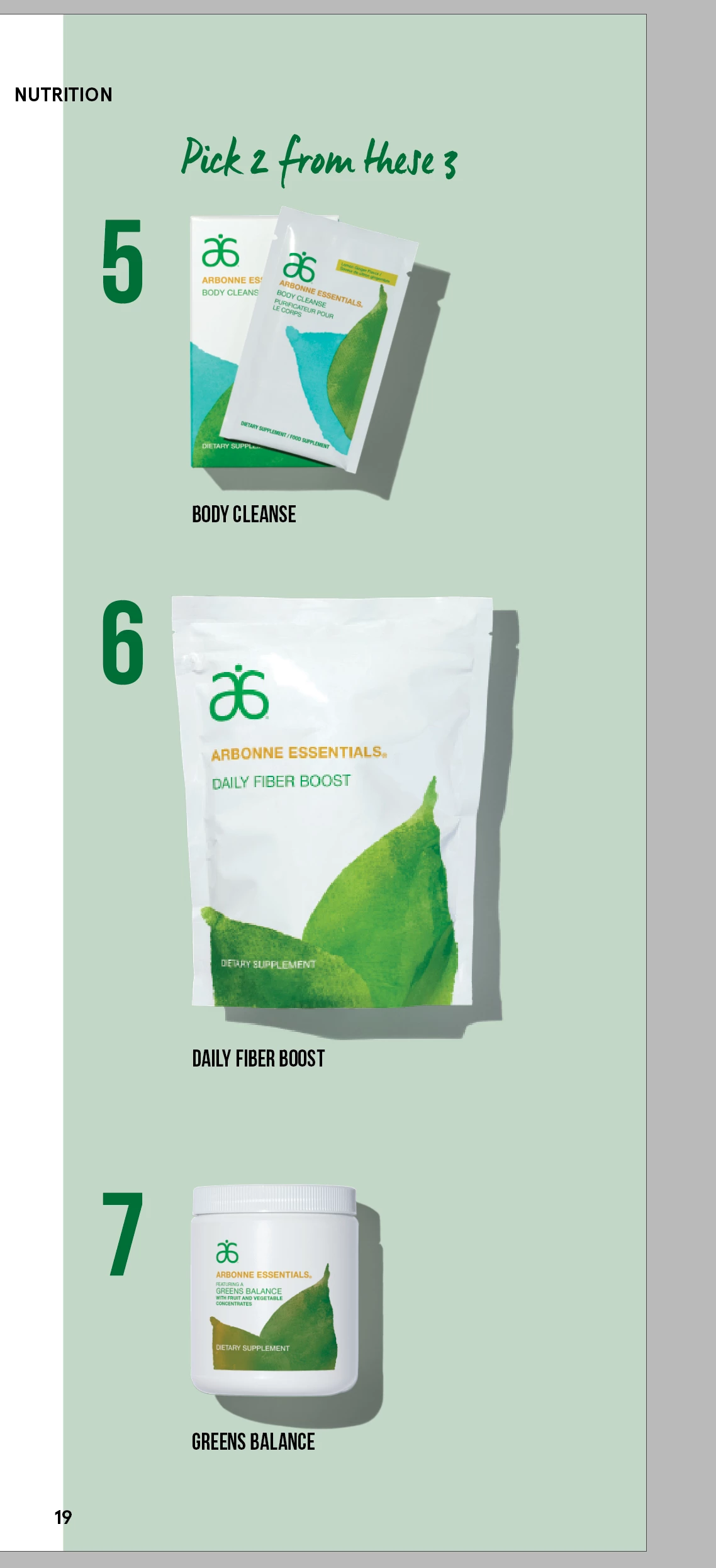
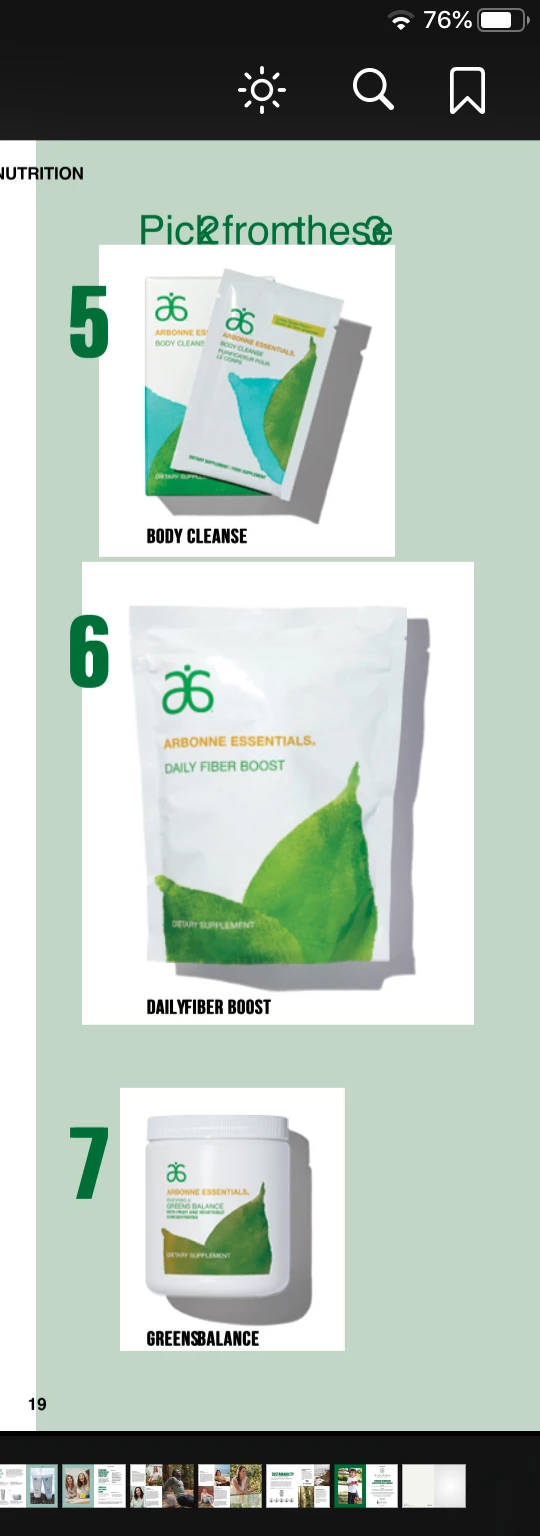
I have an ID doc with images set to "multiply" with an identical clipped image set to normal on top, all on top of a colored background. Creating a PDF and printing, image produces as expected. When exporting ID 2020 to ePub, the "multiply" setting is not respected and I'm getting the white background of the image. Any ideas on how to solve, or is this a limit of ePub? As you can see, also having font issues, but the developers tell me then can hard code that.
This topic is closed to new replies. Start a new post to keep the conversation going.

16 replies

Mike Witherell
Community Expert
Community Expert
December 8, 2022

My recommendation would be to use PSD but stop using clipping paths. Rather, make Layer Masks.

In testing your document, I see the InDesign document set to (Edit > Transparency Blend Space ) CMYK but it should be RGB? My experience with groups and epub is that InDesign 2023 v18 is able to handle the conversion to PNG and the alt text correctly.

Mike Witherell
rayek.elfin
Legend
December 8, 2022

Sorry Mike, but I think you are misunderstanding the issues related to epub export and blending/transparency effects here. This has nothing to do with clipping paths, layer masks, or blend space.

Mike Witherell
Community Expert
Community Expert
December 8, 2022

Old PostScript techniques and wrong base document blend space is definitely a factor. But in this thread the question shifted a bit from the OP. Your advice about grouping was sound and epub issues related to grouped objects has been improved in v18. The essence of my advice is to simplify the approach. That was also Bob's essential advice.

Mike Witherell
rayek.elfin
Legend
July 13, 2020

To amend the answers given by Bob: blend modes are not directly supported by epubs, but will work in an epub when the objects (the foreground object(s) with the blend mode set and the background object(s) that is/are affected by that blend mode) are grouped, and the Object Export Options are changed as follows for that group:

The PPI should be set to 72ppi when using an iPad Retina document: the group will then be rasterized to the exact required resolution (do not use 150 or 300ppi, which will needlessly generate a much too high resolution image far exceeding the actual resolution of an ipad's screen).

Known Participant
December 8, 2022

I have the same problem and tried your grouping method, @rayek.elfin following all your settings. It didn't work. Maybe there's something else I should be doing? Here are the packaged indesign files, if that's helpful.

rayek.elfin
Legend
December 8, 2022

Group the bar and the images at the bottom. Then set the object export options for the group like this:

As you can see: it works.

BobLevine
Community Expert
Community Expert
January 16, 2020

Some blend modes are not supported. Why not use PNGs with transparent backgrounds? And when you do, make sure to select PNG in the export dialog.

dave c courtemanche
Inspiring
January 16, 2020

They are all PSD files placed. I'd rather not have to try to trace & create a clipping path on all of my product shadows. Not a good look.

BobLevine
Community Expert
Community Expert
January 16, 2020

Neither is a white box. Try forcing a PNG output or do the entire graphic in Photoshop.