
Museo Sans Rounded not working correctly
Hi all,
Over the past couple of months, I've been having problems with InDesign crashing but also issues with PhotoShop, and I've managed to narrow the problem down to being something to do with Museo Sans Rounded. A document that uses Museo Sans Rounded 900 randomly started crashing InDesign and this led me to look at the behaviour of the font in other applications too.
The complete family is showing as being activated in Creative Cloud...
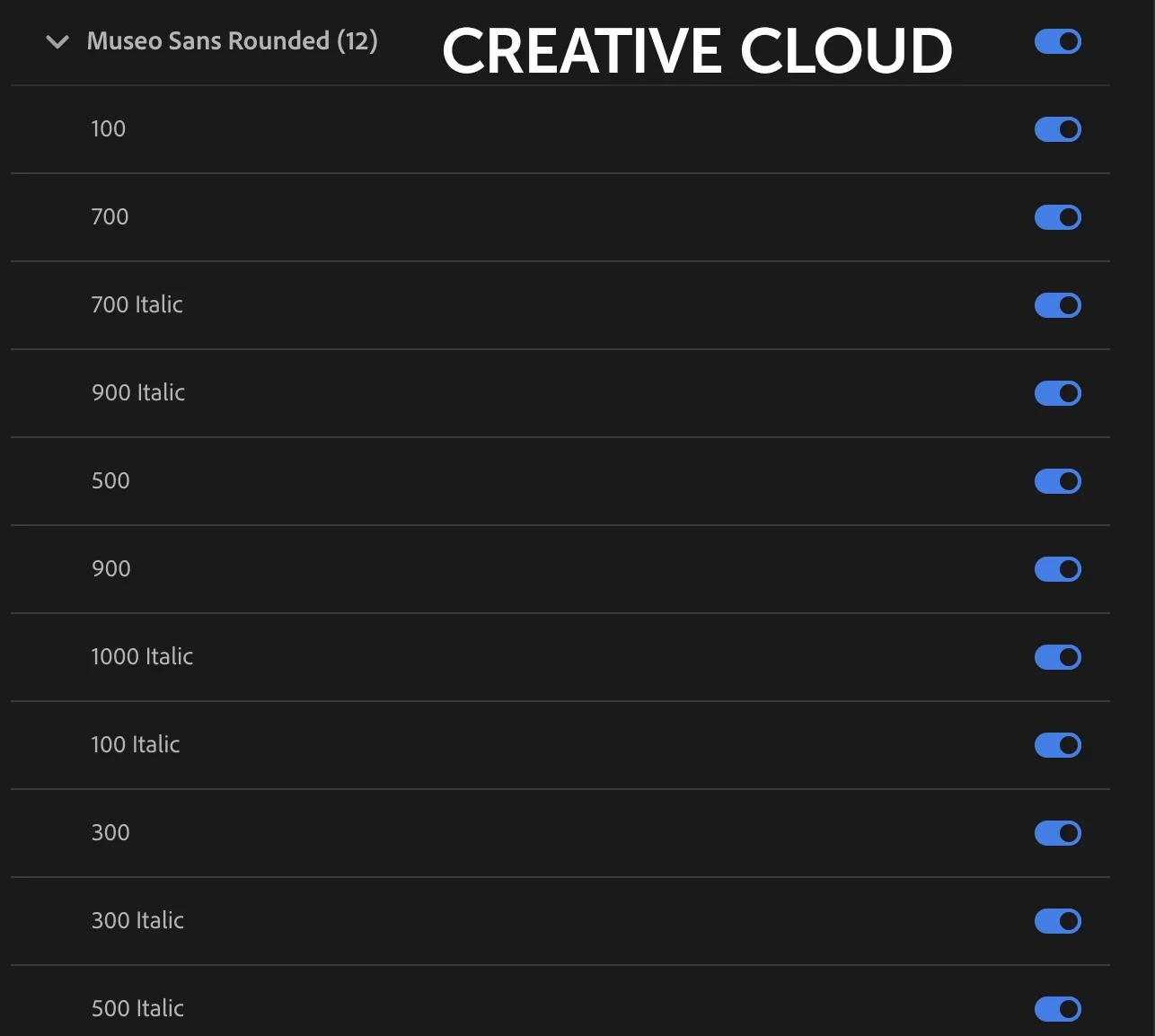
But when I try to open the previously mentioned ID doc it just crashes. Numerous other ID docs are absolutely fine (ones which do NOT have Museo Sans Rounded).
If I open InDesign (without trying to open the problematic document), I see Museo Sans Rounded listed in two parts with 900 showing as OTF and separate from the other weights in the family...
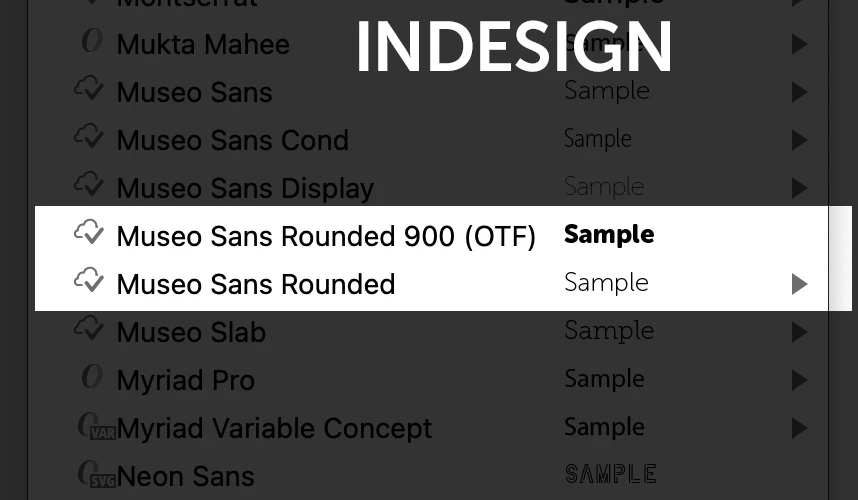
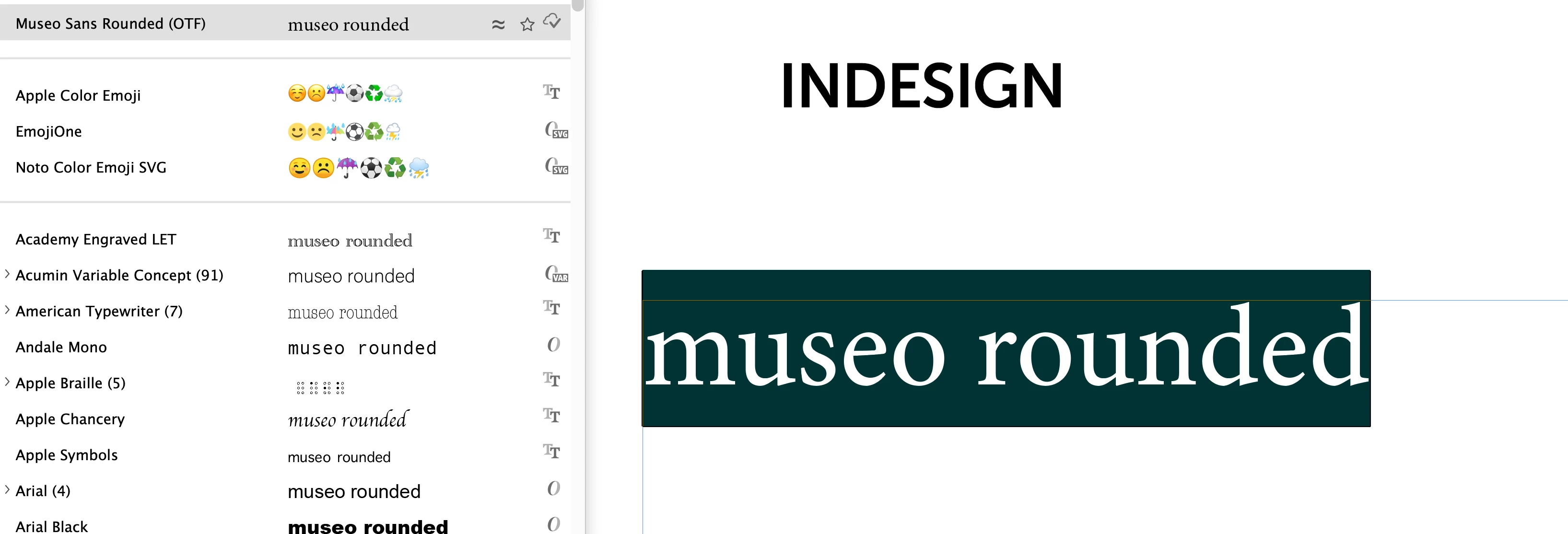
From the Type menu Museo Sans Rounded 900 shows as a completely different font...
Flip over to PhotoShop and the fonts menu stops where Museo Sans Rounded should be...
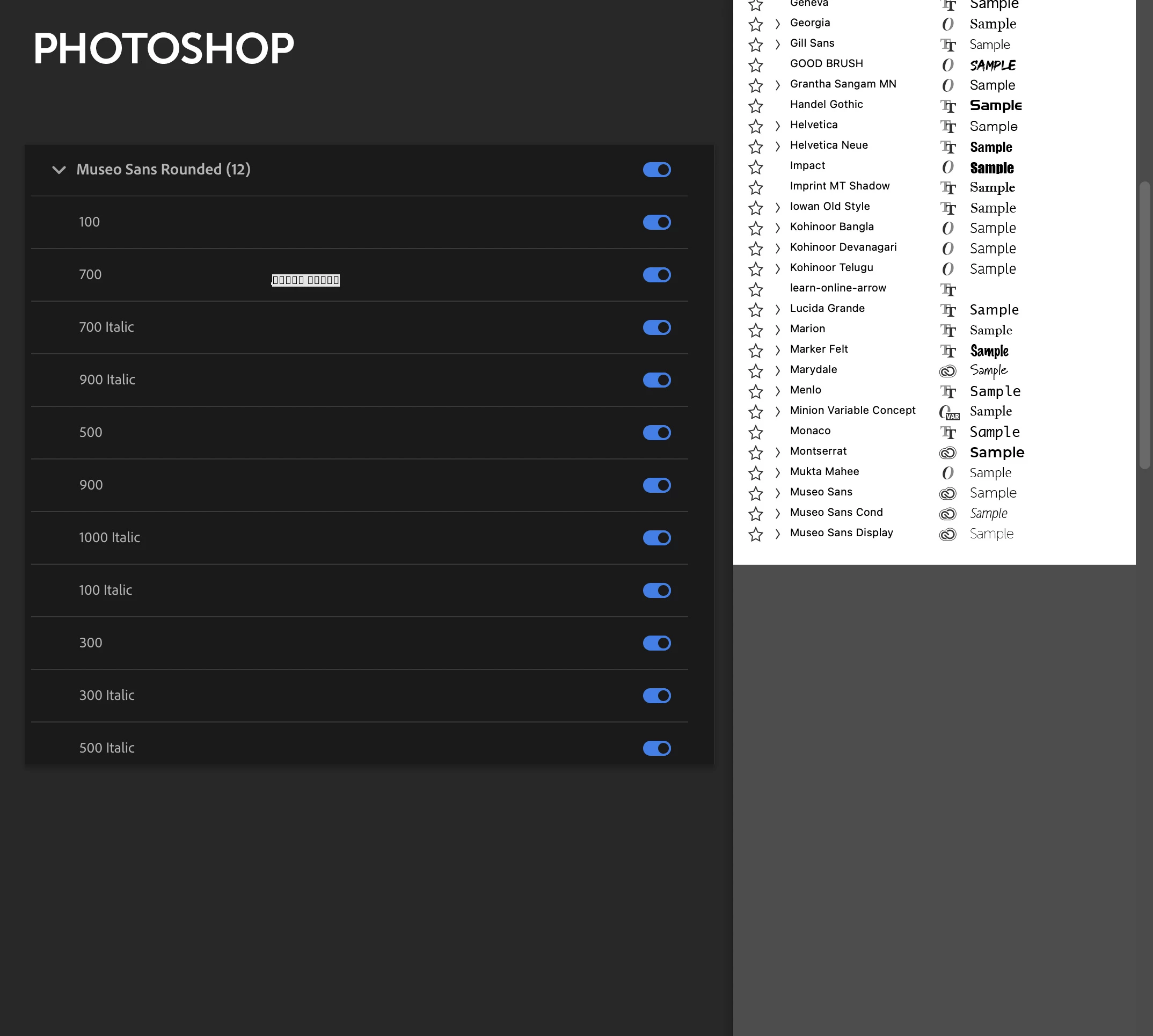
If I try to select where Museo Sans Rounded should be I get this message...
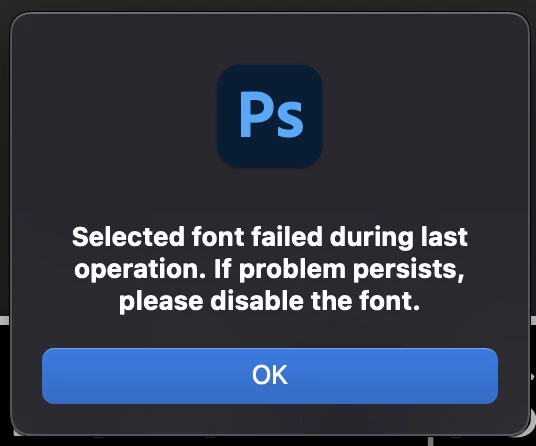
I've tried (I think) resetting preferences on both InDesign and PhotoShop. I've disabled fonts, re-enabled them. Disabled any fonts that I don't use. Unstalled apps. Reinstalled apps. Sometimes the problem seems to resolve itself and then return a week or two later.
Today, in order to open the problematic document, I unstalled Museo Sans Rounded in its entirety. I then enabled Museo Sans Rounded 900 on its own and the document opened. I've since enabled the entire family and the document seems fine.
Interestingly, if I now look at the font list, Museo Sans Rounded is showing as one complete family...
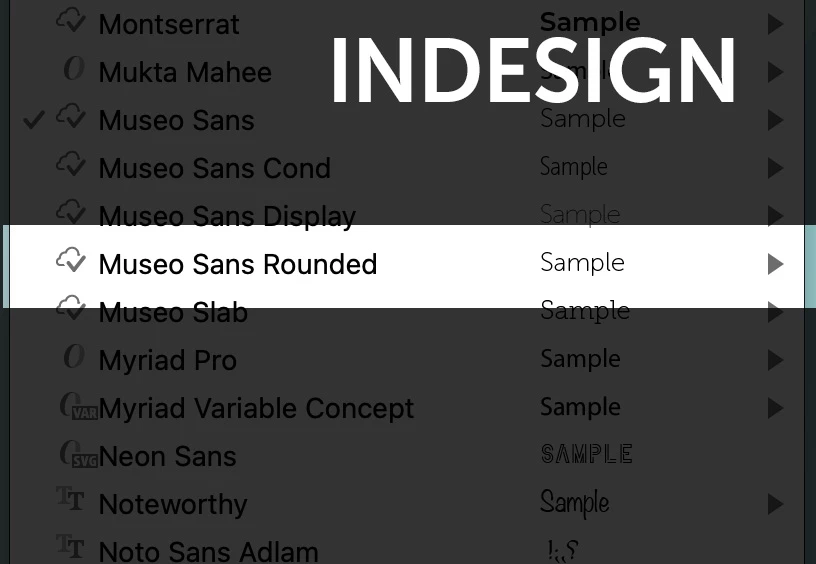
I'm tearing my hair out here! Any clues that anyone has I'd be really grateful.
I'm on an iMac at home but have the exact same issue with my Mac Pro at work so I'm fairly confident that it's not a computer issue. Both computers are running the most up to date system version (Monteray 12.5 at time of posting).
Thanks in advance.


 AdChoices