
Legend
October 24, 2018
Question

My tables are completely missing

  • October 24, 2018
  • 4 replies
  • 2825 views

I'm getting really tired of continuously having to do extra work because of Indesign deciding to glitch out.

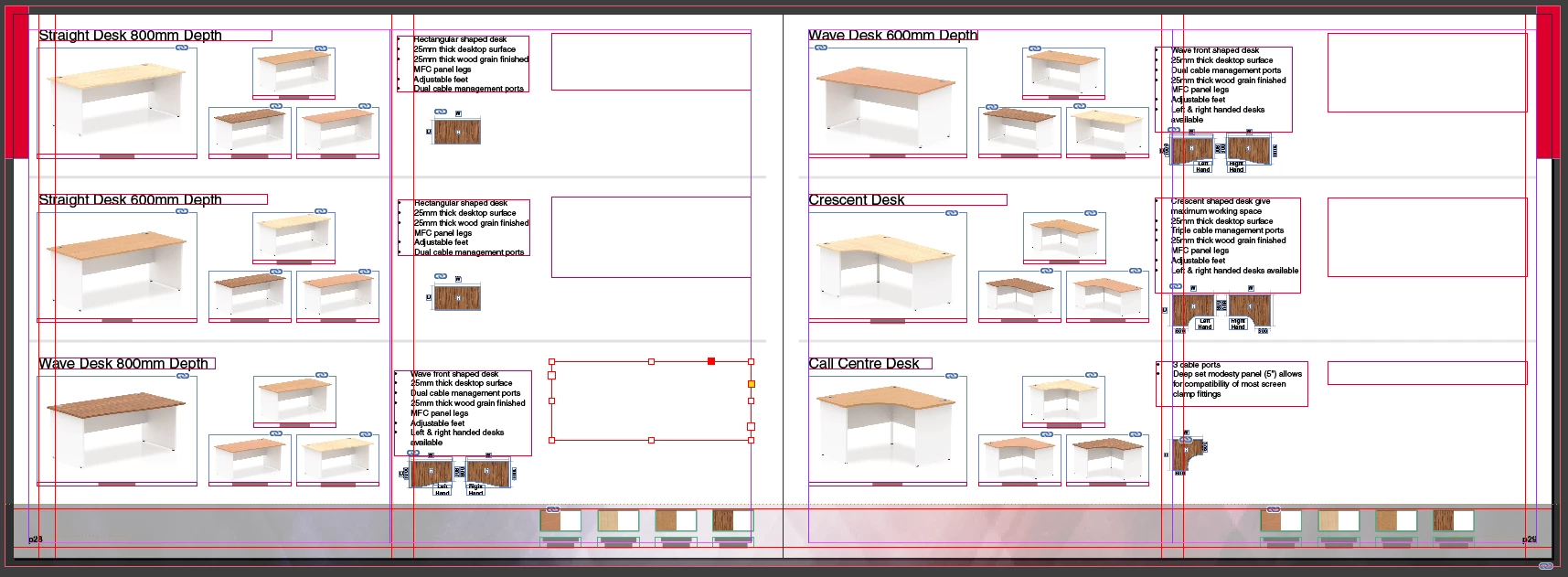
My Tables on some 20+ pages of a 200-page catalogue have vanished and been replaced by object boxes.

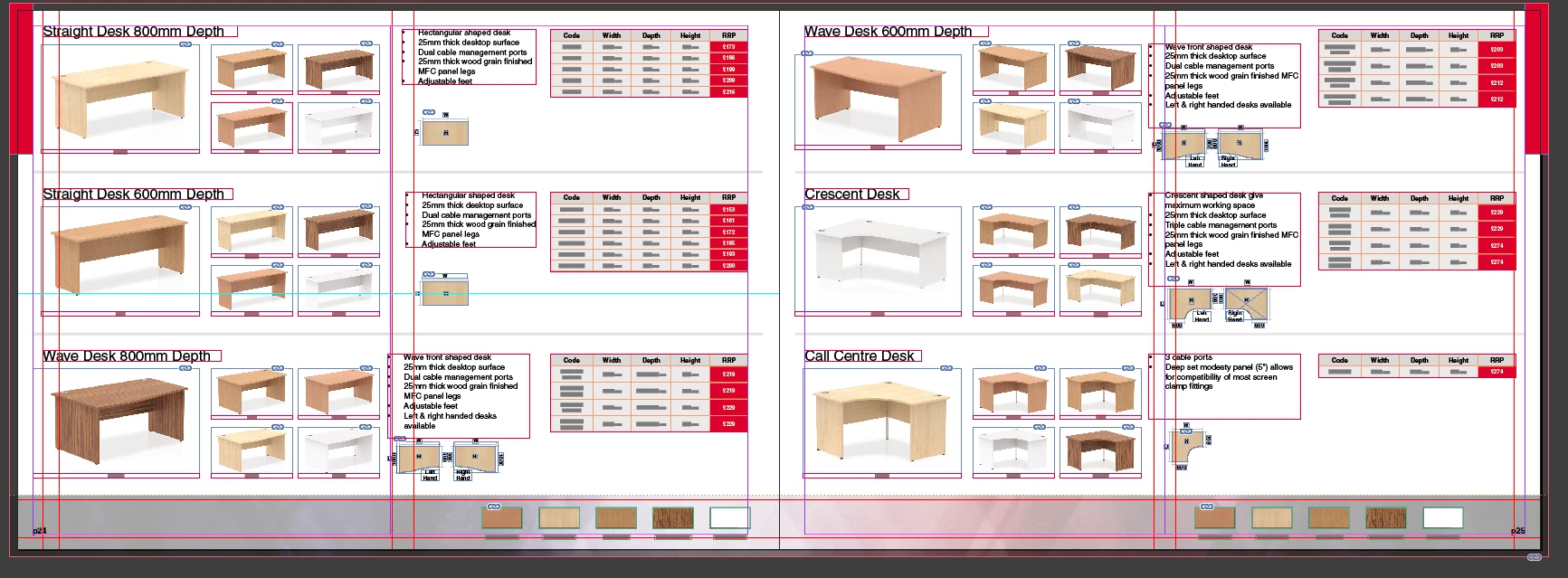
Here's a page as intended;
and here is a page with the glitch tables;
I've tried Cutting and pasting back in, pasting onto a new document and still it just sits as if it's an object box.

I'm on a very tight deadline of 1 week to complete this and I could just about see the light at the end of the tunnel and now I'm potentially going to have to push back my ETA because of this ridiculous software.

Windows 10

Indesign CC (13.1.0.76)

    This topic has been closed for replies.

    4 replies

    dave c courtemanche
    Inspiring
    October 24, 2018

    A few questions:

    Are the text boxes containing the tables threaded?

    Are you using a Header Row?

    Have you exporter doc to .idml and reopened?

    Is this one 200 pg doc, or are you breaking it up & using the book function?

    I had some oddness with header rows and a table stretched over multiple pages - sections of the table kept disappearing. Not quite the same as your issue, but frustrating. Curious as to if it's related to table disfunction or a corrupt doc.

    Community Expert
    October 24, 2018

    Hi Dave,

    FWIW: the problem with missing header and footer rows was a now fixed bug with an older version of InDesign CC 2017.1.

    There even was a hotfix installer for this:

    Troubleshoot issues after updating to InDesign CC 2017.1

    Re: Table header rows disapear when copy-pasting

    Regards,
    Uwe

    Barb Binder
    Community Expert
    Community Expert
    October 24, 2018

    Yikes. I'm glad you have devised a way to get around it and get the job out but you will want to report this on the InDesign Feedback page so that the Adobe InDesign team sees it. You can just reference this thread since you were able to explain the problem so clearly.

    Adobe InDesign Feedback

    ~Barb

    ~Barb at Rocky Mountain Training
    Eric Dumas
    Community Expert
    Community Expert
    October 24, 2018

    Do you have access to a computer with a more powerful video card?

    On a Mac, there are ways to purge video ram which helped me in the past Reset NVRAM or PRAM on your Mac - Apple Support

    Legend
    October 24, 2018

    My video card is a GTX 1050ti, more than capable of handling Indesign, my processor is an i7 4770k

    I don't even have graphics card acceleration turned on

    Legend
    October 24, 2018

    luckily, I've learnt my lesson as i've been stung by this program in the past. I have been saving daily intervals so will just copy and paste from a previous version

    However, that doesn't make it right - I'd like to know what has caused this issue and how it can be prevented in the future? 

    Eric Dumas
    Community Expert
    Community Expert
    October 24, 2018

    Can you confirm that all the tables/text/images is prepared in MS Word or are you using a Data Merge approach?

    Legend
    October 24, 2018

    These are custom made and manually filled in within indesign, no external software or Datamerge has been used.

    I had someone reviewing the catalogue yesterday - When I had opened that file the glitch was still present. Interestingly though, the tables appear when I export it as a PDF...