watermelon5
Inspiring
January 24, 2018
Answered

My text field is scrolling sideways
  • January 24, 2018
  • 4 replies
  • 1217 views

I created a live text field for a note area for an interactive PDF. I converted my text box into a Text Field and selected it to be "Multiline" and "Scrollable". When I export my PDF, open it in Acrobat and start typing in, the text begins typing in the center of the box and scrolls horizontally all the way until it is out of frame.

What did I miss?
    Correct answer Steve Werner

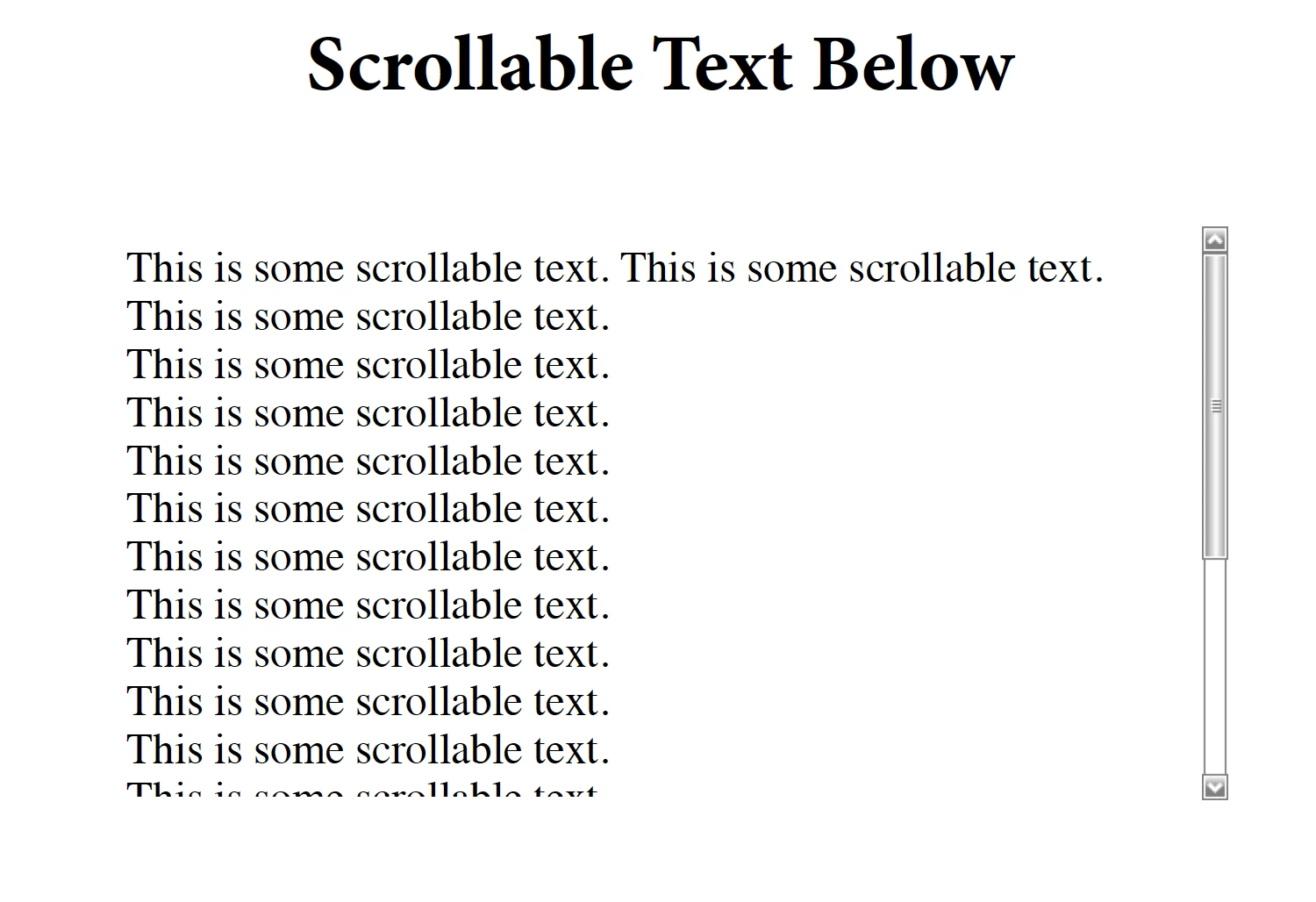
    I'm having no problem with InDesign CC 2018 and Acrobat Pro DC. See screen captures below. In Acrobat, you should see a scroll bar like below:

    In Acrobat, open the Prepare Form tool. Double-click on the Text form field. Then click on the Options tab and it should look like this:

    4 replies

    Steve Werner
    Community Expert
    Steve WernerCommunity ExpertCorrect answer
    Community Expert
    January 24, 2018

    I'm having no problem with InDesign CC 2018 and Acrobat Pro DC. See screen captures below. In Acrobat, you should see a scroll bar like below:

    In Acrobat, open the Prepare Form tool. Double-click on the Text form field. Then click on the Options tab and it should look like this:

    watermelon5
    Inspiring
    January 24, 2018

    That was very weird. I exported mines from InDesign about 3x's with the same problem and finally had to go in and fix it via the Acrobat form properties as you suggested. I was still very bugged about why it wasn't doing it straight out of InDesign. I tried again with a new document and it worked. I went again with my original document and it worked that time as well. I think it may have been a bug.

    Thanks.