karienvdw
Known Participant
June 13, 2024
Answered

Mysterious double shading.....

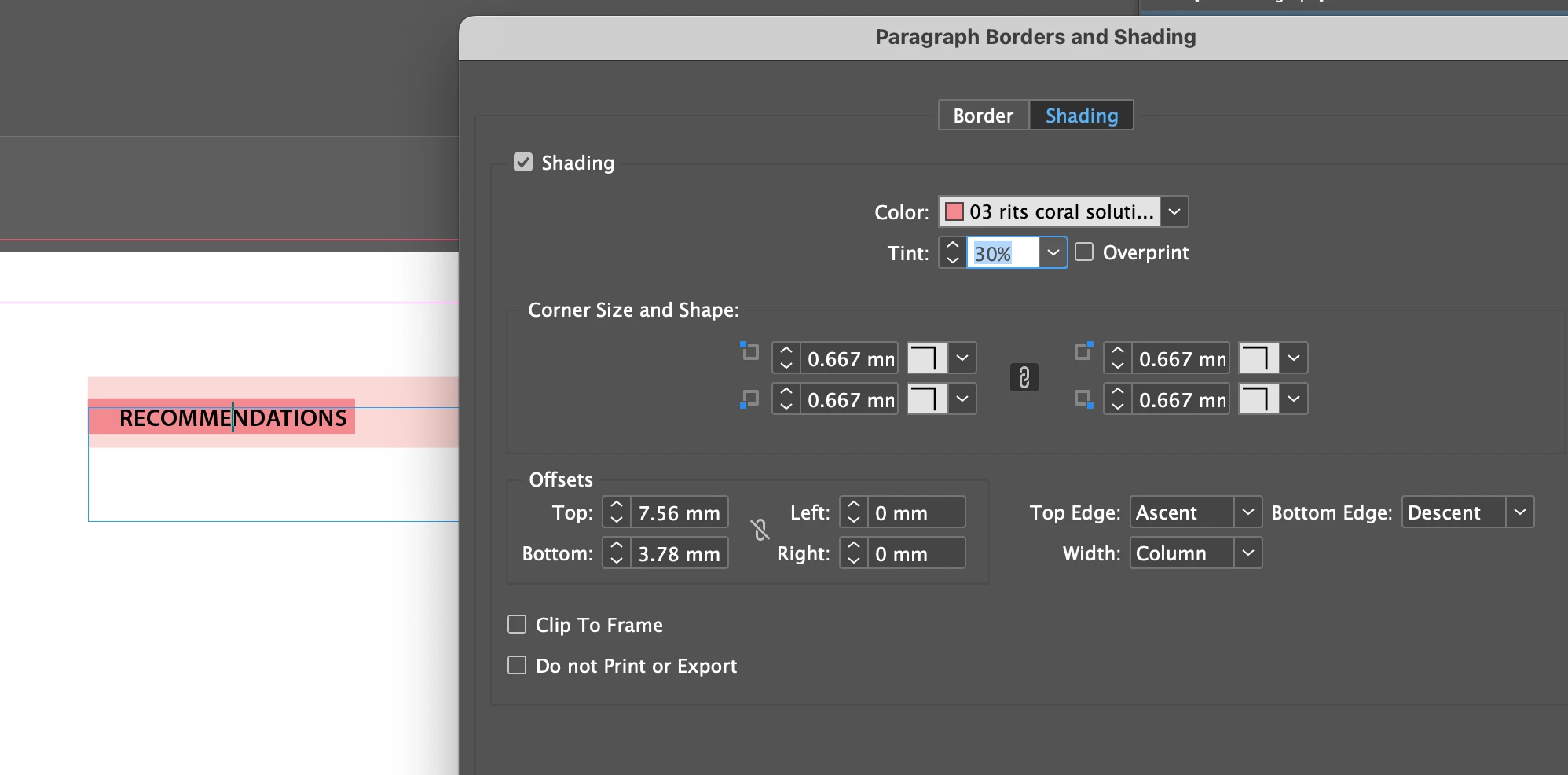
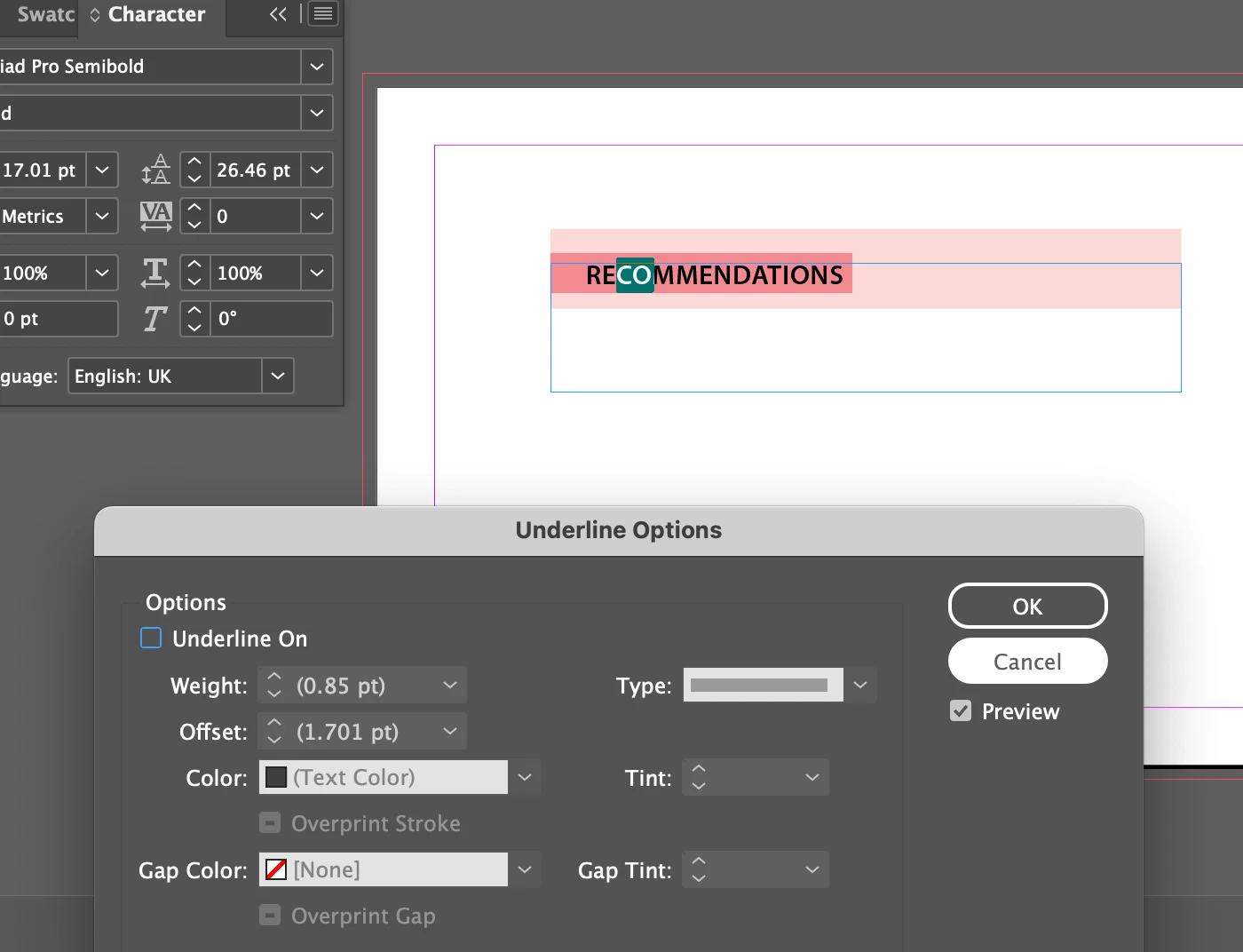
Hello 🙂 I am totally stumped how this double shading is happening in this text. At first thought it is paragraph shading in light colour and then an underline in the darker tint. But it isn't.. any ideas please? 😵‍💫

This topic is closed to new replies. Start a new post to keep the conversation going.
jmlevy
jmlevyCorrect answer
Community Expert
June 13, 2024

@karienvdw Check if there is a rule (above or below) on the text.

@James Gifford—NitroPress I don't think so, since the typeface name is not inside brackets.

8 replies

jmlevy
Community Expert
jmlevyCommunity ExpertCorrect answer
Community Expert
June 13, 2024

@karienvdw Check if there is a rule (above or below) on the text.

@James Gifford—NitroPress I don't think so, since the typeface name is not inside brackets.

Translate
James Gifford—NitroPress
Legend
June 13, 2024

Maybe. The odd size values indicate the element has been "reworked" and it's just that shuffling around that changes a base font to something without Light, Semibold, etc. But you're right in that the font and weight names don't show an override.


If it's a template the user might not know a rule has been assigned.

Translate
James Gifford—NitroPress
Legend
June 13, 2024

The pink highlight on the text is a font warning. You may have, for example, Semibold set in a font that doesn't have a semibold face.

Translate
karienvdw
karienvdwAuthor
Known Participant
June 13, 2024

Nope, that is not the case

Translate
James Gifford—NitroPress
Legend
June 13, 2024

Okay. The only other likely cause is a rule, as JML suggests below.


Although... if a Character Style is applied that uses an unavailable font, the error highlight would also appear. (That is, even if the Paragraph Style is valid.) Just covering all the bases. 🙂

Translate