Participant
June 3, 2021
Question

Mysterious little line

  • June 3, 2021
  • 2 replies
  • 434 views

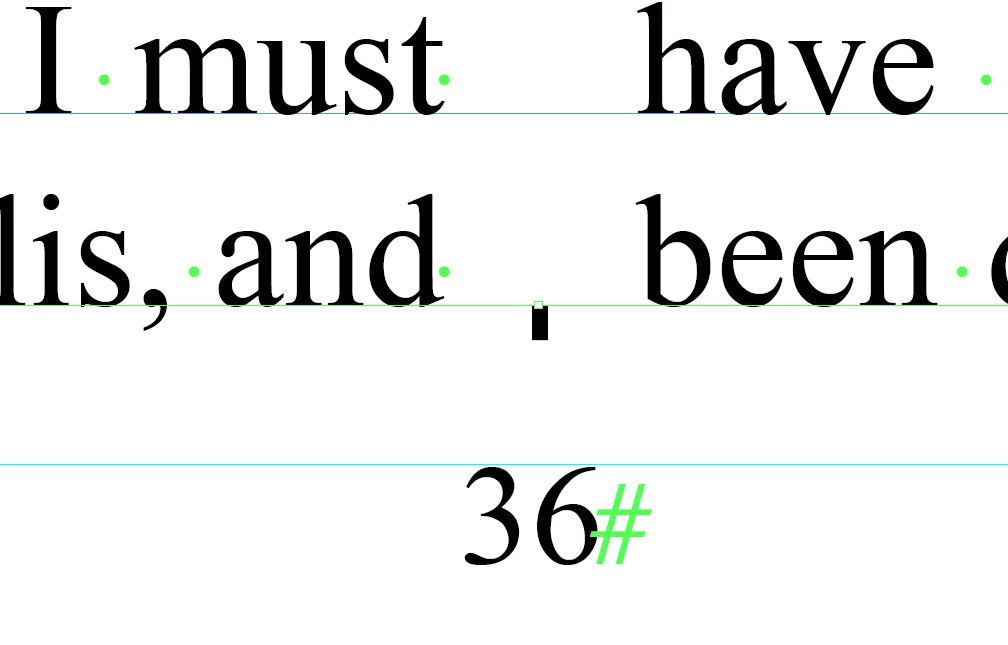
I am working on a two-column online magazine. It's made up of multiple stories. I seeing a strange little line at the foot of every page of one story, between  the two columns, just above the page number (nowhere else in the document - just this one story). I've tried turning off the visibility of the layers one by one. It's part of the main text layer. 


Does anyone know what it is and how I can remove it? 


I'm not a novice user, but I may well be missing something obvious here. I'd be grateful for any help.


This topic has been closed for replies.

2 replies

Community Expert
June 4, 2021

Hi default5xzlsgljhg76,

could be that the attribute was a column rule with some eccentric values.

https://helpx.adobe.com/indesign/using/set-column-rules.html


Regards,
Uwe Laubender

( ACP )

BobLevine
Community Expert
Community Expert
June 3, 2021

Delete the text frame and see if there's anything under it. If that line goes away with it show up the text in the story editor.

BTW, that's not in a table, is it?

Participant
June 3, 2021

Thank you for your reply.

It's not a table. It's ten pages of text formatted as two-columns. I have deleted the text frame - there is nothing underneath. It seems to be part of the text frame.

[email signature deleted by moderator]

BobLevine
Community Expert
Community Expert
June 3, 2021

First, please turn off the signature when replying by email.

Check the text frame options for a column rule.