
Participating Frequently
February 11, 2025
Question

“% N” missing in image file name

  • February 11, 2025
  • 5 replies
  • 702 views

Hi all,


We have a logo used in our mailer with name "100% NZ Grown.indd", but when we create data using Create Data from InCatalog, the file name is changed to "100Z Grown.indd".
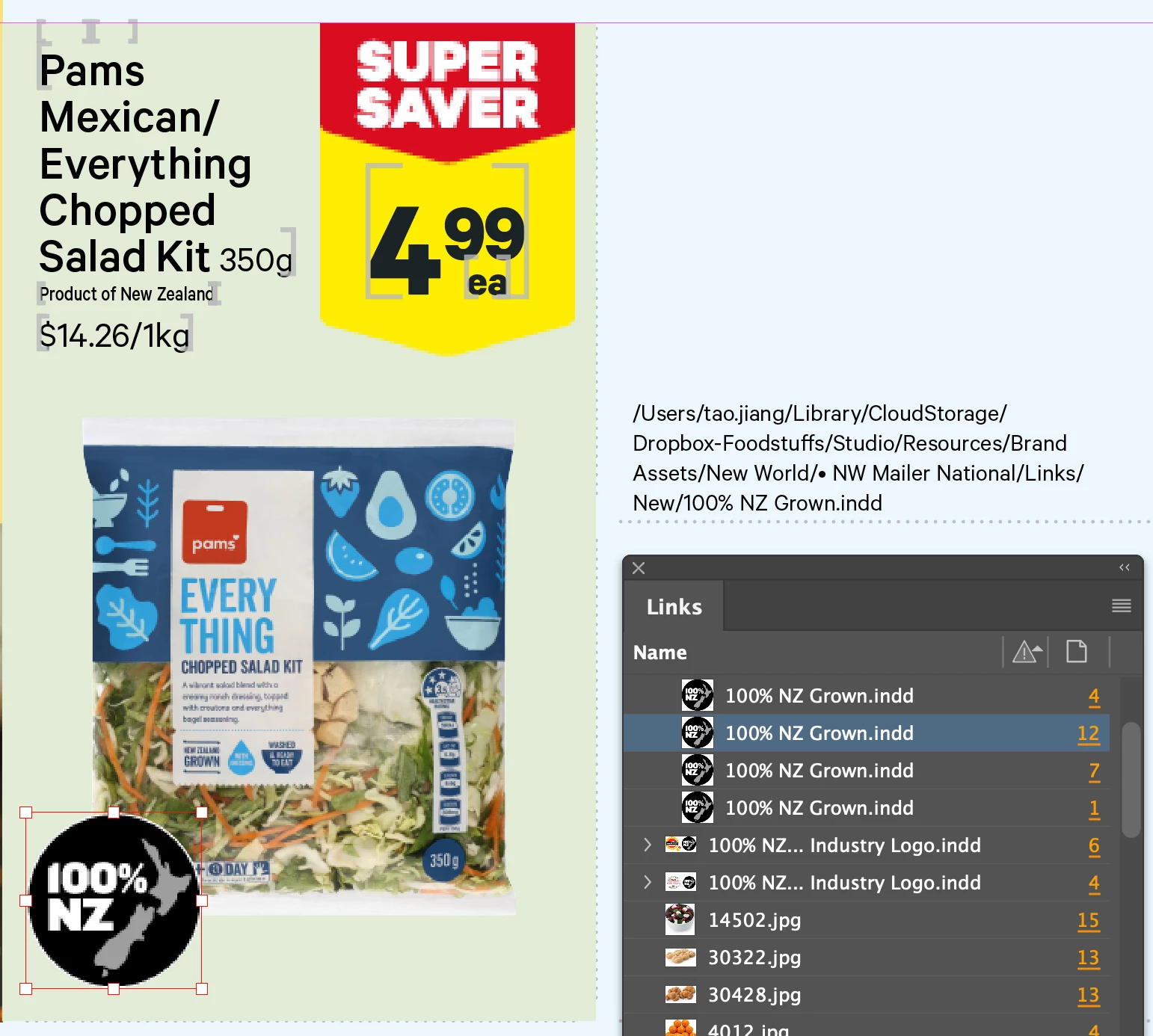
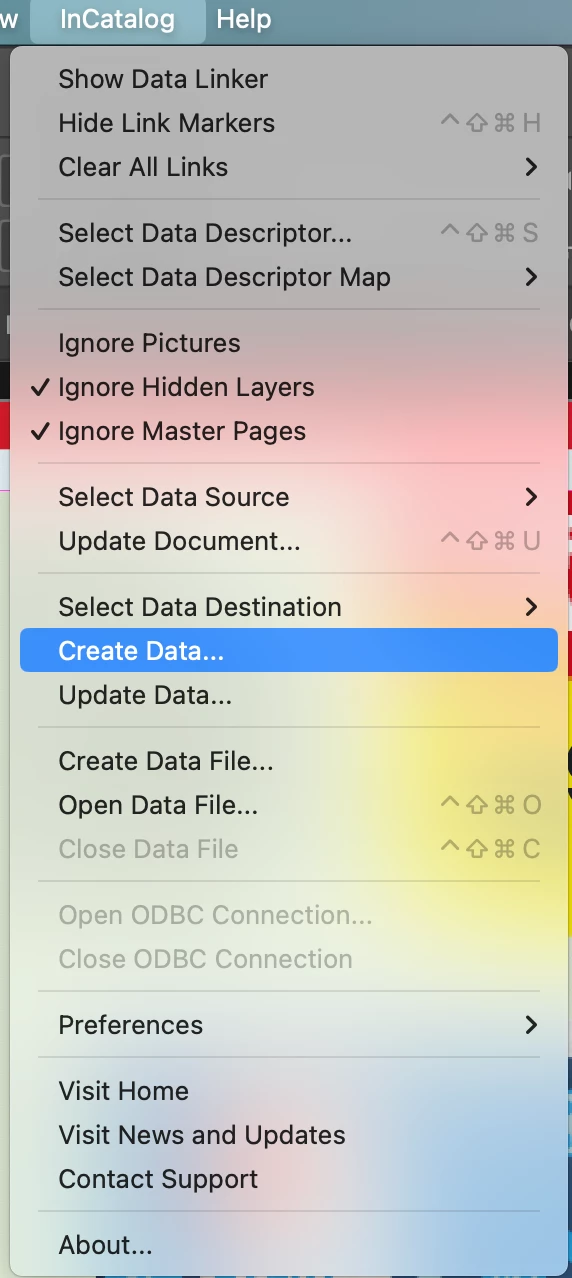


I've already reached out to Em Software, the company that developed the plugin InCatalog for inDesign, and this is their reply: That sounds like it might be an operating system or an InDesign issue, since it was imported correctly, and InCatalog is just exporting what it finds in the pathname property of the graphic. Likely the problem is that "%" in a URL is a prefix for expressing a special character as a numeric value, and it's being "eaten" by internal InDesign processes.

We have been using InCatalog for over 10 years, and never had this issue before till we upgraded to inDesign 2025 last week. So I'm just wondering if someone has come across this issue as well? or is this a InDesign 2025 bug?


Cheers

Tao Jiang


5 replies

tjinnzAuthor
Participating Frequently
February 14, 2025

I just received an email from Em Software:
In addition to the disappearing % fix, the InCatalog 2.33 release also adds an "Extract POSIX-style picture paths" checkbox to InCatalog's Create/Update Data preferences panel (screenshot attached). 
https://emsoftware.com/2025/02/13/release-incatalog-2-33-for-indesign-2023-2025/ [emsoftware.com]

tjinnzAuthor
Participating Frequently
February 12, 2025

Just in case you're still interested in this issue.


Here is the second email received from Em Software:

Sorry for the troubles! The export trouble is caused by a bug that's been in InCatalog for about 4 years. You must have updated to 2025 from a pretty old InDesign! I'll let you know as soon as we have a fix available. Shouldn't be more than a few days.


He is right that we actually upgraded to inDesign 2025 from inDesign 2022 last week.

Robert at ID-Tasker
Legend
February 12, 2025

@tjinnz


So the bug was before - when you thought it was working OK? So what they're fixing? 


Dave Creamer of IDEAS
Community Expert
Community Expert
February 12, 2025

I assume the OP was working with ID 2022 with InCatalog from 2020 or 2021 before the bug was introduced. When the recently upgraded to ID 2025, I'm assuming they upgraded InCatalog too. Then they hit the bug. 

At least that's what I assume...


David Creamer: Community Expert (ACI and ACE 1995-2023)
Mike Witherell
Community Expert
Community Expert
February 11, 2025

Definitely rename the logo file without the % sign.

And definitely use hyphens instead of spaces in filenames.

Mike Witherell
Joel Cherney
Community Expert
Community Expert
February 11, 2025

Mike's solution here is rather easier to implement than trying to get a plugin developer to change their file handling routines. I personally never worry about stray spaces or unexpected characters throwing my filesystem for a loop, because I've been typically using straight alphanumeric file naming conventions without spaces or special characters since... since we actually had to, back in the Bad Old Days. I formed my own habits in this area back in the late 20th century.


Robert at ID-Tasker
Legend
February 11, 2025

Yeah, it's always better to avoid spaces and diacritics - just a-z, 0-9, "-", "_" 


And DEFINITELY no "." anywhere. 


James Gifford—NitroPress
Legend
February 11, 2025

I'd agree with the software maker's comment — % is one of many characters often used as special markers, delimiters etc. in data strings. It may just be that ID 2025 is the first to use (or enforce) that parsing rule. You might substitute a Unicode value for the symbol, or see what's needed to "escape" it for reading as a literal character and not a control code.

tjinnzAuthor
Participating Frequently
February 11, 2025

Thanks a lot for the suggestion, just as a workaround for the time being, I do a .replace(/100Z/g, “100% NZ”) to add the missing part back in my exported data file.


But, we've had this logo in our mailers for ages, and never had problem with the missing string in the exported data till we upgraded to InDesign 2025 last week.


Joel Cherney
Community Expert
Community Expert
February 11, 2025

The link that Robert posted might look at first as if it has nothing to do with your issue, but he has 100% of the answer, here. As of InDesign 20.0 (2025) you can't use absolute platform-specific paths in Data Merge, or in a wide variety of other places in InDesign. Take note of the section "HFS to POSIX Migration History". Or, perhaps it's time to check in with the Em Software people, as this is the kind of thing that I suspect they'd have to fix, in your case. Unless there's a place where you personally are typing or pasting or selecting :Users:tao.jiang:Library:etc:etc:etc.  If that's the case, then you can switch to the POSIX file path style. But honestly, it's been long enough since I used InCatalog that I can't really guess if this is up to you, or your developer. 


Robert at ID-Tasker
Legend
February 11, 2025

At which point you have this problem - as your screenshots show everything OK? 


tjinnzAuthor
Participating Frequently
February 11, 2025

This is the exported data of the logo:

FSMACLT07:Users:tao.jiang:Library:CloudStorage:Dropbox-Foodstuffs:Studio:Resources:Brand Assets:New World:• NW Mailer National:Links:New:100Z Grown.indd

Robert at ID-Tasker
Legend
February 11, 2025
quote

This is the exported data of the logo:

FSMACLT07:Users:tao.jiang:Library:CloudStorage:Dropbox-Foodstuffs:Studio:Resources:Brand Assets:New World:• NW Mailer National:Links:New:100Z Grown.indd


By @tjinnz


And everything is clear - you need to switch to POSIX:


https://helpx.adobe.com/indesign/kb/user-dictionaries-missing-hfs-path-dropped.html