
Navigate long document using boomarks panel question
In MS Word, the navigation panel is great for moving around in a long document. For years, I've been wanting such a function in InDesign.
This article: https://indesignsecrets.com/use-bookmarks-navigate-indesign-documents.php tells you how to get this functionality in InDesign.
In summary, you create (and regularly update) a Table of Contents, even if you don't need it printing with the document itself (just put it a bit off the page), and make sure your TOC style has the "make PDF bookmarks" checkbox checked.
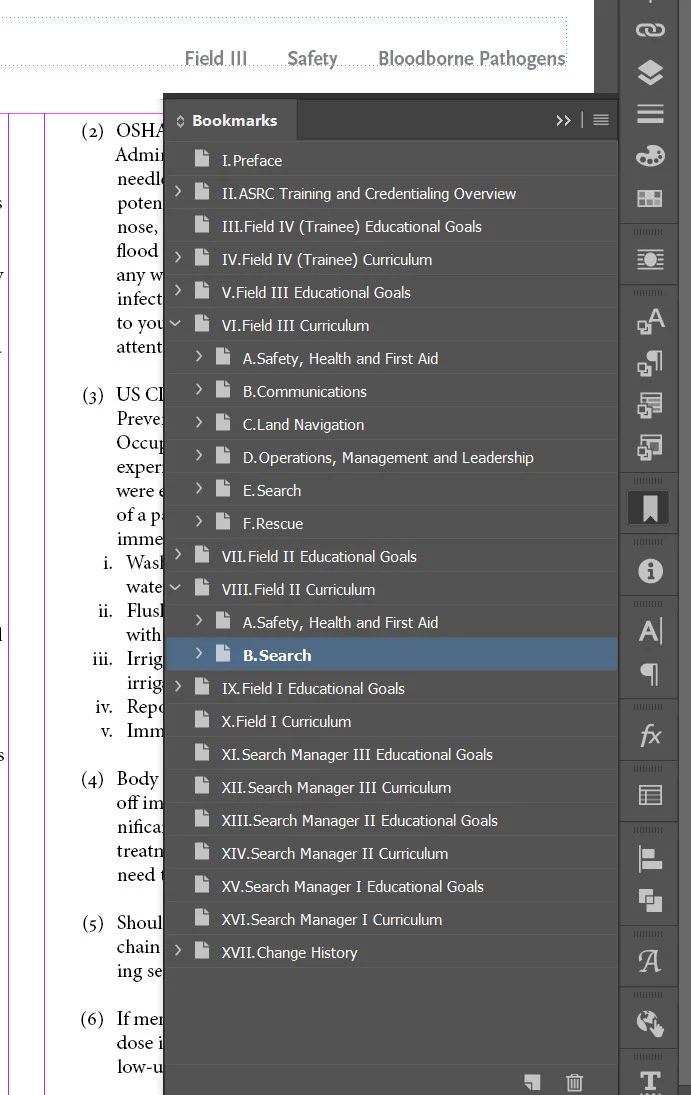
Now, the InDesign bookmarks panel works very like the MS Word navigation panel, just double-click to go to a heading.
My only question is: when I double-click a bookmark in the bookmark panel to go to a section, why does InDesign switch to a zoom it likes instead of the one I was just using and prefer?
 AdChoices