

Memo R
Participating Frequently
April 15, 2026
Question

nDesign 2026 macOS Tahoe 26.4.1 showing gray/green broken link icons on placed images (even legacy files from 4 years ago). Beta version unchanged. Anyone seeing this?

  • April 15, 2026
  • 2 replies
  • 67 views

I would like to kindly follow up on support case ADB-44827608-R1Y7, which I opened earlier today.As I mentioned before, this issue is not restricted to AI-generated PNG files. The “missing link” error — showing a gray placeholder with green stripes
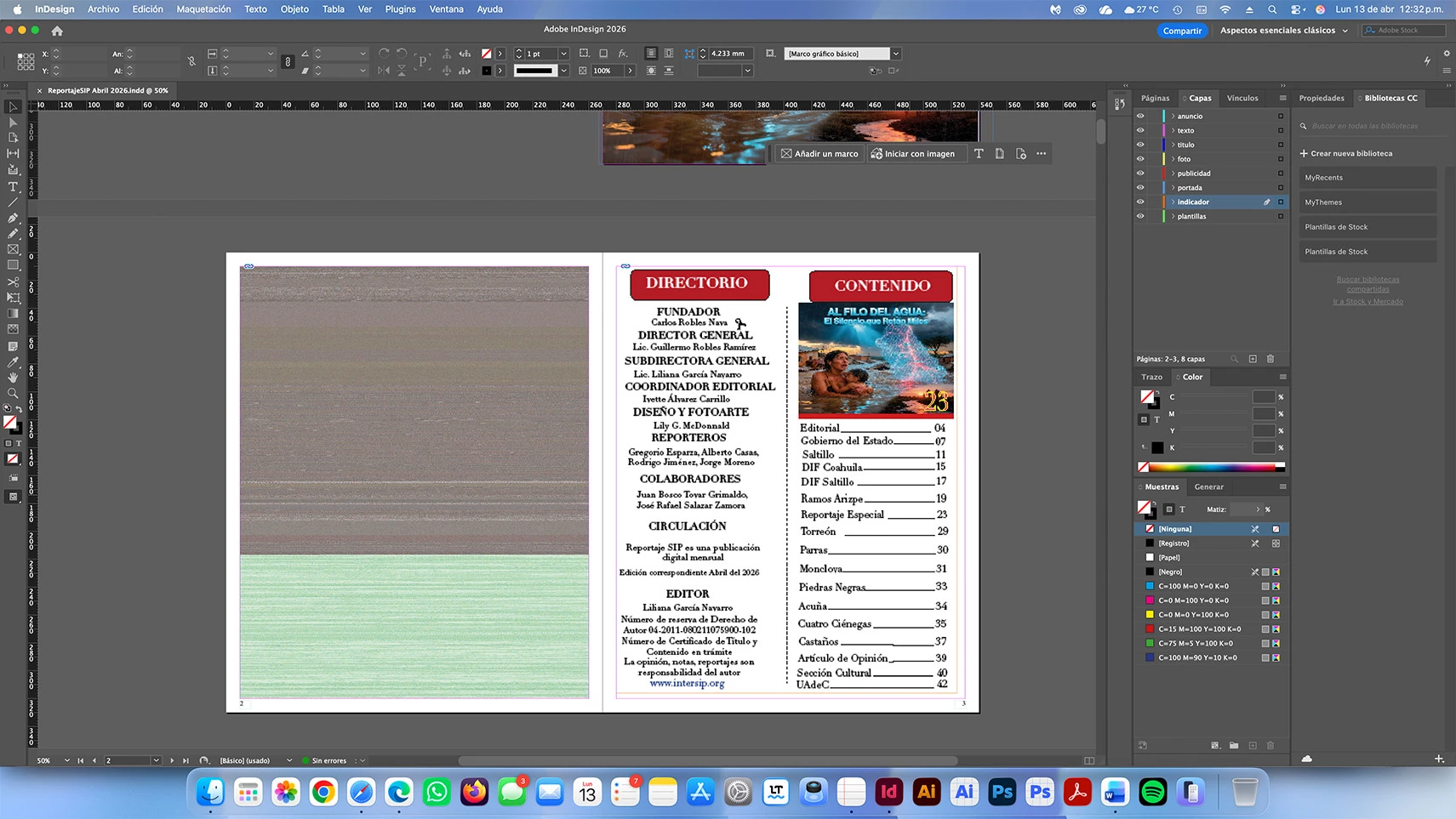
— is also appearing on placed images in layouts I created four years ago that have never contained any artificial intelligence content.To illustrate this clearly, I am attaching the two screenshots once again:• Screenshot from InDesign 2026 showing the file “ReportajeSIP Abril 2026.indd” (page 2), where the placed image displays the gray/green missing-link placeholder.
• Screenshot of the exact same section opened in Illustrator 2026, where the design renders perfectly
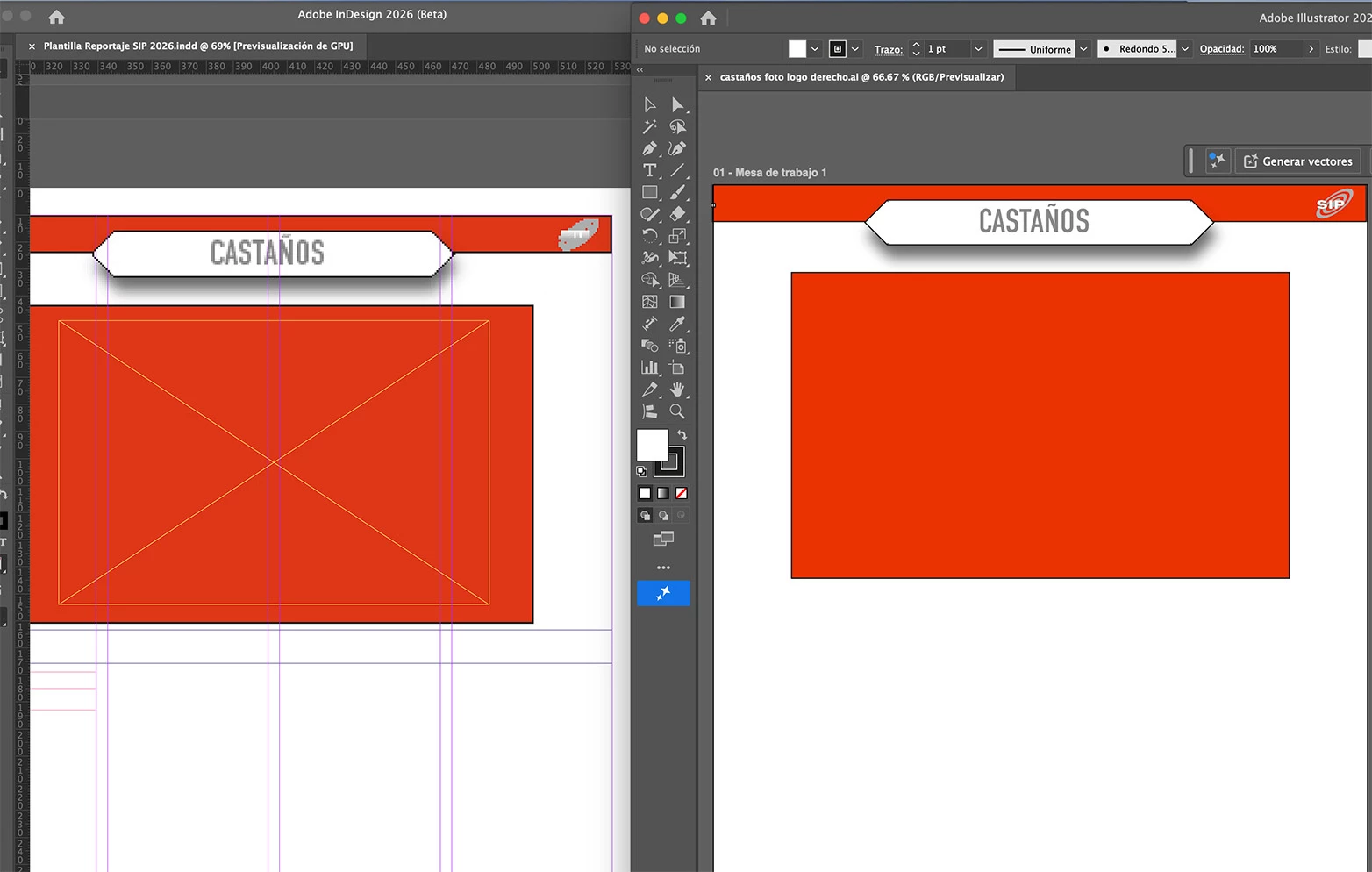
with no link errors at all.I have already carried out every troubleshooting step suggested by support:

  • Full Creative Cloud repair
  • Complete preferences reset (Cmd + Option + Shift at launch)
  • Clean reinstallation of the application
  • Manually re-linking all placed images
  • Installation and full testing of the latest InDesign 2026 Beta version

Unfortunately, the problem remains exactly the same.This link-management error only occurs in InDesign 2026. All previous versions (2025 and earlier) open the identical files without any issues.I would greatly appreciate if you could provide the following:

  1. Written confirmation that this macOS Tahoe 26.4.1 link-management bug has been officially logged and escalated to the development team.
  2. An estimated timeline for a fix (if available) or information on when the next stable update is scheduled.
  3. As an urgent temporary workaround, could you please grant me access to InDesign 2025 (or the latest stable previous version) while the 2026 issue is being resolved?
  4. If a newer Beta build is available that I do not yet have, kindly send me the direct download link.

My production workflow for the April 2026 magazine edition is currently completely blocked by this problem. I would be very grateful for your priority attention and a prompt reply.Thank you in advance for your assistance. I remain available for any additional details or tests you may require.Best regards,

    2 replies

    rob day
    Community Expert
    Community Expert
    April 15, 2026

    Hi ​@Memo R , Does the preview corruption happen if you toggle off GPU Preview or turn on Overprint Preview?

    Memo R
    Memo RAuthor
    Participating Frequently
    April 15, 2026

    @rob day  Hi,Thanks for following up and for the suggestion. To directly answer your question: yes, the preview corruption still occurs even after toggling off GPU Preview and turning on Overprint Preview. I actually ran through both of those exact steps earlier in our thread (right after my initial report, as I noted in my follow-up update), and the issue continued exactly the same way—no improvement at all.I’ve now tested the file under every combination of those preview settings multiple times, and the corruption is 100% reproducible regardless. Everything else in the document behaves normally, but the preview glitch is consistent and only appears in that specific view.Let me know what you’d like me to try next or if there’s any additional info from your side that could help narrow this down further. Happy to provide whatever details you need.

    leo.r
    Community Expert
    Community Expert
    April 15, 2026

    The “missing link” error — showing a gray placeholder with green stripes


    This is not a missing link error. Can be a preview corruption or something else (more info needed). For starters, can you check how the link looks in InDesign 2025?

    Memo R
    Memo RAuthor
    Participating Frequently
    April 15, 2026

    Thank you for the clarification and for confirming that this is not a true “missing link” error.

    I’m still seeing the gray placeholder with green stripes on the placed image (it looks like a corrupted or low-res preview).

    As you suggested, unfortunately I don’t have InDesign 2025 installed yet. Would it be possible to troubleshoot this without updating, or do you recommend trying the 2025 trial first?

    I’ve already tried:

    • Updating all links

    • Relinking the image manually

    • Changing Display Performance (Typical / High Quality)

    • Clearing the InDesign cache

    Would you like me to send you a screenshot or the .indd + linked file so you can see it directly?

    Thanks in advance for the next steps!

    leo.r
    Community Expert
    Community Expert
    April 15, 2026

    As you suggested, unfortunately I don’t have InDesign 2025 installed yet. Would it be possible to troubleshoot this without updating, or do you recommend trying the 2025 trial first?


    This would be simply a test to isolate the error and to see if the issue is specific to InDesign 2026 or other InDesign versions too. You can install InDesign 2025 from the Creative Cloud app (InDesign > Other Versions menu).


    What’s the image format? Will the problem persist if you resave it in another format (for example, PSD instead of JPEG)? There’s a known issue of corrupt rendering of certain JPEG files, but I’m not sure it’s the problem you’re dealing with.