Participant
August 3, 2017
Question

Need advice on a mirror script

  • August 3, 2017
  • 2 replies
  • 338 views

So at my work we use a type of label on all our jobs but we do two at a time.
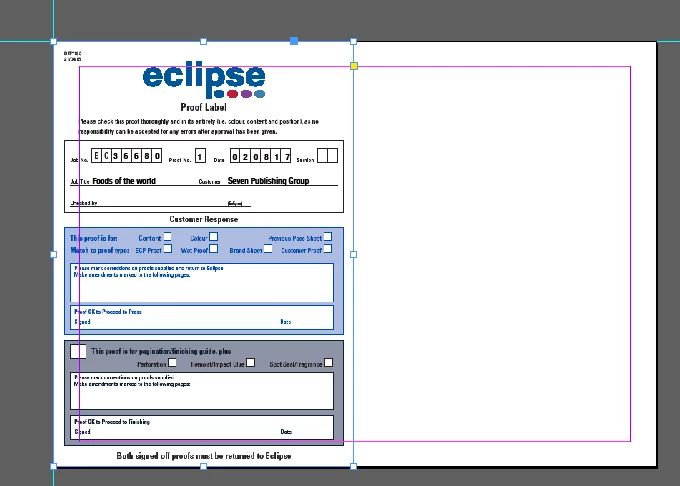
So I am trying to make a script that dupes up the ticket and moves it across to fit.
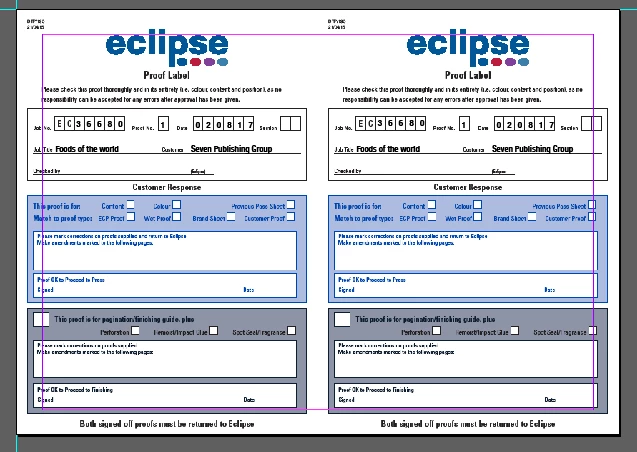
But Im extremely new to scripting and I don't know where to start so I was wondering if anyone has any pointers to put me in the right direction?

Thanks,

Daga

This topic has been closed for replies.

2 replies

Roy Marshall
Known Participant
August 3, 2017

This would get you started though based on selecting the initial item

you would have to do more work to get the page to fit etc...

var item = app.selection[0];

item.move([0,0]);

var newItem = item.duplicate();

newItem.geometricBounds = [item.geometricBounds[0],item.geometricBounds[3],item.geometricBounds[2],item.geometricBounds[3] + (item.geometricBounds[3] - item.geometricBounds[1])];

newItem.fit(FitOptions.PROPORTIONALLY);

Roy Marshall
Known Participant
August 3, 2017

Its fairly simple to do in InDesign, but I would question if you are using the right tool for this?

Are you only doing a single label at a time, or multiple labels at once?

If its purely a one off requirement, then yes, stick with a script.

However, If these are PDF Documents, and the requirements could potentially grow, I would be tempted to look at Quite Imposing Plus software (Quite at Home ).

Its a plugin for Acrobat that deals with this REALLY well with a PDF Environment. I used it for many years when I was in the Pre-Press industry.