audreyk50922446
Participant
October 9, 2022
Answered

Need help decreasing leading between only selected lines of text

  • October 9, 2022
  • 2 replies
  • 630 views

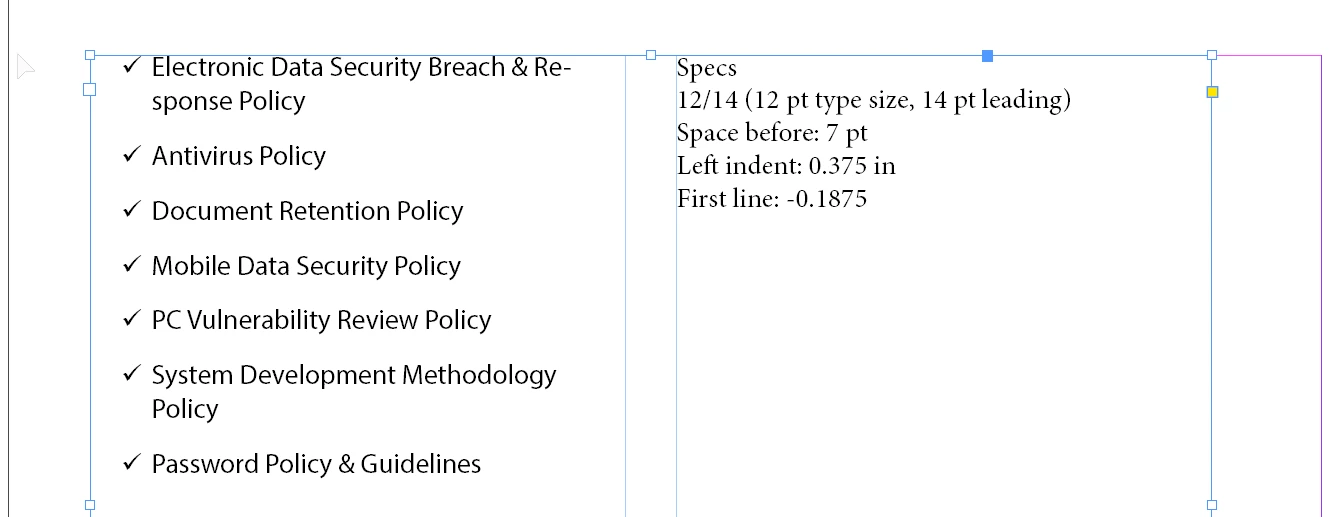
I have a two-column text box listing out bullet points; I need the two circled phrases to have decreased leading so the second line doesn't look like a new bullet point. Every time I decrease the leading it also affects the rest of the text that I'm not trying to edit. Can anyone help? I don't know how to phrase the question via Google so can't really find any answers:(

This topic has been closed for replies.
Correct answer Dave Creamer of IDEAS

You need to adjust the leading tighter AND add to the space before.

(No baseline grid involved.)

2 replies

Inspiring
October 10, 2022

If paragraph spacing isn't working as expected, the first things I would look at here are the leading, then to check whether soft returns have been used after those bullet points instead of paragraph returns. Assuming justified horizonal spacing isn't applied to the frame, there can't be many culprits. It's also unclear whether this is a one or two-column text frame and the way you've achieved this may be having a bearing on this.

Frans v.d. Geest
Community Expert
Community Expert
October 9, 2022

Use Space before and Space after in the Paragraph styles setting. You can now also set before/after for listed items. Adjust leading in the Paragraph styles for the leading in the paragraph itself.

Make sure your Align to Baselinegrid is also set as needed!


https://helpx.adobe.com/indesign/using/formatting-paragraphs.html

audreyk50922446
Participant
October 9, 2022

Hi, thanks for your answer. adjusting the before/after settings does not have any affect - text does not move. Selecting align to baseline grid does not have an effect either. Any other ideas?

jmlevy
Community Expert
Community Expert
October 9, 2022

Can you post a screenshot of your text, showing the hidden characters and the paragraph settings?