Participating Frequently
November 17, 2024
Answered

Need help with a script

  • November 17, 2024
  • 2 replies
  • 669 views

Hello


I'm a school Manager and I need a script to sum a degrees in a certain Table


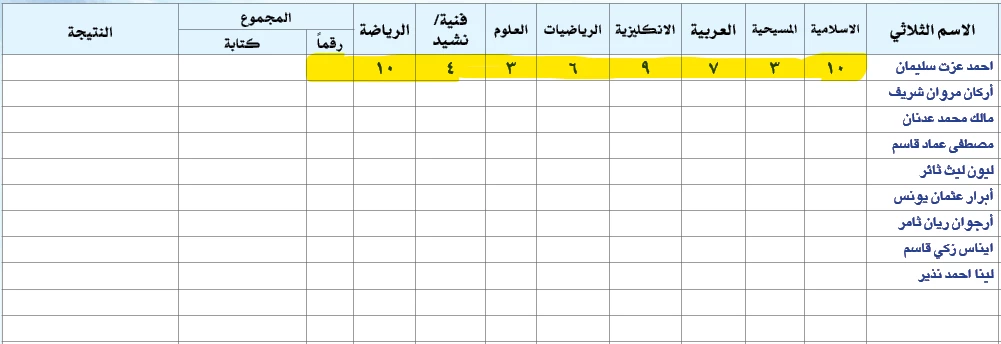
I have these numbers in a row and I need a script to sum All numbers in certain row and put the sum degree in last blank row


Sorry for my bad English


This topic has been closed for replies.
Correct answer m1b

Edit 2024-11-19: changed script because my original script did not work with OP's demo document. The following is updated answer:


Hi @alma_3660 I have updated the script to work with the demo document you gave us. I hope it will be useful now.


To use it, make a selection of table cells (one row or many rows) and run the script. It will put the total for each row's cells into either the first or last cell on each row (you can adjust this in the script).
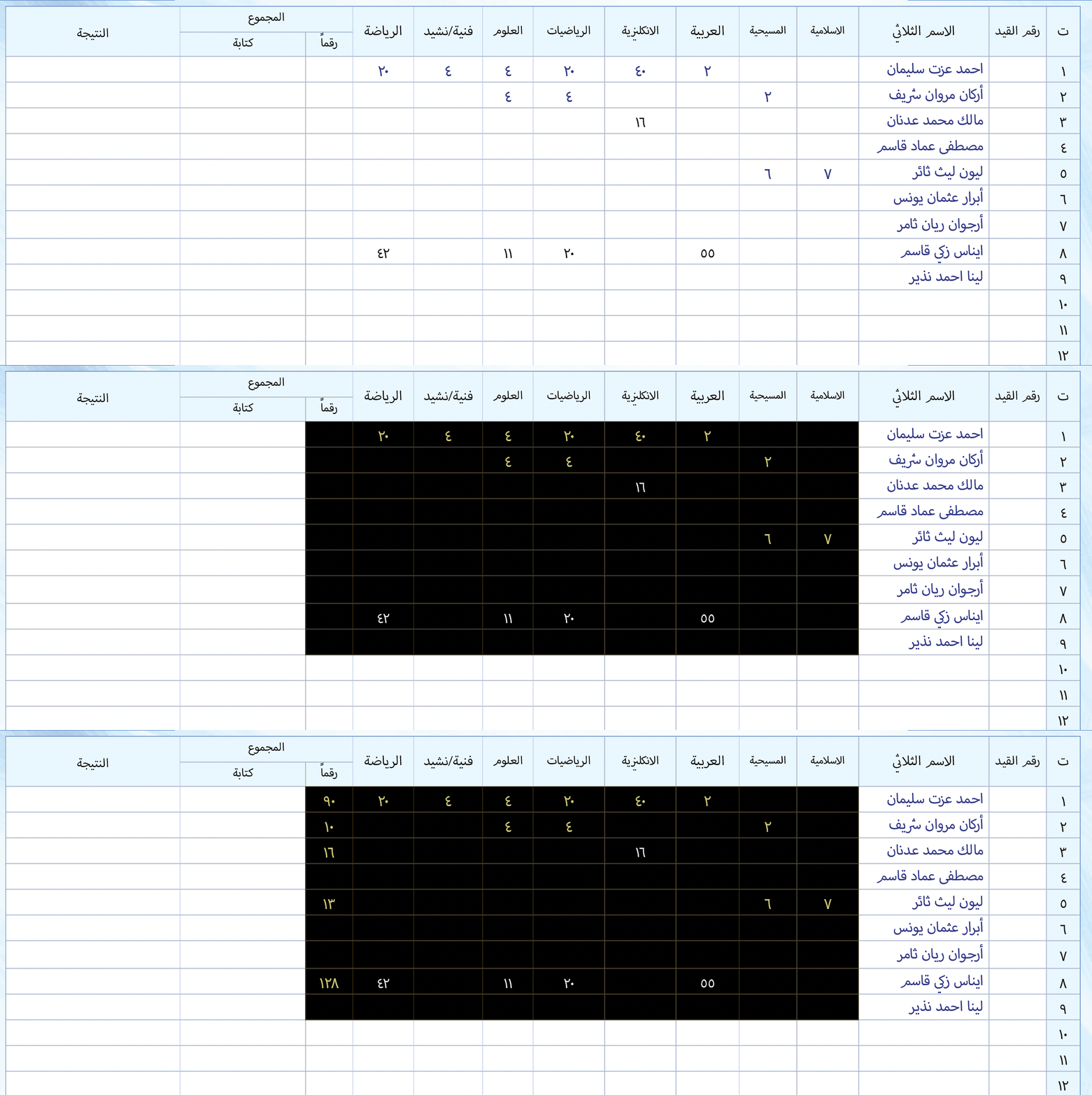
 

Let me know how it goes.

- Mark


/**
 * @file Sum Table Rows.js
 *
 * Usage:
 *   - select some table cells
 *   - script will sum the selected cells and put result into
 *     either the first or last cell of each row (see `settings` below)
 * 
 * @author m1b
 * @version 2024-11-18
 * @discussion https://community.adobe.com/t5/indesign-discussions/need-help-with-a-script/m-p/14985806
 */
function main() {

    var settings = {
        // setting this to 'first' or 'last' will populate
        // the first or last cell in each row with the total
        // of the selected cells in that row
        populateFirstEmptyCellFrom: 'last',
    };

    if (
        0 === app.documents.length
        || 0 === app.activeDocument.selection.length
    )
        return alert('Please select a range of table cells and try again.');

    var doc = app.activeDocument,
        rows = getCellsInRows(doc.selection[0]);

    if (!rows)
        return alert('Please select a range of table cells and try again.');

    for (var r = 0; r < rows.length; r++) {

        var cells = rows[r],
            targetCell = undefined,
            total = 0,
            count = 0;

        if ('first' === settings.populateFirstEmptyCellFrom)
            targetCell = cells[0];

        else if ('last' === settings.populateFirstEmptyCellFrom)
            targetCell = cells[cells.length - 1];

        // add up the cells' contents
        for (var c = 0; c < cells.length; c++)
            sumCell(cells[c]);

        if (count)
            // if any cells had numbers, set cell's contents to the total
            targetCell.contents = String(total);

    }

    /**
     * Adds a cell's number to `total`.
     * @param {Cell} cell - a Table Cell.
     */
    function sumCell(cell) {

        if (targetCell === cell)
            return;

        var n = Number(cell.contents);

        if (!n || isNaN(n))
            return;

        total += n;
        count++;

    };

};
app.doScript(main, ScriptLanguage.JAVASCRIPT, undefined, UndoModes.ENTIRE_SCRIPT, 'Sum Cells');

/**
 * Returns array of arrays of cells by row.
 * Useful when given a selection of cells
 * to divide into rows.
 * @author m1b
 * @version 2024-11-19
 * @param {Cell} cells - the cells to separate.
 * @returns {Array<Array<Cell>>?}
 */
function getCellsInRows(cells) {

    if (
        undefined == cells
        || 'Cell' !== cells.constructor.name
        || !cells.hasOwnProperty('cells')
        || cells.cells.length < 2
    )
        return

    var cellsInRows = [],
        lookup = {};

    for (var i = 0; i < cells.cells.length; i++) {

        var rowIndex = cells.cells[i].parentRow.index;

        if (undefined == lookup[rowIndex])
            lookup[rowIndex] = cellsInRows.length;

        if (undefined == cellsInRows[lookup[rowIndex]])
            cellsInRows[lookup[rowIndex]] = [];

        cellsInRows[lookup[rowIndex]].push(cells.cells[i]);

    }

    return cellsInRows;

};

 

2 replies

m1b
Community Expert
m1bCommunity ExpertCorrect answer
Community Expert
November 17, 2024

Edit 2024-11-19: changed script because my original script did not work with OP's demo document. The following is updated answer:


Hi @alma_3660 I have updated the script to work with the demo document you gave us. I hope it will be useful now.


To use it, make a selection of table cells (one row or many rows) and run the script. It will put the total for each row's cells into either the first or last cell on each row (you can adjust this in the script).


Let me know how it goes.

- Mark


/**
 * @file Sum Table Rows.js
 *
 * Usage:
 *   - select some table cells
 *   - script will sum the selected cells and put result into
 *     either the first or last cell of each row (see `settings` below)
 * 
 * @author m1b
 * @version 2024-11-18
 * @discussion https://community.adobe.com/t5/indesign-discussions/need-help-with-a-script/m-p/14985806
 */
function main() {

    var settings = {
        // setting this to 'first' or 'last' will populate
        // the first or last cell in each row with the total
        // of the selected cells in that row
        populateFirstEmptyCellFrom: 'last',
    };

    if (
        0 === app.documents.length
        || 0 === app.activeDocument.selection.length
    )
        return alert('Please select a range of table cells and try again.');

    var doc = app.activeDocument,
        rows = getCellsInRows(doc.selection[0]);

    if (!rows)
        return alert('Please select a range of table cells and try again.');

    for (var r = 0; r < rows.length; r++) {

        var cells = rows[r],
            targetCell = undefined,
            total = 0,
            count = 0;

        if ('first' === settings.populateFirstEmptyCellFrom)
            targetCell = cells[0];

        else if ('last' === settings.populateFirstEmptyCellFrom)
            targetCell = cells[cells.length - 1];

        // add up the cells' contents
        for (var c = 0; c < cells.length; c++)
            sumCell(cells[c]);

        if (count)
            // if any cells had numbers, set cell's contents to the total
            targetCell.contents = String(total);

    }

    /**
     * Adds a cell's number to `total`.
     * @param {Cell} cell - a Table Cell.
     */
    function sumCell(cell) {

        if (targetCell === cell)
            return;

        var n = Number(cell.contents);

        if (!n || isNaN(n))
            return;

        total += n;
        count++;

    };

};
app.doScript(main, ScriptLanguage.JAVASCRIPT, undefined, UndoModes.ENTIRE_SCRIPT, 'Sum Cells');

/**
 * Returns array of arrays of cells by row.
 * Useful when given a selection of cells
 * to divide into rows.
 * @author m1b
 * @version 2024-11-19
 * @param {Cell} cells - the cells to separate.
 * @returns {Array<Array<Cell>>?}
 */
function getCellsInRows(cells) {

    if (
        undefined == cells
        || 'Cell' !== cells.constructor.name
        || !cells.hasOwnProperty('cells')
        || cells.cells.length < 2
    )
        return

    var cellsInRows = [],
        lookup = {};

    for (var i = 0; i < cells.cells.length; i++) {

        var rowIndex = cells.cells[i].parentRow.index;

        if (undefined == lookup[rowIndex])
            lookup[rowIndex] = cellsInRows.length;

        if (undefined == cellsInRows[lookup[rowIndex]])
            cellsInRows[lookup[rowIndex]] = [];

        cellsInRows[lookup[rowIndex]].push(cells.cells[i]);

    }

    return cellsInRows;

};

 

leo.r
Community Expert
Community Expert
November 17, 2024

May I do something useless and annoying and nitpick on terminology?


"0123456789": these are not Latin digits, they actually also are Arabic digits.


m1b
Community Expert
Community Expert
November 19, 2024

@leo.r you are always welcome to nitpick! 🙂 And you are absolutely correct of course. It was my clumsy attempt to distinguish between Arabic numerals and, well, "Arabic numerals", that I decided to go with the unicode category "Basic Latin" where we find the actual numeral characters. However I was totally wrong even there because the way I set up my demo document was weird and had the numbers set as Arabic glyphs not normal number characters which lead me to write a totally wrong script. Oh well. It was an interesting excursion anyway!

Robert at ID-Tasker
Legend
November 17, 2024

Wouldn't be easier to do this in Excel - OpenOffice, Google Sheets, etc. - and then import / place final table into InDesign?


I have a solution for InDesign - but it's not free and PC only - it can process multiple tables automatically plus a lot more.