
Chris Panny
Inspiring
July 27, 2023
Answered

Need To Have Different TOC Entry Display In Reader

  • July 27, 2023
  • 3 replies
  • 721 views

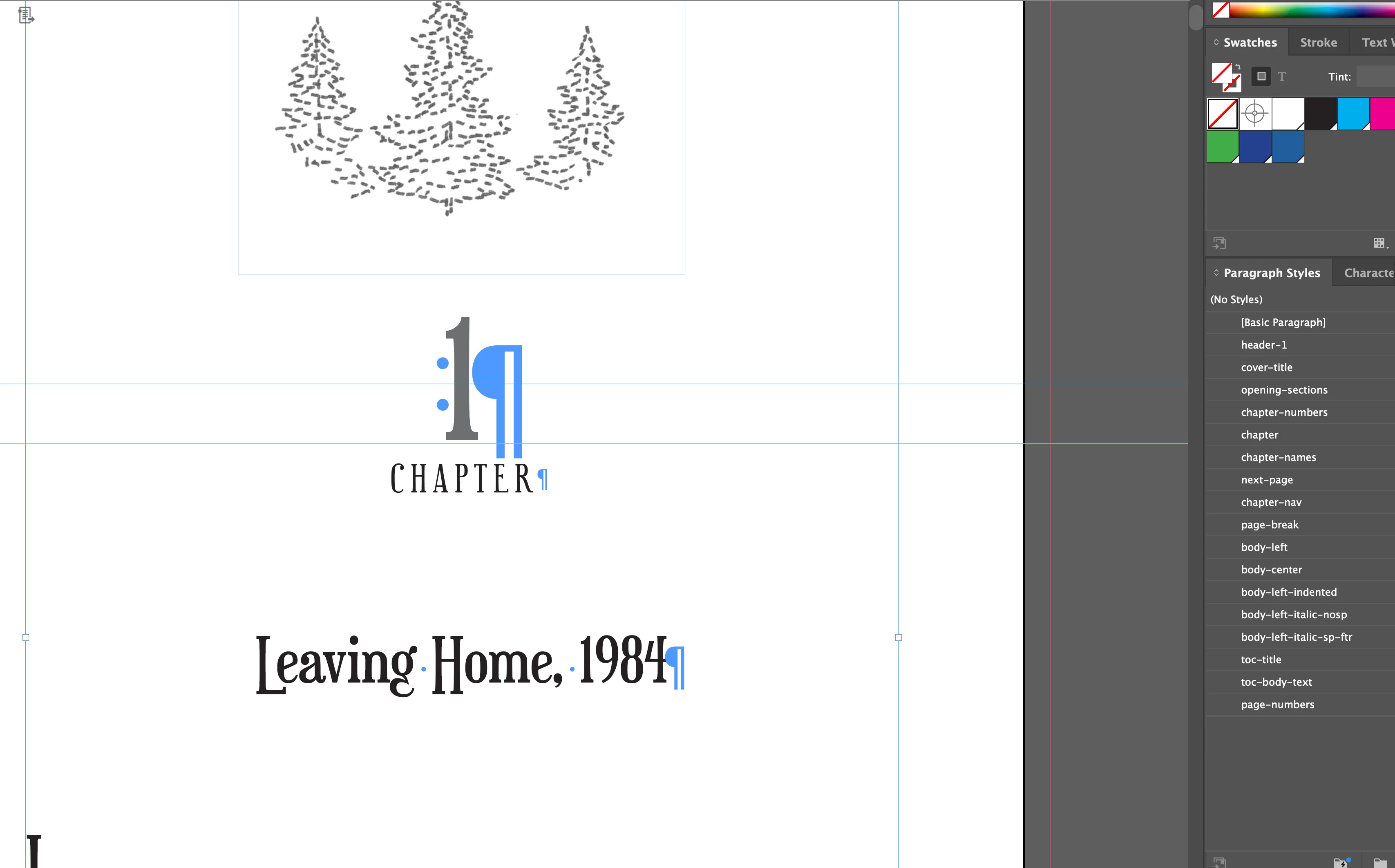
I'm putitng the final touch on a reflowable ePub. Each chapter, as it appears on the book, has 3 different paragraph styles: 1 for the number, 2 for the word "Chapter" and a 3rd for the chapter name. (screenshot) 


The author wants the TOC in the ePub reader to display Chapter 1 Leaving Home. How would I do this using one style, but still preserve the appearance in the book? Is it possible to add this to the page below the image, create a style with the text size to 1pt, but set the color to be 100% transparent so the eReader picks it up, but invisible to the person reading? The transparent part would have to be done after export, if it's even an option, using RGBA. The problem that might arise is whether the ePub reader supports transparent text. I'm open to other ideas.


This topic has been closed for replies.
Correct answer James Gifford—NitroPress

It actually hurts my fingers to type this, but another approach would be to edit the display text in the exported EPUB's TOC file. That would have to be repeated for each new export.

3 replies

Robert at ID-Tasker
Legend
July 27, 2023

How about simple script that will work on a temporary INDD file - "combine" Paragraphs styled with selected ParaStyles - and you'll export ePUB from this temporary file?


James Gifford—NitroPress
Legend
July 27, 2023

It has to be a two-ended thing, like a web page link. Just generating the TOC without preserving the text links won't work... there will be no destination for them. 

Robert at ID-Tasker
Legend
July 27, 2023

From the script - you can check for Bookmarks / Hyperlinks in the text you want to modify - and act accordingly - so I don't see a problem.


James Gifford—NitroPress
Legend
July 27, 2023

It actually hurts my fingers to type this, but another approach would be to edit the display text in the exported EPUB's TOC file. That would have to be repeated for each new export.

Chris Panny
Inspiring
July 27, 2023

Thank you everyone for your ideas.


James, you gave me the idea to edit the toc.Xhtml file which turned out to be pretty easy to do. It just took me a few minutes to copy and paste the chapter details into the <ol><li>. I tested it on Thorium, Google Play Books and 2 other eReader apps. The TOC is displaying correctly in each case.

It's only an island if you look at it from the water.
James Gifford—NitroPress
Legend
July 27, 2023

Well, good. Yes, it's easy enough to edit that text and there's nothing tricky about it, but I avoid EPUB surgery like the plague it is, and it will have to be repeated, without flaw, every time you update and export. So many chances to bollix up either the TOC or the whole EPUB... which is why validation exists for that approach and why I avoid it.

Barb Binder
Community Expert
Community Expert
July 27, 2023

You could add "Chapter 1 Leaving Home" on a non-printing layer and/or move the text frame to the side so that just a little bit is overlapping the page. Then call in the style assigned to that text into the TOC. Just a little frame overlap (and no letters) is enough for InDesign to see it.


~Barb

~Barb at Rocky Mountain Training
James Gifford—NitroPress
Legend
July 27, 2023

I'm in a non experimenting place, so can't check, but I'm not sure that would work,  Barb. EPUB export doesn't discard content (in actuality or effectively) the way print and PDF do. Nor am I sure swapping TOC anchor points in and out, with layers or conditional text, will work right. 


The micro text idea is the most reliable method, I think, but neither EPUB nor Kindle supports transparent/None objects. Making it white and accepting that some readers might show it, however tiny, on black or tinted backgrounds, is as close as it gets.


Need to work through some options on this next time I'm at my desk.  🙂