

Need To Replace Missing Characters With Another Font
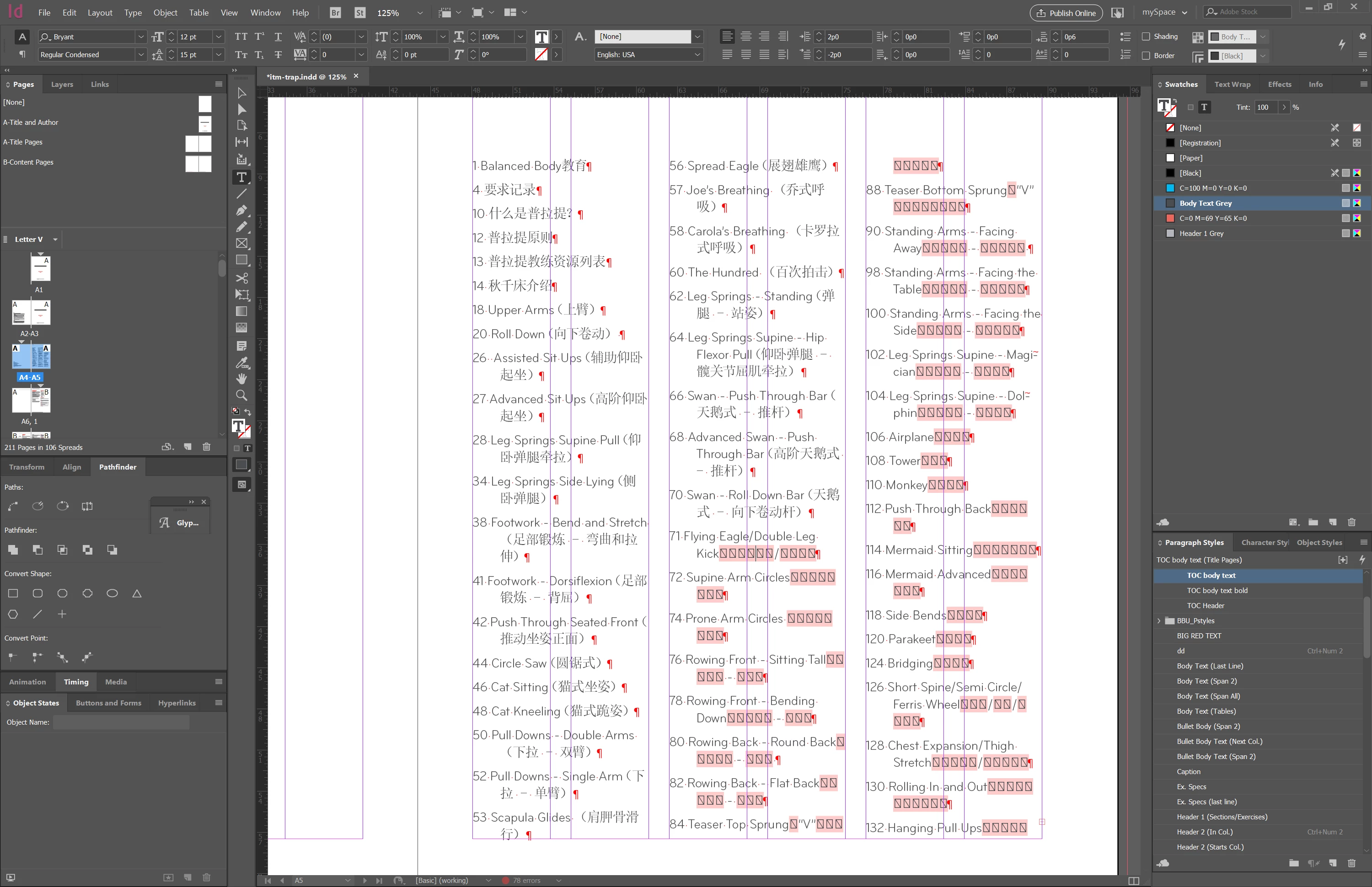
I'm doing some production art in InDesign CC 2018 on a Windows 10 64-bit machine. The document is a product manual for sporting equipment and it's in English and Chinese. The body text was assigned a typeface called Bryant Pro Regular using a Paragraph Style. However, it has a limited character set which does not include the many missing Chinese characters. The typeface that does have these characters is called SimSun, which I made a Character Style out of.
Is there a way (maybe using Find/Change) to apply a Character Style with the SimSun font where the missing characters show up? My first thought was to use GREP but I don't believe there's a way to describe missing characters with it. There are 205 pages to contend with so I really don't want to have to manually select each instance and apply the style to. Even with a shortcut assigned to the style, it'll take a long time.



 AdChoices