This topic has been closed for replies.

4 replies

Community Expert
December 30, 2019

Hi Balaji Murugesan,

did not see something like that. Maybe there are redraw issues?


What's the exact version of InDesign you are running the script on?

Are you sure that the layers you are working with are set to visible?


What you could try:

Save the new INDD documents as IDML files.

Open the IDML file and test if the edges of the frames are showing.


Also test with a different version of InDesign and with a different machine if available.

In case the issue is with the graphic card.

Regards,
Uwe Laubender

( ACP )

BalajiMurugesan
Participating Frequently
December 30, 2019

Thannk you responces.


I will try and let you know.


Community Expert
December 27, 2019

Hi Balaji,

thank you for posting your sample InDesign document.

I see no issue with the frame edges not showing when the objects on the pages are not selected.

Opened your document with my German InDesign 2018 version 13.1.1.110 on Windows 10.


If you have issues seeing the frame edges on your Mac OS X system I suggest to turn off GPU acceleration in InDesign.

If you like to know how turn on or off showing frame edges by ExtendScript just do it with:


var doc = app.documents[0];

doc.viewPreferences.showFrameEdges = true ;

// Not available with InDesign Server:
doc.layoutWindows[0].properties =
{
	overprintPreview : false ,
	proofingType : ProofingType.PROOF_OFF ,
	screenMode : ScreenModeOptions.PREVIEW_OFF ,
	viewDisplaySetting : ViewDisplaySettings.HIGH_QUALITY
};


Regards,
Uwe Laubender

( ACP )

BalajiMurugesan
Participating Frequently
December 28, 2019

Uwe Laubender,


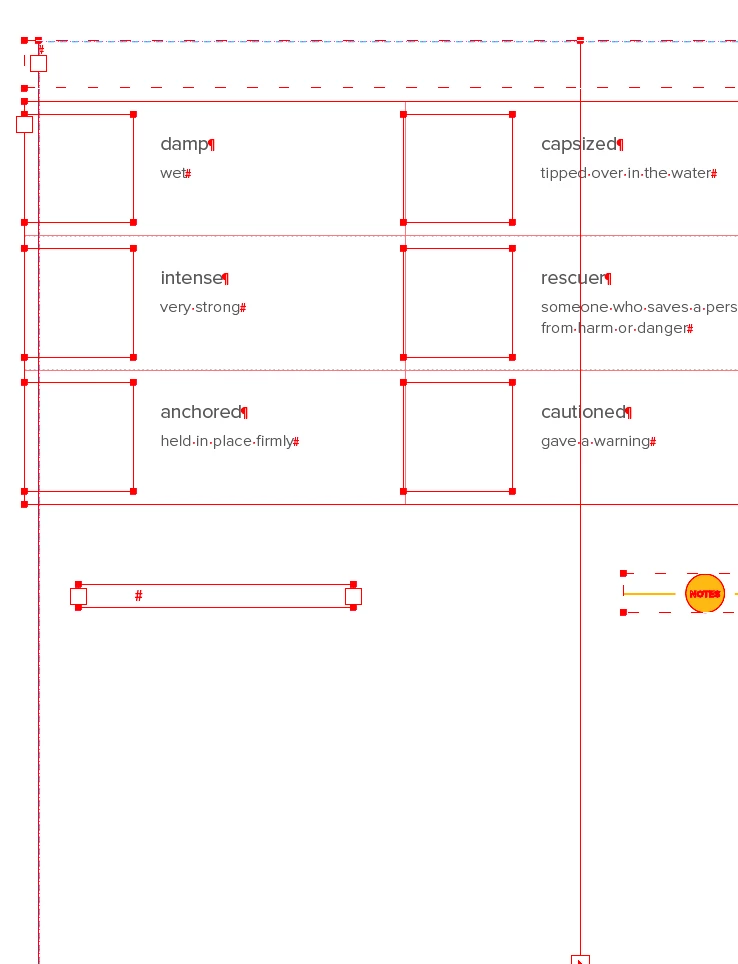
Please see below points, what i actually doing and how the issue affected.


1. I wrote an automation script to make the content of the old indd to the new indd.

2. The script will work normally, but after that some textframes/images will be invisible and the pages will be empty.

3. But a lot of contents and pictures are available on the page but it is not shown.

4. If I use ctrl + a, put it in the cut and paste and it will be restored, but after a few seconds all the frames will be invisible again.


Thanks,

Balaji Murugesan.


Geоrge
Legend
December 26, 2019

>>  hidden frames errors

I don't see any errors in your image. Can you describe what you need? 

Remember, never say you can't do something in InDesign, it's always just a question of finding the right workaround to get the job done. © David Blatner
BalajiMurugesan
Participating Frequently
December 26, 2019

Hi George,

In fact these frames are now hidden, and when we select them all it looks exactly like the one above. Otherwise it is invisible.


Geоrge
Legend
December 26, 2019

This is normal behaviour - you select it - you see it. If you wanna "full hidden without ability to select" then try to send all need it objects to the new layer and lock this layer. 


Remember, never say you can't do something in InDesign, it's always just a question of finding the right workaround to get the job done. © David Blatner
Inspiring
December 24, 2019

Hey there, Go to View--Extras--Show Frame Edges

BalajiMurugesan
Participating Frequently
December 24, 2019


For your kind information, please refer atatcehd snap, and tell me how they oocur. and soluction,