Known Participant
August 21, 2018
Answered

Need to style 1 paragraph with different colors

  • August 21, 2018
  • 2 replies
  • 786 views

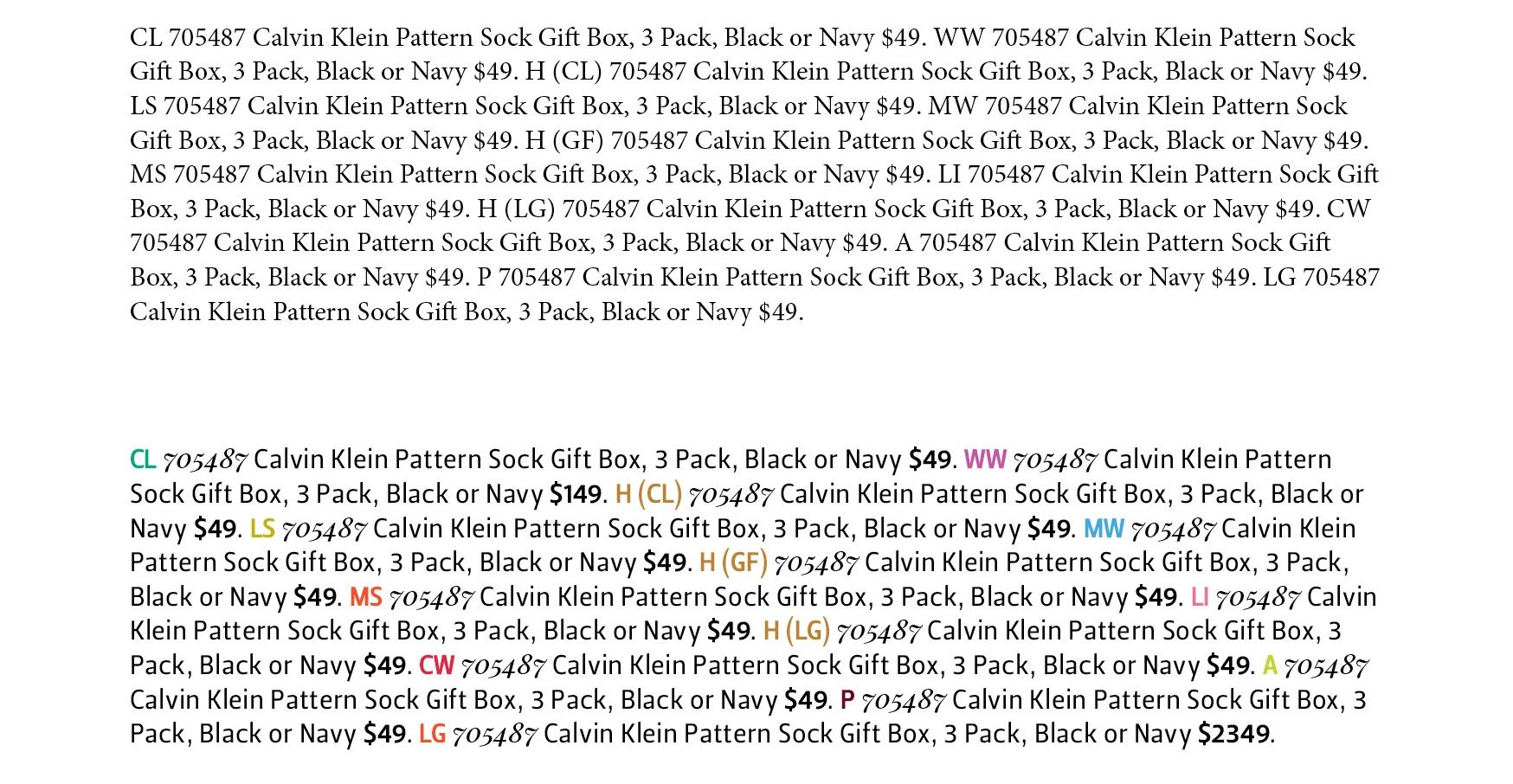
Hi. Sorry very new to InDesign. I'm trying to achieve the bottom paragraph styling but the problem I have is that there are no returns (only one paragraph).

Is this something Greps are used for?

Thanks for any help.

This topic has been closed for replies.
Correct answer jane-e

You can use GREP to apply a Character Style as part of a Paragraph style.

First create the Paragraph style for the entire paragraph.

Then create the Character styles for the character formatting (Color, Bold).

Then decide if it is easier to apply the Character styles through GREP or to do it manually. If you do it through GREP, go to the GREP tab of the Paragraph panel and input info such as (in English):

  • At every instance of CL, apply the Character style Green
  • At every instance of WW, apply the Character style Purple

I can't show a screen shot because Jive has been locking me out of doing that.

2 replies

hammer0909
Community Expert
Community Expert
August 22, 2018

Jane's right, GREP is the way to go. You just have to establish the pattern to look for. Is it always two uppercase characters or an uppercase character followed by text in parens? Although I see one uppercase letter on it's own. It would be helpful if you could tell us where they will fall. Do they always occur after a price? If so we could do a positive loosbehind for uppercase characters that follow a price. Give us some details and we can help you further.

jane-e
Community Expert
Community Expert
August 22, 2018

Chad, will it work to look for two uppercase characters in this case where there are multiple instances of two uppercase characters but different colors need to be applied?

I agree we need to know more from epheweAll 

  • Is it just this one paragraph or are there many?
  • Are there multiple instances of CL and WW or does each appear once?
FRIdNGE
August 22, 2018

Hi,

In a first approach using grep styles, as simplistic as:

… playing max with 97 different "colors"! If more, use F/C regex.

Best,

Michel, for FRIdNGE

jane-e
Community Expert
jane-eCommunity ExpertCorrect answer
Community Expert
August 21, 2018

You can use GREP to apply a Character Style as part of a Paragraph style.

First create the Paragraph style for the entire paragraph.

Then create the Character styles for the character formatting (Color, Bold).

Then decide if it is easier to apply the Character styles through GREP or to do it manually. If you do it through GREP, go to the GREP tab of the Paragraph panel and input info such as (in English):

  • At every instance of CL, apply the Character style Green
  • At every instance of WW, apply the Character style Purple

I can't show a screen shot because Jive has been locking me out of doing that.