



Chris Panny
Inspiring
October 23, 2022
Answered

Need To Target Italic Words And Apply Italic Character Style

  • October 23, 2022
  • 2 replies
  • 371 views

I'm working on an 800 page document that will be exported to reflowable ePUB. The body copy has a paragraph style applied using Myriad Pro Regular as the typeface. Throughout the document there are instances of italic words that I need to apply an italic character style to. My first thought was to use GREP for this, but it doesn't look like it can sniff out italic characters (maybe I'm wrong about this?). Any help is appreciated.

This topic has been closed for replies.
Correct answer Barb Binder

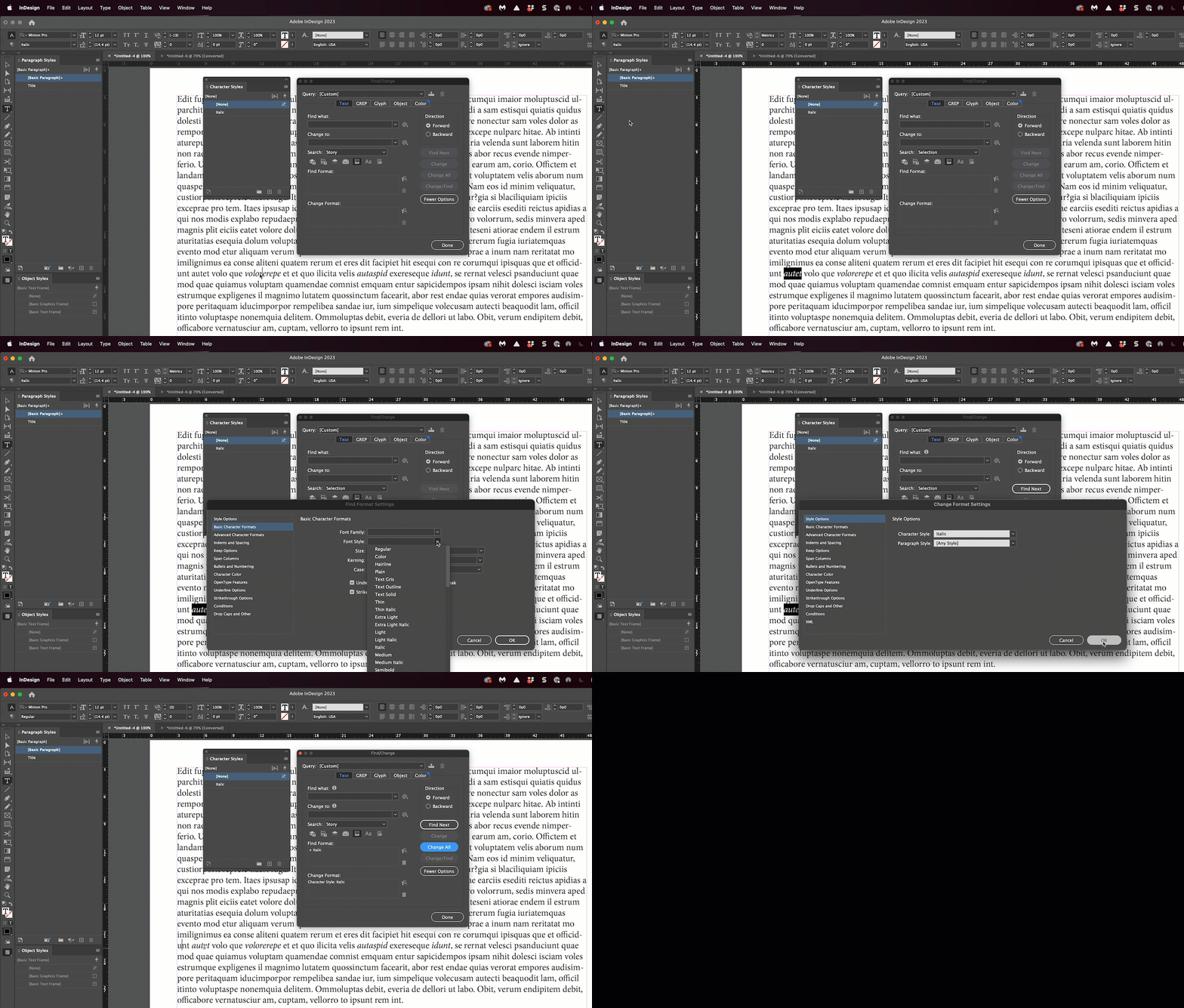
Create the character style for italic and use a Text find change:

  • Find format: Font style > Italic
  • Change format: Character style > your character style name


~Barb


2 replies

James Gifford—NitroPress
Legend
October 23, 2022

Barb's answer is bang on... I just wanted to throw out a kudos for doing this design detail right and not leaving a doc — especially for EPUB export — as spot or generic formatting. That's professionalism.


Barb Binder
Community Expert
Barb BinderCommunity ExpertCorrect answer
Community Expert
October 23, 2022

Create the character style for italic and use a Text find change:

  • Find format: Font style > Italic
  • Change format: Character style > your character style name


~Barb


~Barb at Rocky Mountain Training
Chris Panny
Inspiring
October 23, 2022

That worked. Thank you!

It's only an island if you look at it from the water.