
Known Participant
August 1, 2022
Answered

Nepali text backwords with World Composer.

  • August 1, 2022
  • 4 replies
  • 1130 views

I've tried every suggestion in other Nepali text posts, but I either have the problem with the "quote" marks not showing correctly, or the text is backwards if I use World-Ready Composer paragraph style.

- Pasting or Placing from Word makes no difference.
- Turning off "Typographers Quotes" did not help.


I suspect there is a problem with more recent versions of InDesign, since it worked for people a couple years ago?


Images:
Original in Word
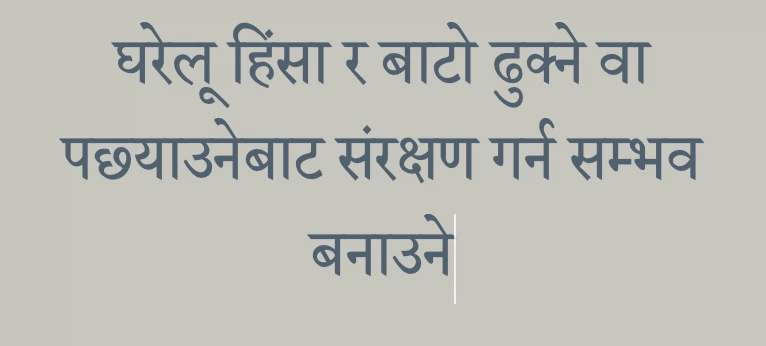
Text Placed in InDesign
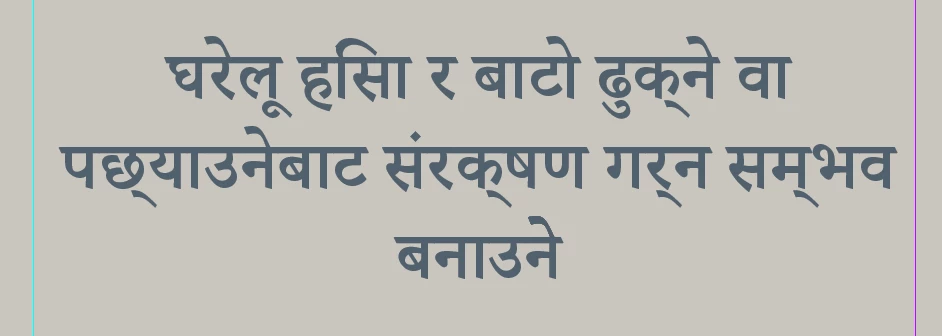

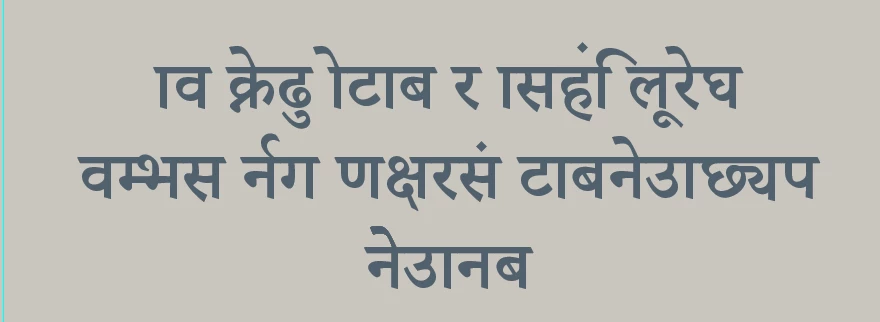
Placed in InDesign with World-Ready Composer applied
This topic has been closed for replies.
Correct answer Joel Cherney

I just delivered a large project in Nepali, done in CC 2022, and I didn't see this behavior at all. What I have noticed, in recent postings to these forums, is a significant uptick of people posting text which is clearly being laid out right-to-left, in installs of InDesign that don't have the controls necessary to mark text right-to-left. Like, perhaps something in recent versions of ID is causing text to be inappropriately marked as RTL text in installs of ID that don't have RTL tools. 


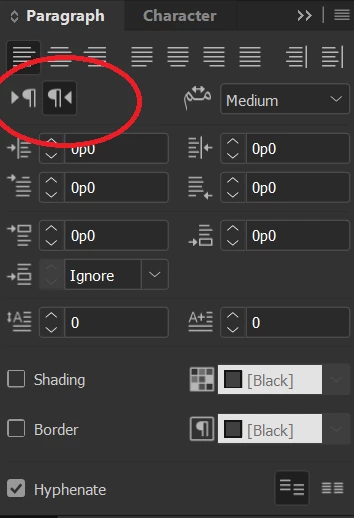
Here's my Paragraph panel. Does your install of ID have these RTL and LTR paragraph direction markers? If so, I suspect that you've got the RTL button active for your sample text.


If you don't have that button, here's a single line script that sets LTR direction on any paragraph where your text-selection cursor is active. 

ParagraphDirectionOptions.leftToRightDirection

You mention that Arabic is laying out RTL correctly, so I imagine that you do have a Middle Eastern install of ID and oughtn't need the above Javascript. 


4 replies

rosenhAuthor
Known Participant
August 31, 2022

Here's what I ended up doing:
Since the Word Doc was correct, I cleaned it up and made pdfs of each page.
I then simply pasted those pdfs into InDesign as images (pdfs are vector, so they print clean.)
This felt sloppy, but it works, and I wish I hadn't spent so many hours trying to get InDesign to work correctly.  Very frustrating.

Joel Cherney
Community Expert
Joel CherneyCommunity ExpertCorrect answer
Community Expert
August 9, 2022

I just delivered a large project in Nepali, done in CC 2022, and I didn't see this behavior at all. What I have noticed, in recent postings to these forums, is a significant uptick of people posting text which is clearly being laid out right-to-left, in installs of InDesign that don't have the controls necessary to mark text right-to-left. Like, perhaps something in recent versions of ID is causing text to be inappropriately marked as RTL text in installs of ID that don't have RTL tools. 


Here's my Paragraph panel. Does your install of ID have these RTL and LTR paragraph direction markers? If so, I suspect that you've got the RTL button active for your sample text.


If you don't have that button, here's a single line script that sets LTR direction on any paragraph where your text-selection cursor is active. 

ParagraphDirectionOptions.leftToRightDirection

You mention that Arabic is laying out RTL correctly, so I imagine that you do have a Middle Eastern install of ID and oughtn't need the above Javascript. 


rosenhAuthor
Known Participant
August 31, 2022

Thank you for sharing.  No, I don't have that option, and have no idea how to add it!
Here's my paragraph pallet.  Obviously missing a piece!   

rosenhAuthor
Known Participant
August 1, 2022

Also, I've tried every font anyone has suggested, no difference.


Rishabh_Tiwari
Legend
August 1, 2022

Hi @rosenh ,


Sorry to hear about the trouble. Please try the suggestion shared here https://community.adobe.com/t5/indesign-discussions/copy-and-pasting-nepali-foreign-languages-from-word-to-indesign/m-p/11993793#M423612 and let us know if this helps or if you need any further assistance.


Regards

Rishabh

rosenhAuthor
Known Participant
August 1, 2022

No, those suggestions did not help.  World-ready makes the characters read correctly, but the text is all backwards.  World-ready works great for Arabic, which reads right-to-left.   

Changing the language to Hindi did not help either.