
Nojo509
Known Participant
November 5, 2017
Answered

Nested Paragraph Style being ignored

  • November 5, 2017
  • 1 reply
  • 1974 views

I must have messed something up, but this nested style isn't working:

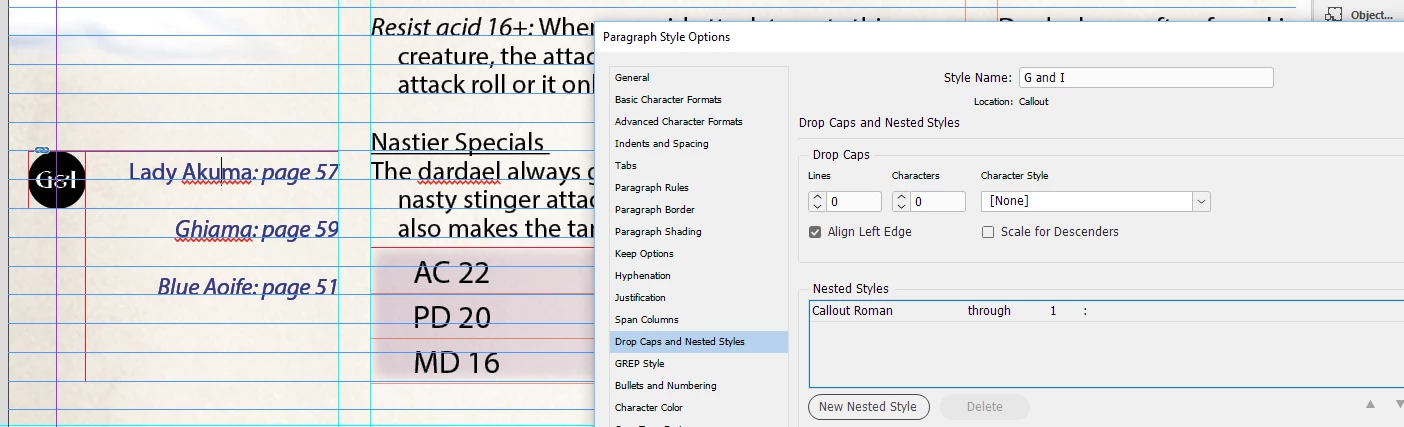
1. Here we can see the cursor is in a paragraph with the style "G and I" and it has a nested style which calls for the character style "Callout Roman" to be used through the 1st ":"
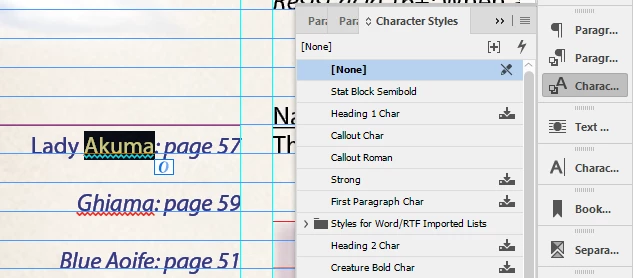
2. Looking at the Character style, we see Callout Roman has not been applied, and the text before the colon has style [None]
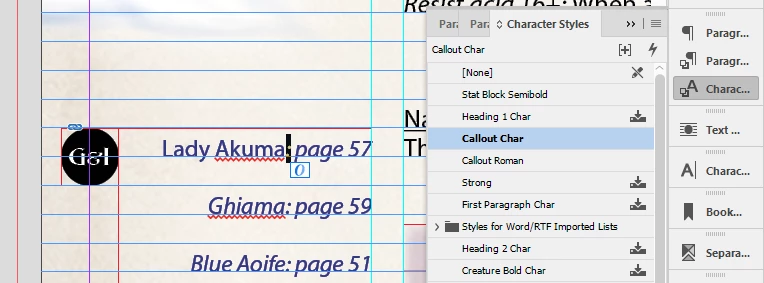
3. Looking at the colon, we see it also has the wrong character style, in this case "Callout Char." Callout Char is the base style for this paragraph. It's the style for everything to the right of the colon (or should be).
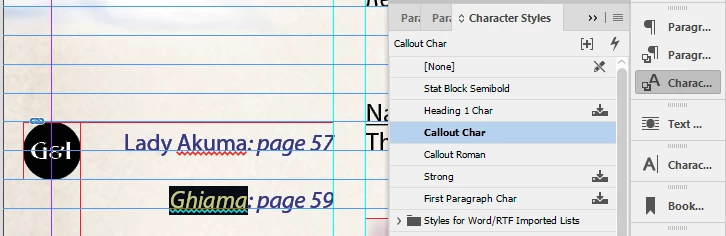
4. Looking at the next line, which also has paragraph style G and I, we see a different problem. Just like the colon above, the style is Callout Char.
I've tried to figure out what's going on, but am stuck. I tried setting these paragraphs to [Basic Paragraph], thinking that would get rid of bad formatting juju, but it made no difference when I reset them to G and I.

I actually had this same problem on a previous title with other nested styles, and gave up and made changes by hand. But I really want to be able to use nested styles again.

This topic has been closed for replies.
Correct answer Laubender

OK, when I made new paragraph styles from scratch (no inheritance) and put them in new text boxes, I got it working, thanks!

When I tried to apply these new styles to the existing text boxes, it failed! Those boxes had been saved with the styles that didn't work, so something nasty was hanging out in those text boxes. I had saved those <bad> text boxes into CC Library, and no amount of playing around would make the paragraph styles work in them.

But I made new boxes, and they work when saved and retrieved from CC libraries.


Nojo509  wrote

… I had saved those <bad> text boxes into CC Library, and no amount of playing around would make the paragraph styles work in them. …

Hi Nojo,

did you try to get rid of:

1. All overrides

2. Directly applied character styles (nested styles are not affected)

when you selected the paragraph and pressed alt+shift+cmd (Mac OS keyboard shortcut) on the used paragraph style in the Paragaraph Styles Panel?

Regards,
Uwe

EDIT: It's alt+shift + click on the paragraph style's name, not alt+shift+cmd. Sorry for any confusion.

1 reply

Mike Witherell
Community Expert
Community Expert
November 5, 2017

Couple of thoughts for you:

Paragraph styles are not based on character styles. A base character style is a QXP concept. Character styles are subservient to paragraph styles in InDesign.

Paragraph styles that nest a character style will show None when you click your type tool into that text, since it is passively applied by the paragraph style as opposed to directly applied to selected type.

Paragraph styles are generally best based on No Paragraph Style so as not to be easily changed by editing a parent style.

Paragraph styles are generally best not based on Normal, a Word essential style.

Mike Witherell
Nojo509
Nojo509Author
Known Participant
November 5, 2017

Well that gives me a few thing to try, thanks!

Nojo509
Nojo509Author
Known Participant
November 5, 2017

OK, when I made new paragraph styles from scratch (no inheritance) and put them in new text boxes, I got it working, thanks!

When I tried to apply these new styles to the existing text boxes, it failed! Those boxes had been saved with the styles that didn't work, so something nasty was hanging out in those text boxes. I had saved those <bad> text boxes into CC Library, and no amount of playing around would make the paragraph styles work in them.

But I made new boxes, and they work when saved and retrieved from CC libraries.