
Bedazzled532
Inspiring
June 23, 2024
Answered

Nested style including two or more sentences

  • June 23, 2024
  • 1 reply
  • 1048 views

I want to apply char style to a word or sentence containing 1 or more words and ending with a  ":"

After that there may be 1 or more sentence describing it which I want in a normal style. Then again a word or sentence ending with ":" where I need to apply a char style. 


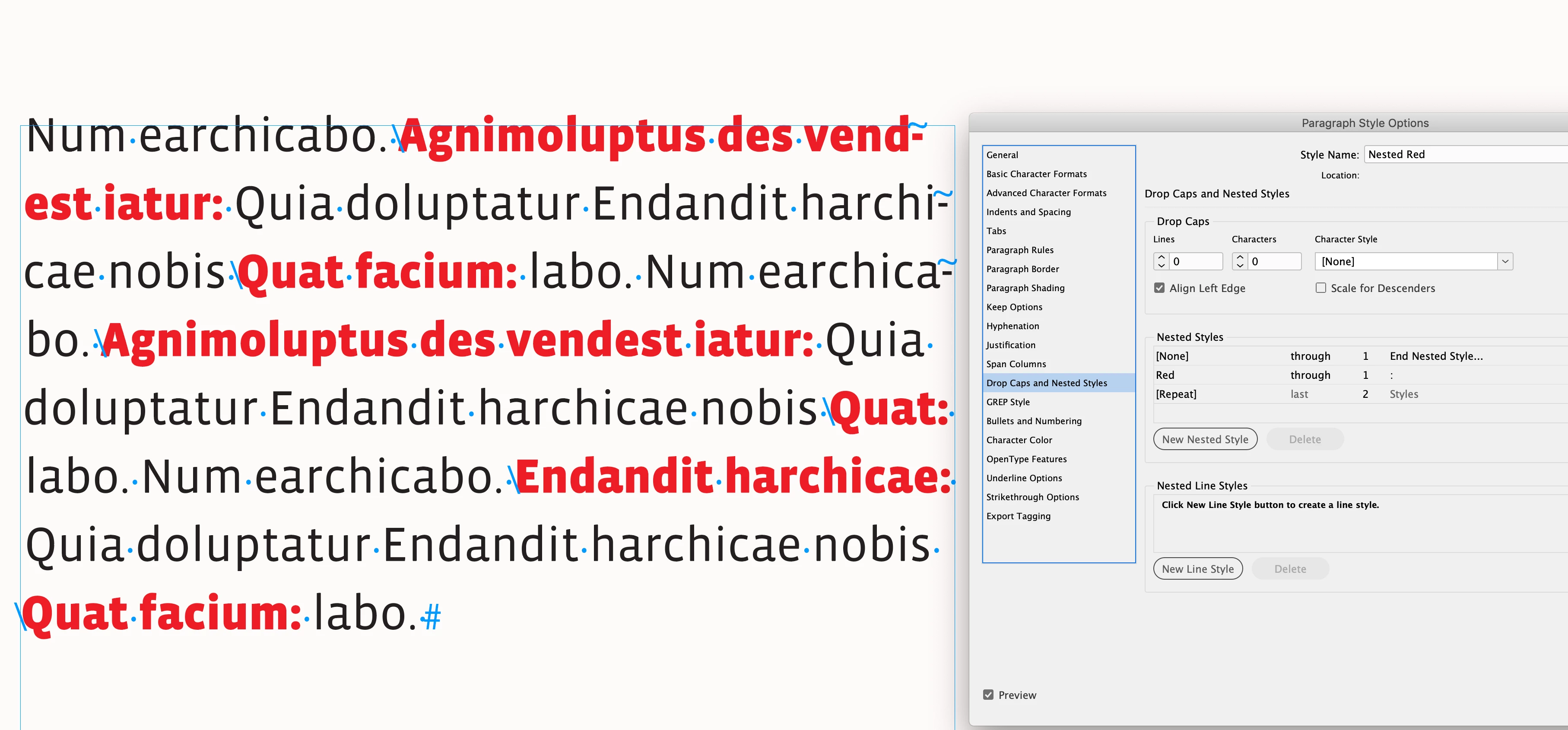
I have tried this using Nested style (screenshot attached). It works for one sentence only but there are more than 1 sentence, it is not working.

What modificaiton do I need to do in Nested style ? It is driving me crazy.


I posted a similar question but that was for single sentence.

(https://community.adobe.com/t5/indesign-discussions/nested-styles-issue/td-p/14697938)
This topic has been closed for replies.
Correct answer rob day

@jmlevy Thanks. I am using a grep style here. Just wanted to know about another solution whether it is possible using Nested Styles or not.


Just wanted to know about another solution whether it is possible using Nested Styles or not.


Hi @Bedazzled532, I think you would have to insert some kind of marker, so Grep is going to be more efficient:


1 reply

jmlevy
Community Expert
Community Expert
June 23, 2024

In this case, I would use a GREP style, like this:

(\w+\s)*\w+?:

Bedazzled532
Inspiring
June 24, 2024

@jmlevy Thanks for the reply.  I am using Grep styles already for this. What if I want to do with Nested Styles?


jmlevy
Community Expert
Community Expert
June 24, 2024

You need to use the“end of nested style” character as a trigger to achieve this. But why don't you want to use GREP style since it's more efficient in this case?