


Inspiring
December 13, 2023
Answered

"New Dialogue" pop-up not appearing for InDesign

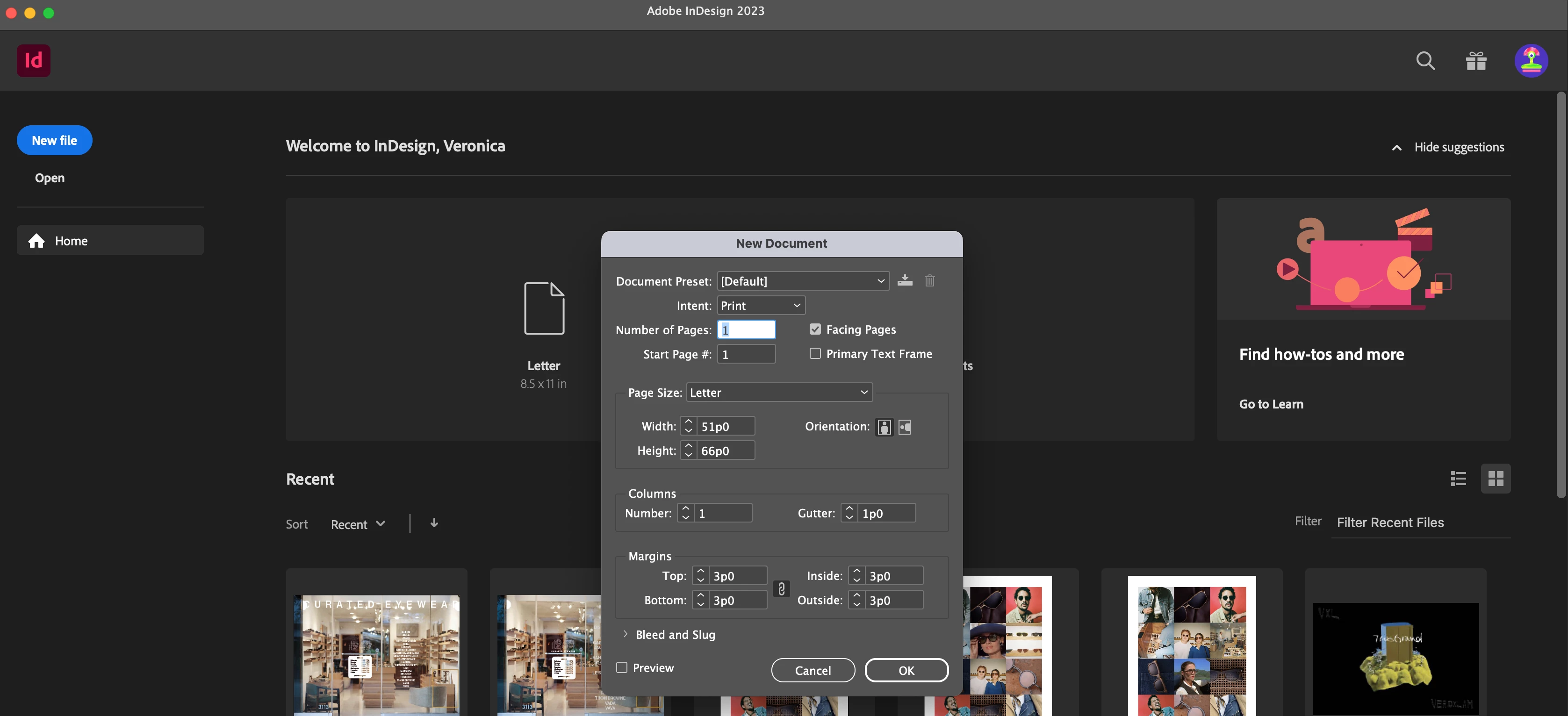
I don't know what happneed to my InDesign but when  I start the app, the home screen looks normal. When I go to make a new document, only this (see picture) appears, not the usual dialogue box with all of the document options. I  change change my measurement units or use an templates. I think theres also some bugs in the actual app itself like some things are missing. This is so frustrating and I need to fix this for work--please help!


This topic is closed to new replies. Start a new post to keep the conversation going.
Veronica3101218117opCorrect answer
Inspiring
December 13, 2023

I fixed it! On mac: indesign --> preferences --> general ---> uncheck Use legacy "new design" dialogue

12 replies

Veronica3101218117opAuthorCorrect answer
Inspiring
December 13, 2023

I fixed it! On mac: indesign --> preferences --> general ---> uncheck Use legacy "new design" dialogue

Translate
Inspiring
December 13, 2023

I don't know what happneed to my InDesign but when  I start the app, the home screen looks normal. When I go to make a new document, only this (see picture) appears, not the usual dialogue box with all of the document options. I  change change my measurement units or use an templates. I think theres also some bugs in the actual app itself like some things are missing. This is so frustrating and I need to fix this for work--please help!


Translate
kglad
Community Expert
Community Expert
December 13, 2023

in the future, to find the best place to post your message, use the list here, https://community.adobe.com/

p.s. i don't think the adobe website, and forums in particular, are easy to navigate, so don't spend a lot of time searching that forum list. do your best and we'll move the post (like this one has already been moved) if it helps you get responses.


<"moved from using the community bugs">
Translate
Inspiring
December 13, 2023

I meant "New Document" Dialogue box


Translate
kglad
Community Expert
Community Expert
December 13, 2023

in the future, to find the best place to post your message, use the list here, https://community.adobe.com/

p.s. i don't think the adobe website, and forums in particular, are easy to navigate, so don't spend a lot of time searching that forum list. do your best and we'll move the post (like this one has already been moved) if it helps you get responses.


<"moved from using the community bugs">
Translate
Inspiring
December 13, 2023

Hi thank you. Im going to repost because i named this one incorrectly

Translate