
Participant
January 13, 2020
Question

New Document panel not showing any option in InDesign 2020 on macOS

  • January 13, 2020
  • 4 replies
  • 1331 views

Hello does anyone know why indesign does this? I can't create a new document at all and i have tried installing and uninstalling my program. I even tried clearing my cache and updating my system software to the latest one! If anyone can help me please do its very urgent!
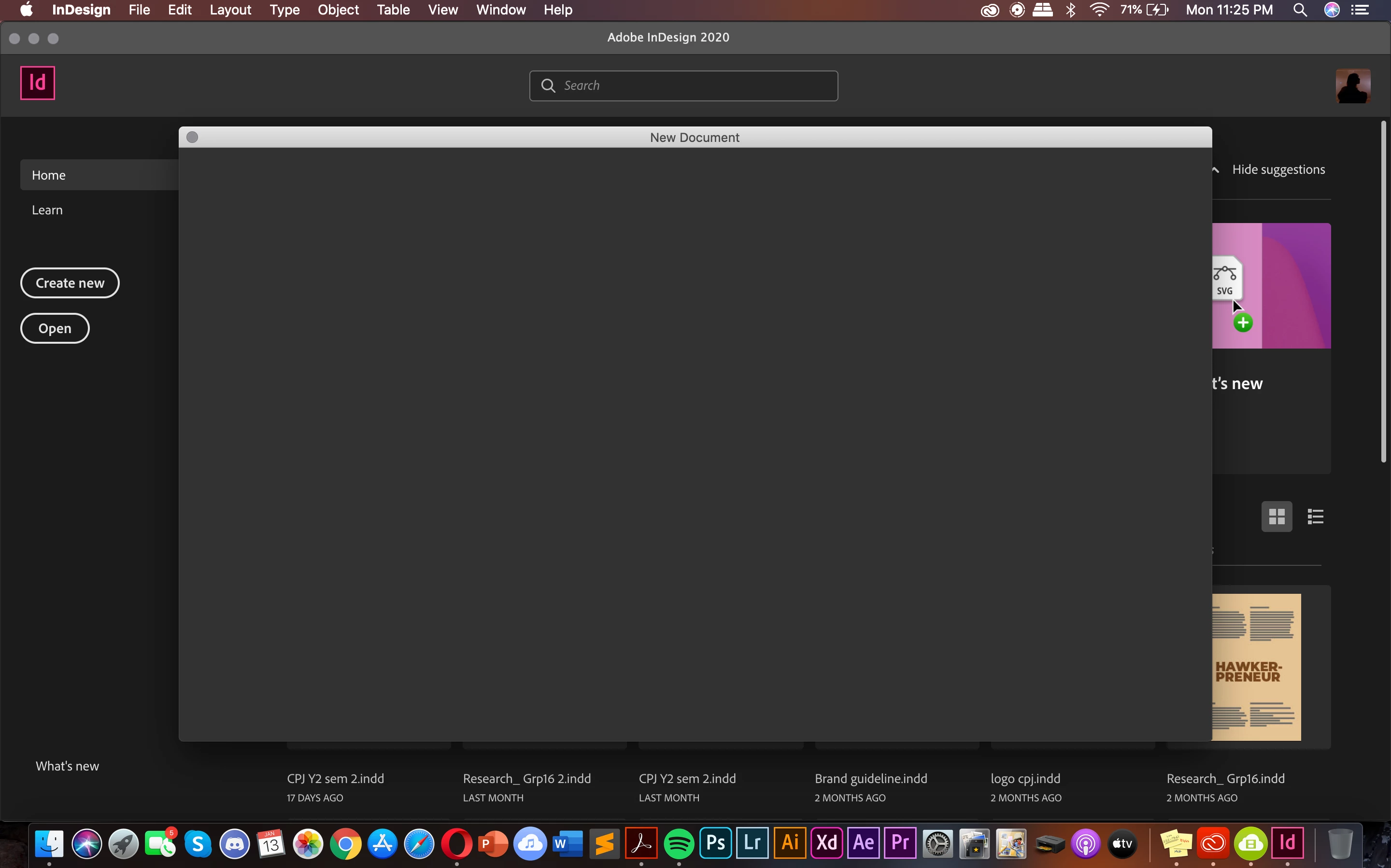


{Renamed by MOD}

4 replies

Frans v.d. Geest
Community Expert
Community Expert
January 13, 2020

Go to InDesign Preferences, General and turn on ' Use legacy New Document dialog'.

Participant
February 11, 2023

worked for me thanks alotttt

Ashutosh_Mishra
Inspiring
January 13, 2020

Hi there,


Sorry to hear about your experience. This is not the usual behavior of the app. I'd recommend resetting the preferences using the steps below:


  • Close all adobe applications 
  • Go to Locations:  
  • ~/Library/Caches 
  • ~/Library/Preferences 
  • Rename Adobe InDesign and com.adobe.indesign to Adobe InDesign.old and com.adobe.indesign.old 
  • Launch InDesign from the CC 


Please note that resetting preferences will remove all the custom settings and InDesign will launch with default settings. This way all your old settings will be saved in .old folders and InDesign will recreate new folders with default settings.


Let us know how it goes.


Regards,

Ashutosh


jmlevy
Community Expert
Community Expert
January 13, 2020

Hi,

Did you try to reset preferences? Quit InDesign, press simultaneously the Shift, Ctrl, Alt and Cmd keys, select the InDesign icon in the Dock > right click > open. Don't release the keys until seeing an alert message warning that preferences will be resetted.

Participant
January 13, 2020

This still does not work for me 😞

jmlevy
Community Expert
Community Expert
January 13, 2020

Did you get the warning message?

Community Expert
January 13, 2020

Hi,


This did happen to me as well, however it resolved itself. If i remember correctly, i closed InDesign, relaunched it by clicking an indd file to open, saved it, something of these random operations and it started working. I know this is not of great help but this did the trick for me.


-Manan

-Manan
Participant
January 13, 2020

I tried this already but it does not work for me this is so fustrating