

New Feature Request: Align first line of text frame to baseline grid
Hi InDesign Team—
The very handy Only Align First Line to Grid feature is essential for building out multiple styles in books and editorial work. However, book designers are in desperate need of a similar feature for text frames, where only the first line in the text frame aligns to the baseline grid. This is essential for building out pages of backmatter, where the text is tighter and does not necessarily align to the baseline grid of the book, but the distance between the head margin and the first baseline should remain the same.
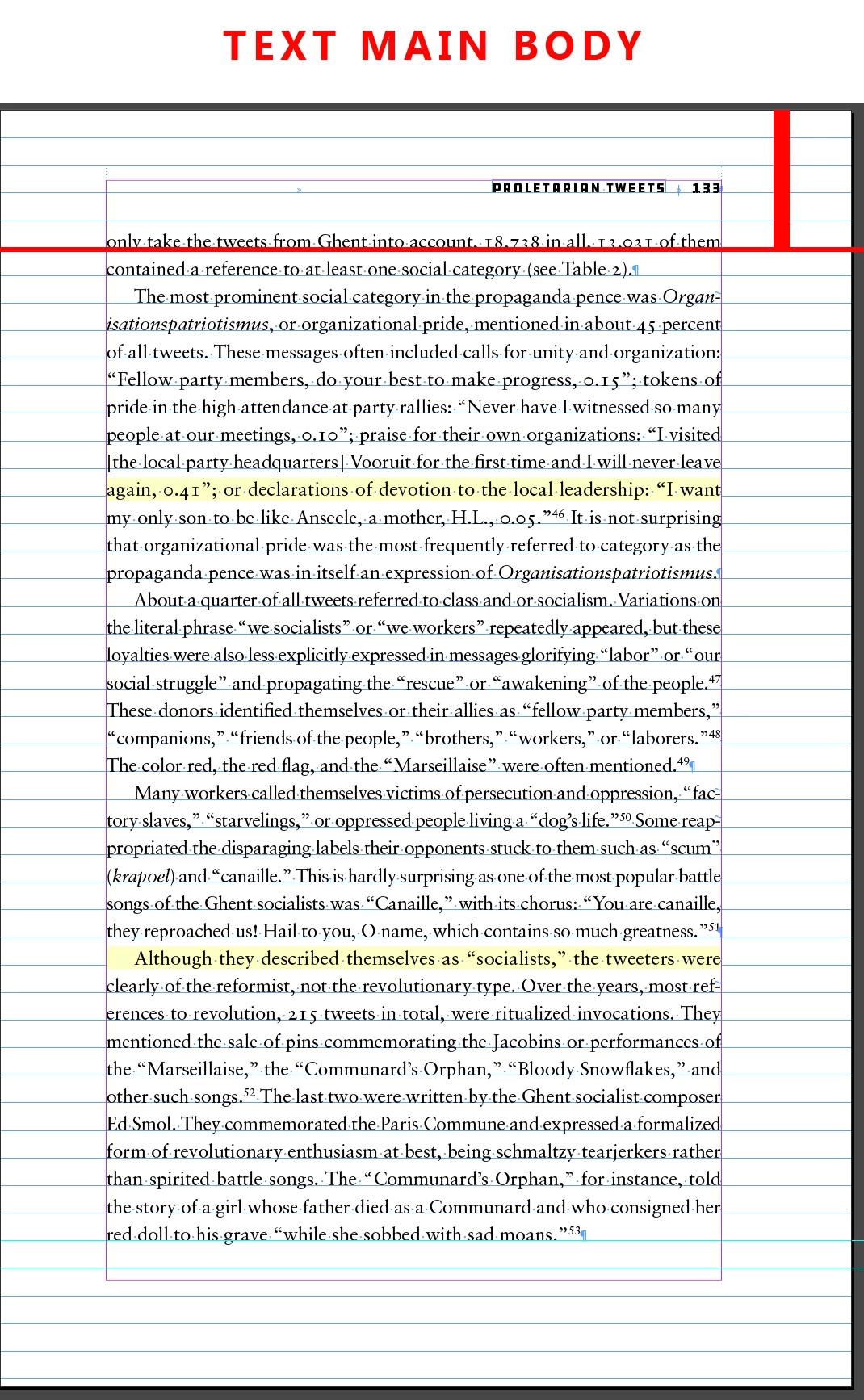
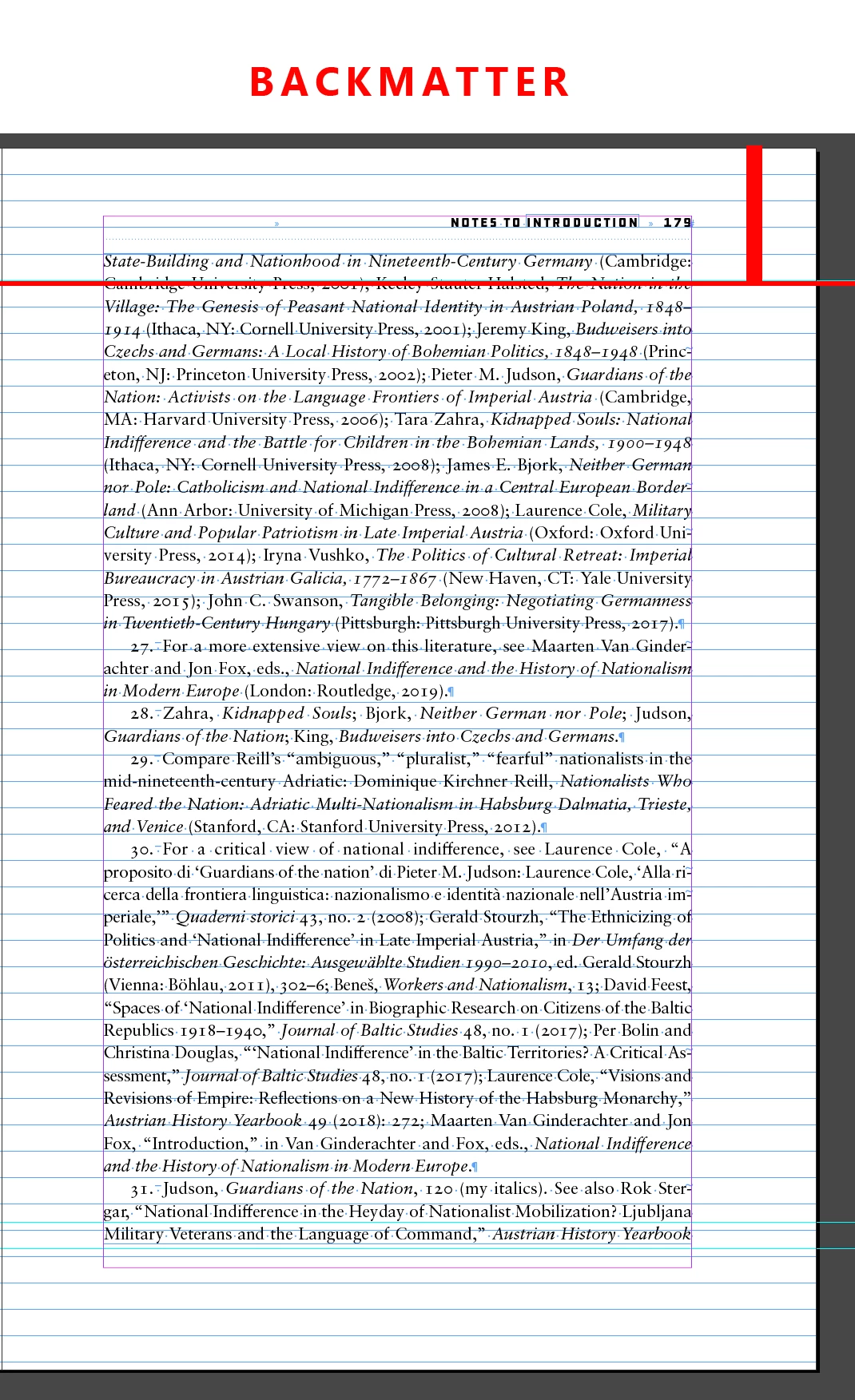
Is such a feature possible, or am I missing something that is already possible in InDesign to prevent these kinds of mis-aligned pages. Currently the only solution is to have multiple masters for different text blocks in the body text and the backmatter, but it seems a simple Align Only First Line of Text Frame would ease a lot of pain.
Thank you,
Kevin Barrett Kane
Stanford University Press
 AdChoices