Participant
April 15, 2025
Answered

New Pages Get Added as Right Pages

  • April 15, 2025
  • 3 replies
  • 763 views

Hello,


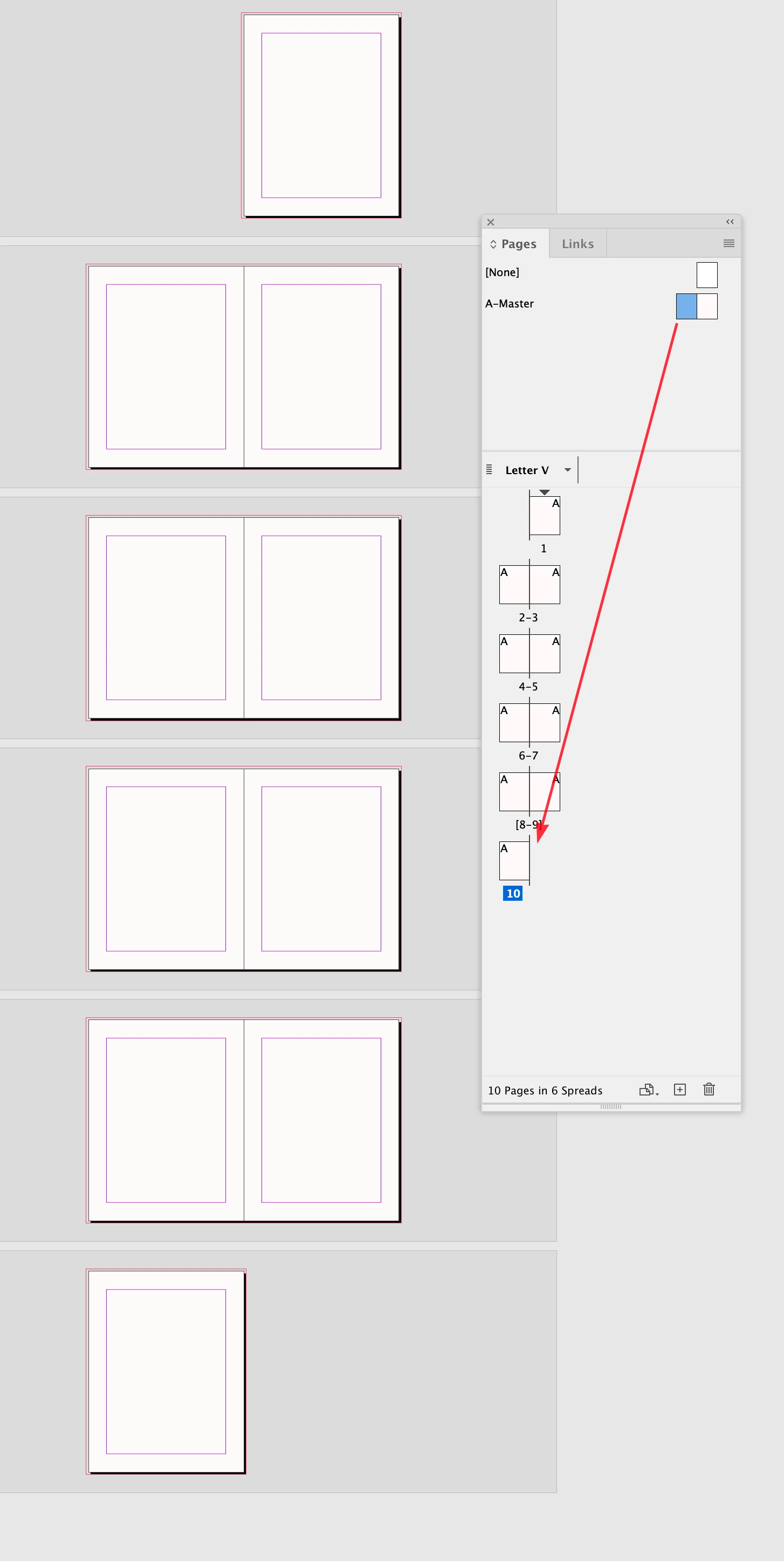
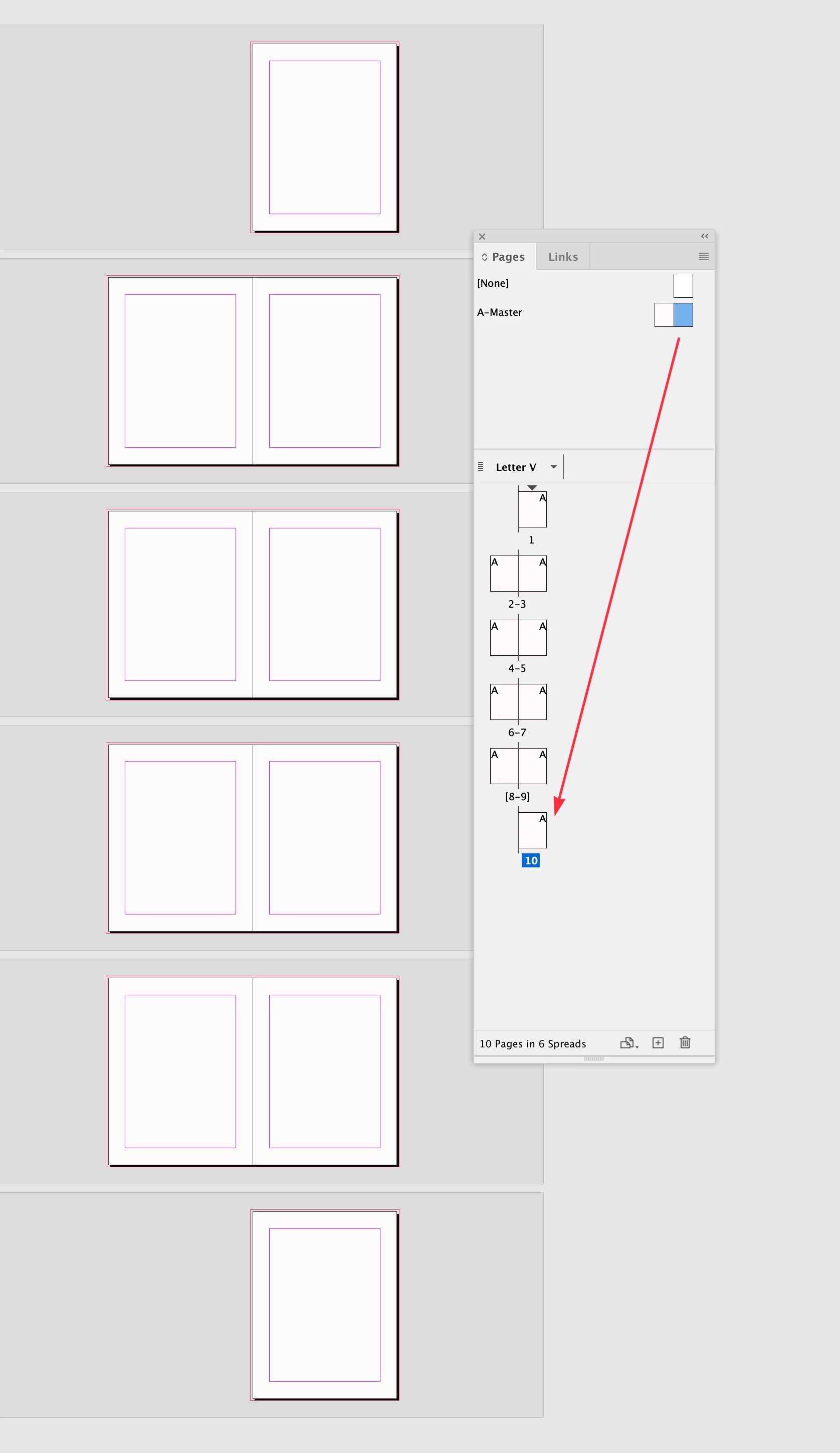
When I add new pages to my document, they are added as right-hand (recto) pages. Do you have any idea how I can get them to add normally on the left (verso)?


It doesn't do this on all documents, and I created this one. So, I'm highly confused. I know I can drag the pages around, but it's getting annoying with so many pages to add.


I'm attaching a screenshot showing my Pages panel options and how the pages are being added.


Thank you.
Correct answer rob day

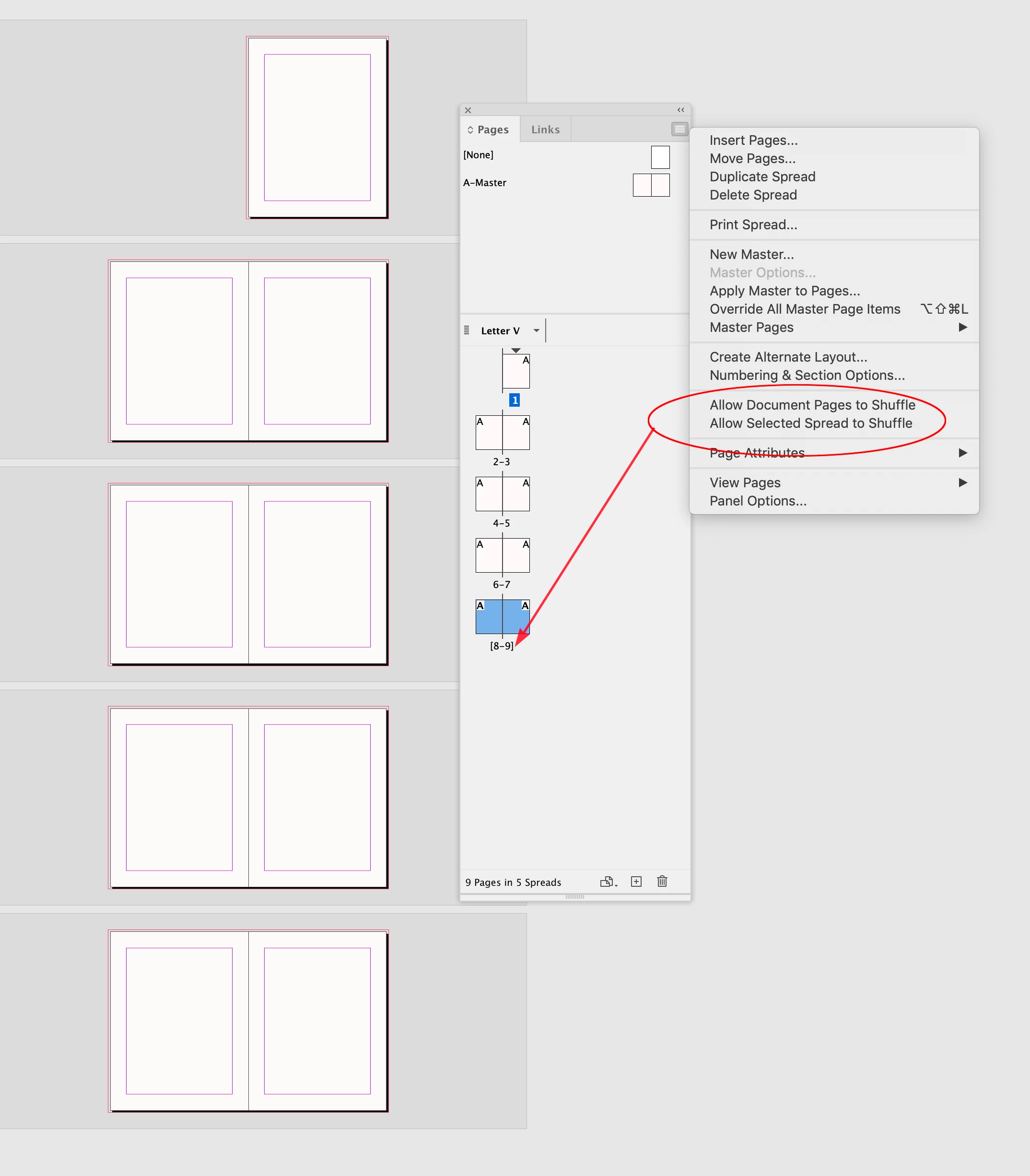
Hi @stanford_9489 , Not sure if this helps, but if I have the last spread set like this, where both Allow... options are unchecked (the spread is in bracketts):


Then the position of the next added page depends on whether I drag the left or right page from the master spread:


3 replies

rob day
Community Expert
rob dayCommunity ExpertCorrect answer
Community Expert
April 16, 2025

Hi @stanford_9489 , Not sure if this helps, but if I have the last spread set like this, where both Allow... options are unchecked (the spread is in bracketts):


Then the position of the next added page depends on whether I drag the left or right page from the master spread:


Robert at ID-Tasker
Legend
April 15, 2025

@stanford_9489


You've started your section on the left - maybe that's the reason?


And are you using EN or MENA version? 


Participant
April 16, 2025

Facing pages are turned on and were when I set up the new document.


I'm using the North American (US?) version of InDesign. I'm on version 20.1 because I have found the latest version is unstable on three Macs. (Yes, I reported it to Adobe. No, they didn't think it was their issue.)

Community Expert
April 16, 2025

It's because page 81 is a left hand page - odds are usually on the right hand side. 


So you're document page numbering is incorrect - so to speak. 


Your section starts on the left - it should start on the right. 


Double click the Triangle on the top of page 81 and alter the settings (sorry don't have it open to instruct any further).


But that's the issue - if you need it that way - you can turn off Doucmet Shuffle pages, and drage your page back over the line.


but it's unusual to start a section on an odd page number. 


Mike Witherell
Community Expert
Community Expert
April 15, 2025

Did you have a look at File > Document Setup to make sure you have Facing Pages turned on?

Mike Witherell