Inspiring
July 6, 2021
Answered

New sections showing on right in InDesign but moved to left in pdf

  • July 6, 2021
  • 2 replies
  • 1659 views

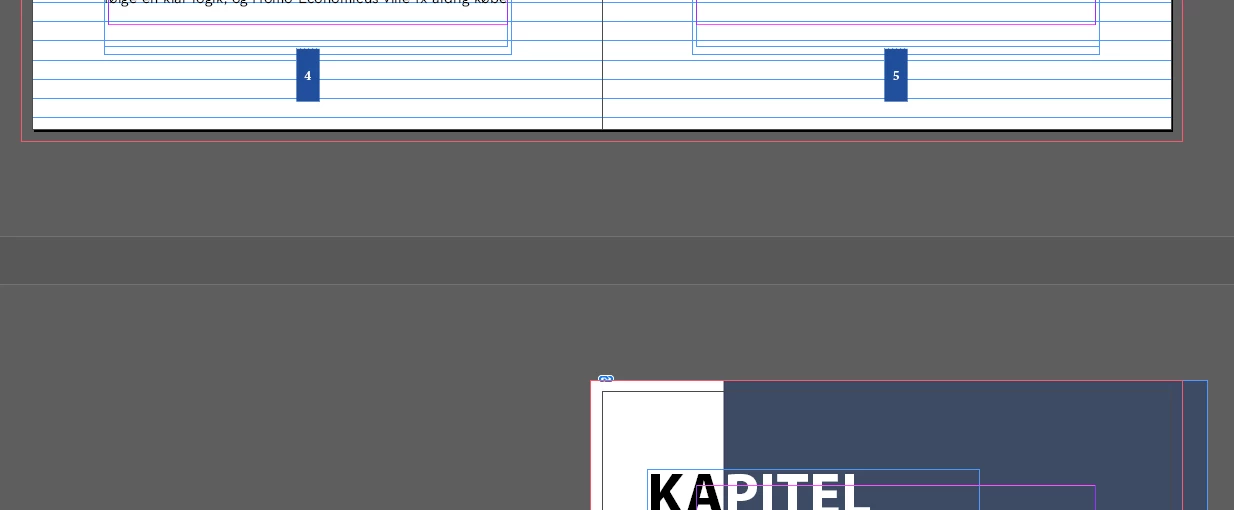
In the attached image you can see the new section/chapter starts on the right side (I set it to start on an equal number). 

But when I export to pdf the page is moved to the left and the next spread is broken and the left side from that spread moves up beside this page (that is supposed to be right.


Usually, my documents are exported as they are shown in InDesign. What could cause this behavior?
This topic has been closed for replies.
Correct answer Randy Hagan

I see what's happening.


You're arbitrarily setting up the start of your new chapters as a "Right-Hand" page, even if there isn't a left-side page. InDesign recognizes your distinction and lays out the way you'd like, but Acrobat doesn't recognize that because there isn't a left-hand page. It screws up your pagination (actually, that's on you because you don't have the right page count to match your page numbering) until it reaches the next instance of no-left-page/arbitrary "Right-Hand" page and balances out.


Short story: You need to put blank left hand pages in those spreads to get your page count right. For what it's worth, I didn't learn this until someone in my shop made this same mistake. So you're not the Lone Ranger; this happens a lot.


Hope this helps,


Randy

2 replies

simon5CD0Author
Inspiring
July 6, 2021

I meant odd number, not even.


There is a new section at the first page and then again at the next one. In the first instance this works as it normally does - the first page in the pdf stands alone. But the next chapter has the same setup - new section for first page and for second page. The effect is different though.


Frans v.d. Geest
Community Expert
Community Expert
July 6, 2021

That is how it should be, odd pages are always right, even pages always left. It would confuse the h*ll out of  a reader and printer if you would change that 😉 (It is possible, sure, with the Allow pages to shuffle option, but I would recommend inserting a blank page on the left, just like in 'real' books).

Frans v.d. Geest
Community Expert
Community Expert
July 6, 2021

Please show a screenshot from the Pages panel so we can see a bit more about how ot is set up. (Remember even numbers are always left pages...)